Zhiyun Weebill S Compatibility List: 76 Cameras
The Zhiyun Weebill S is a compact 3 kg gimbal that’s still popular on the used market. Zhiyun’s final camera list (V4.20, last updated 21 February 2025, gimbal firmware V2.07) covers 76 cameras you can control from the gimbal. The tables show every model, the cable it needs and the functions that work.
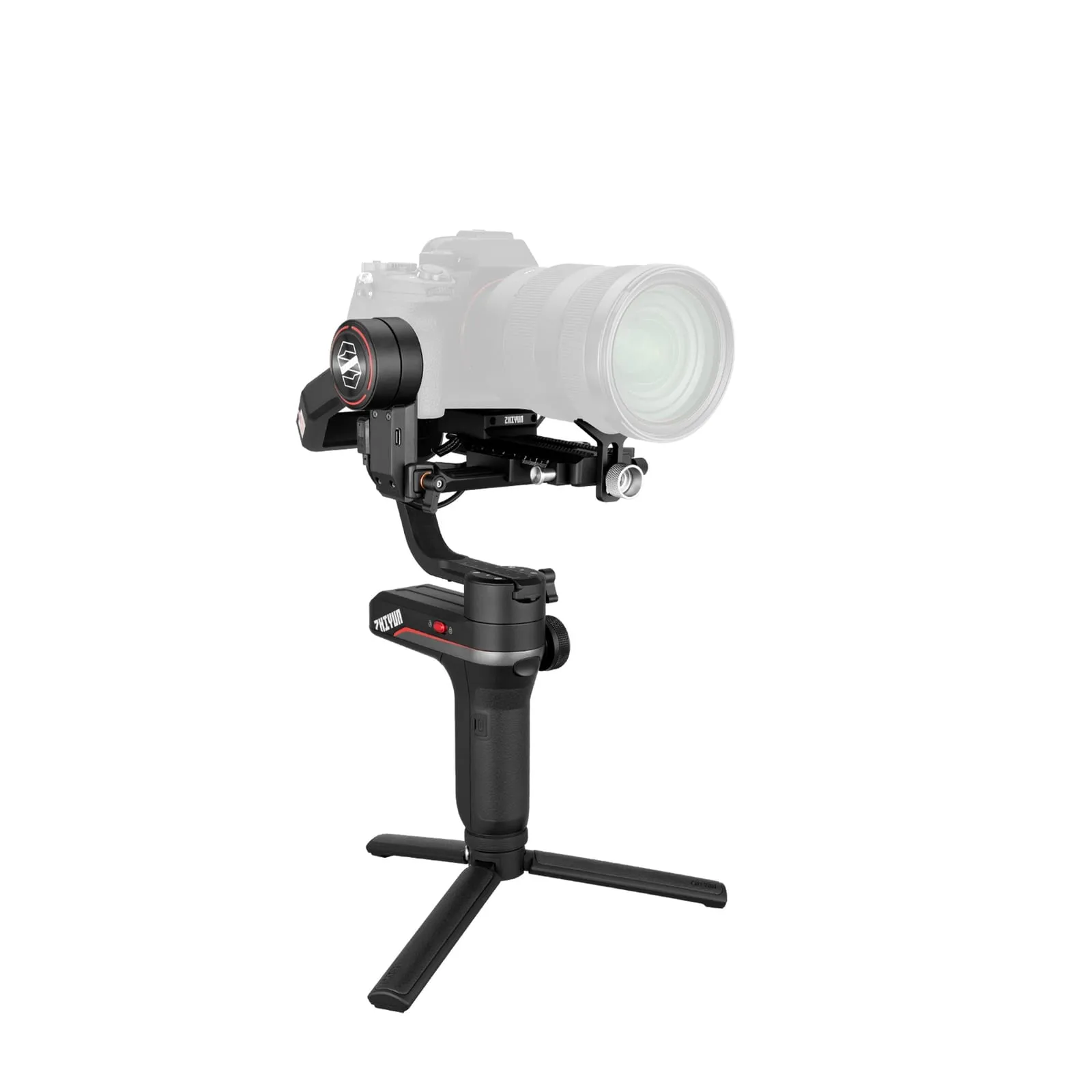
Weebill S specs
| Zhiyun Weebill S | |
|---|---|
| Weight | 895 g (gimbal) |
| Payload | 3 kg (Zhiyun store) |
| Battery | 2 × 18650 (2600 mAh), removable, charged in the included dual charger |
| Runtime | 12 h standard, up to 14 h |
| Charging | 2.5 h (5 V/2 A) |
| Camera control | Cable only (the gimbal end is always Micro-USB) |
| Power to camera | 5 V / 1 A |
| Bluetooth | 5.0, to the ZY Play app |
| Extras | Sling mode, OLED display, TransMount focus/zoom motor and image transmission support |
How camera control works on the Weebill S
The Weebill S controls cameras only by cable from its Micro-USB control port. Depending on the camera, you need:
- Multi (Micro-USB to Sony Multi): older and mid-range Sony bodies. It gives photo, video and zoom.
- Type-C (Micro-USB to USB-C): newer Sony, Canon, Nikon and Fujifilm bodies. On Sony it adds the focus wheel and shutter, aperture and ISO control.
- Micro (Micro-USB to Micro-USB) and Mini (Micro-USB to Mini-USB): older Canon and Nikon DSLRs and some mirrorless bodies.
Some Sony cameras appear twice: a Multi row with zoom, and a Type-C/Micro row with focus and exposure control. Pick the cable for the functions you need.
Full Zhiyun Weebill S camera compatibility list
Sony
| Camera | Cable | Photo | Video | Zoom | Half-press AF | Focus wheel | Shutter / aperture / ISO |
|---|---|---|---|---|---|---|---|
| Sony α9 II | Multi | ✓ | ✓ | ✓ | ✗ | ✗ | ✗ |
| Type-C | ✓ | ✓ | ✗ | ✓ | ✓ | ✓ | |
| Sony α9 | Multi | ✓ | ✓ | ✓ | ✗ | ✗ | ✗ |
| Micro | ✓ | ✓ | ✗ | ✓ | ✓ | ✓ | |
| Sony α7R5 | Micro | ✓ | ✓ | ✓ | ✗ | ✗ | ✗ |
| Type-C or Micro | ✓ | ✗ | ✗ | ✓ | ✓ | ✓ | |
| Sony α7R4 | Multi | ✓ | ✓ | ✓ | ✗ | ✗ | ✗ |
| Type-C | ✓ | ✓ | ✗ | ✓ | ✓ | ✓ | |
| Sony α7R3 | Multi | ✓ | ✓ | ✓ | ✗ | ✗ | ✗ |
| Sony α7M3 | Multi | ✓ | ✓ | ✓ | ✗ | ✗ | ✗ |
| Sony α7S3 | Multi | ✓ | ✓ | ✓ | ✗ | ✗ | ✗ |
| Micro or Type-C | ✓ | ✓ | ✗ | ✓ | ✓ | ✓ | |
| Sony α7R2 | Multi | ✓ | ✓ | ✓ | ✗ | ✗ | ✗ |
| Sony α7M2 | Multi | ✓ | ✓ | ✓ | ✗ | ✗ | ✗ |
| Sony α7S2 | Multi | ✓ | ✓ | ✓ | ✗ | ✗ | ✗ |
| Sony α7C | Type-C | ✓ | ✓ | ✗ | ✓ | ✓ | ✓ |
| Sony α6600 | Multi | ✓ | ✓ | ✓ | ✗ | ✗ | ✗ |
| Sony α6500 | Multi | ✓ | ✓ | ✓ | ✗ | ✗ | ✗ |
| Sony α6400 | Multi | ✓ | ✓ | ✓ | ✗ | ✗ | ✗ |
| Sony α6300 | Multi | ✓ | ✓ | ✓ | ✗ | ✗ | ✗ |
| Sony α6100 | Multi | ✓ | ✓ | ✓ | ✗ | ✗ | ✗ |
| Sony α6000 | Multi | ✓ | ✓ | ✓ | ✗ | ✗ | ✗ |
| Sony A1 | Type-C or Micro | ✓ | ✓ | ✗ | ✓ | ✓ | ✓ |
| Multi | ✓ | ✓ | ✓ | ✓ | ✗ | ✗ | |
| Sony ILME-FX3 | Micro | ✓ | ✓ | ✗ | ✓ | ✓ | ✓ |
| Multi | ✓ | ✓ | ✓ | ✗ | ✗ | ✗ | |
| Sony α7M4 | Multi | ✓ | ✓ | ✓ | ✗ | ✗ | ✗ |
| Type-C or Micro | ✓ | ✗ | ✗ | ✓ | ✓ | ✓ | |
| Sony ZV-E1 | Type-C | ✓ | ✗ | ✗ | ✓ | ✓ | ✓ |
| Sony Rx100 VI | Multi | ✓ | ✓ | ✗ | ✗ | ✗ | ✗ |
Panasonic
| Camera | Cable | Photo | Video | Zoom | Half-press AF | Focus wheel | Shutter / aperture / ISO |
|---|---|---|---|---|---|---|---|
| Panasonic G9 | Micro | ✓ | ✓ | ✗ | ✓ | ✓ | ✓ |
| Panasonic GH5 | Type-C | ✓ | ✓ | ✗ | ✓ | ✓ | ✓ |
| Panasonic GH5S | Type-C | ✓ | ✓ | ✗ | ✓ | ✓ | ✓ |
| Panasonic GH6 | Type-C | ✓ | ✓ | ✗ | ✓ | ✓ | ✓ |
| Panasonic S1 | Type-C | ✓ | ✓ | ✗ | ✓ | ✓ | ✓ |
| Panasonic S5 | Type-C | ✓ | ✓ | ✗ | ✓ | ✓ | Shutter + ISO |
| Panasonic S5Ⅱ | Type-C | ✓ | ✓ | ✗ | ✓ | ✓ | Shutter + ISO |
| Panasonic S1H | Type-C | ✓ | ✓ | ✗ | ✓ | ✓ | ✓ |
| Panasonic DC-BGH1 | Type-C | ✗ | ✓ | ✗ | ✗ | ✓ | ✓ |
Canon
| Camera | Cable | Photo | Video | Zoom | Half-press AF | Focus wheel | Shutter / aperture / ISO |
|---|---|---|---|---|---|---|---|
| Canon 5D3 | Mini | ✓ | ✓ | ✗ | ✓ | ✓ | ✓ |
| Canon 5D4 | Micro | ✓ | ✓ | ✗ | ✓ | ✓ | ✓ |
| Canon 5DS | Micro | ✓ | ✓ | ✗ | ✓ | ✓ | ✓ |
| Canon 5DS R | Micro | ✓ | ✓ | ✗ | ✓ | ✓ | ✓ |
| Canon 6D | Mini | ✓ | ✓ | ✗ | ✓ | ✓ | ✓ |
| Canon 6D2 | Mini | ✓ | ✓ | ✗ | ✓ | ✓ | ✓ |
| Canon 80D | Mini | ✓ | ✓ | ✗ | ✓ | ✓ | ✓ |
| Canon 90D | Micro | ✓ | ✓ | ✗ | ✓ | ✓ | ✓ |
| Canon EOS M50 | Micro | ✓ | ✓ | ✗ | ✗ | ✗ | ✓ |
| Canon EOS R5 | Type-C | ✓ | ✓ | ✗ | ✗ | ✓ | ✓ |
| Canon EOS M50 Mark II | Micro | ✓ | ✓ | ✗ | ✗ | ✓ | ✓ |
| Canon EOS M6 Mark 2 | Type-C | ✓ | ✓ | ✗ | ✗ | ✓ | ✓ |
| Canon EOS R6 | Type-C | ✓ | ✓ | ✗ | ✗ | ✓ | ✓ |
| Canon EOS R | Type-C | ✓ | ✓ | ✗ | ✗ | ✓ | ✓ |
| Canon EOS RP | Type-C | ✓ | ✓ | ✗ | ✗ | ✓ | ✓ |
| Canon EOS R7 | Type-C | ✓ | ✓ | ✗ | ✓ | ✓ | ✓ |
| Canon EOS R10 | Type-C | ✓ | ✓ | ✗ | ✓ | ✓ | ✓ |
| Canon 800D | Mini | ✓ | ✓ | ✗ | ✓ | ✓ | ✓ |
| Canon 850D | Micro | ✓ | ✓ | ✗ | ✓ | ✓ | ✓ |
| Canon EOS R6 Mark Ⅱ | Type-C | ✓ | ✓ | ✗ | ✓ | ✓ | ✓ |
| Canon EOS R8 | Type-C | ✓ | ✓ | ✗ | ✓ | ✓ | ✓ |
| Canon EOS R50 | Type-C | ✓ | ✓ | ✗ | ✓ | ✓ | ✓ |
| Canon PowerShot G7 X Mark Ⅲ | Type-C | ✓ | ✓ | ✗ | ✓ | ✗ | ✓ |
Nikon
| Camera | Cable | Photo | Video | Zoom | Half-press AF | Focus wheel | Shutter / aperture / ISO |
|---|---|---|---|---|---|---|---|
| Nikon D850 | Micro | ✓ | ✓ | ✗ | ✓ | ✓ | ✓ |
| Nikon D780 | Type-C | ✓ | ✓ | ✗ | ✓ | ✓ | ✓ |
| Nikon Z5 | Type-C | ✓ | ✓ | ✗ | ✓ | ✓ | ✓ |
| Nikon Z6 | Type-C | ✓ | ✓ | ✗ | ✓ | ✓ | ✓ |
| Nikon Z6 II | Type-C | ✓ | ✓ | ✗ | ✓ | ✓ | ✓ |
| Nikon Z7 | Type-C | ✓ | ✓ | ✗ | ✓ | ✓ | ✓ |
| Nikon Z7 II | Type-C | ✓ | ✓ | ✗ | ✓ | ✓ | ✓ |
| Nikon Z50 | Micro | ✓ | ✓ | ✗ | ✓ | ✓ | ✓ |
| Nikon Z30 | Type-C | ✓ | ✓ | ✗ | ✓ | ✓ | ✓ |
| Nikon Zfc | Type-C | ✓ | ✓ | ✗ | ✓ | ✓ | Aperture |
| Nikon Zf | Type-C to Type-C LN-UCUC-A02 | ✓ | ✓ | ✗ | ✓ | ✗ | Aperture |
Olympus
| Camera | Cable | Photo | Video | Zoom | Half-press AF | Focus wheel | Shutter / aperture / ISO |
|---|---|---|---|---|---|---|---|
| Olympus E-M1 II | Type-C | ✓ | ✓ | ✗ | ✓ | ✓ | ✓ |
Fujifilm
| Camera | Cable | Photo | Video | Zoom | Half-press AF | Focus wheel | Shutter / aperture / ISO |
|---|---|---|---|---|---|---|---|
| Fujifilm X-T3 | Type-C | ✓ | ✓ | ✗ | ✓ | ✗ | Shutter + ISO |
| Fujifilm X-T4 | Type-C | ✓ | ✓ | ✗ | ✓ | ✗ | Shutter + ISO |
| Fujifilm X-T5 | Type-C | ✓ | ✓ | ✗ | ✓ | ✗ | Shutter + ISO |
| Fujifilm X-T30 | Type-C | ✗ | ✗ | ✗ | ✗ | ✗ | ✗ |
| Fujifilm X-H2S | Type-C | ✓ | ✓ | ✗ | ✓ | ✗ | Shutter + ISO |
| Fujifilm X-S20 | Type-C | ✓ | ✓ | ✗ | ✓ | ✗ | Shutter + ISO |
Z CAM
| Camera | Cable | Photo | Video | Zoom | Half-press AF | Focus wheel | Shutter / aperture / ISO |
|---|---|---|---|---|---|---|---|
| ZCAM E2 | Type-C | ✗ | ✓ | ✗ | ✗ | ✗ | ISO |
Blackmagic Design
| Camera | Cable | Photo | Video | Zoom | Half-press AF | Focus wheel | Shutter / aperture / ISO |
|---|---|---|---|---|---|---|---|
| BMPCC 4K | Type-C | ✗ | ✓ | ✗ | ✗ | ✓ | ✓ |
| BMPCC 6K | Type-C | ✗ | ✓ | ✗ | ✗ | ✓ | ✓ |
Sigma
| Camera | Cable | Photo | Video | Zoom | Half-press AF | Focus wheel | Shutter / aperture / ISO |
|---|---|---|---|---|---|---|---|
| SIGMA fp | Type-C | ✓ | ✓ | ✗ | ✓ | ✗ | ✗ |
The PDF also lists the Panasonic GH4 and Fujifilm X-100V, X-T30 II, X-T50 and X-E3 as greyed out with no control functions. They can be stabilized, but not controlled.
Setup tips from Zhiyun’s notes
- Sony: power on the gimbal before the camera. Optical zoom needs a power-zoom lens; otherwise select digital zoom in the camera. With the Type-C cable, turn off Ctrl w/ Smartphone and set USB Connection to PC Remote. On the α7S III, enable PC remote under Network → Transfer/Remote.
- Canon mirrorless: switch between photo and movie mode with the camera off. On the EOS R, RP, R5 and R6, don’t start video with the shutter release in photo mode, or the camera can freeze.
- Canon DSLR: half-press autofocus doesn’t work in Live View, so turn Live View off to use it.
- Panasonic: set USB mode to PC (Tether).
- Fujifilm: in photo mode, exposure settings can only be changed from the gimbal (press LV to switch control), and RAW isn’t supported. Press LV once before and after switching between photo and video.
- Olympus: choose the PC control USB mode and set the mode dial to P, A, S or M.
- Panorama and timelapse: turn off image review/auto review on the camera.
Cameras not on the list
The Weebill S stabilizes any balanced setup up to about 3 kg. You’ll just need to start recording on the camera. Since the list is final, newer bodies won’t be added. For newer Zhiyun models, see the Weebill 3S (cable and Bluetooth) and the Weebill 2 lists. If you’re buying today, compare the DJI RS 4 compatibility list (122 cameras, Bluetooth and cable) or the Weebill 3 vs SCORP 2 comparison.
Frequently asked questions
Which cameras are compatible with the Zhiyun Weebill S?
Zhiyun's final list (V4.20, February 2025) has 76 cameras with camera control: 23 Canon, 22 Sony, 11 Nikon, 9 Panasonic, 6 Fujifilm, 2 Blackmagic Pocket, plus Z CAM, Sigma fp and Olympus E-M1 II.
What is the payload of the Weebill S?
Zhiyun's store lists a 3 kg payload, which covers most mirrorless bodies and lighter DSLR setups. The gimbal itself weighs 895 g.
Does the Weebill S have Bluetooth camera control?
No. The Weebill S controls cameras by cable only. Its Bluetooth 5.0 connects the gimbal to the ZY Play app.
Is the Weebill S still supported?
Zhiyun lists the Weebill S as a discontinued product. The V4.20 list (gimbal firmware V2.07) is final, and no new cameras will be added.
Which cable do I need for my Sony camera?
Most Sony bodies use the Multi cable for photo, video and zoom. Newer bodies (α7C, α7S III, A1, FX3, α7R IV, α9 II) also support a Type-C or Micro-USB cable that adds focus wheel and exposure control.