Zhiyun Weebill 3S Compatibility List: 95 Cameras
The Zhiyun Weebill 3S is Zhiyun’s current compact gimbal for mirrorless and lighter DSLR setups. It controls cameras by cable or with the built-in Bluetooth shutter. Zhiyun’s latest list (V3.00, 4 September 2026, gimbal firmware V1.75) covers 95 cameras by cable and 57 by Bluetooth.
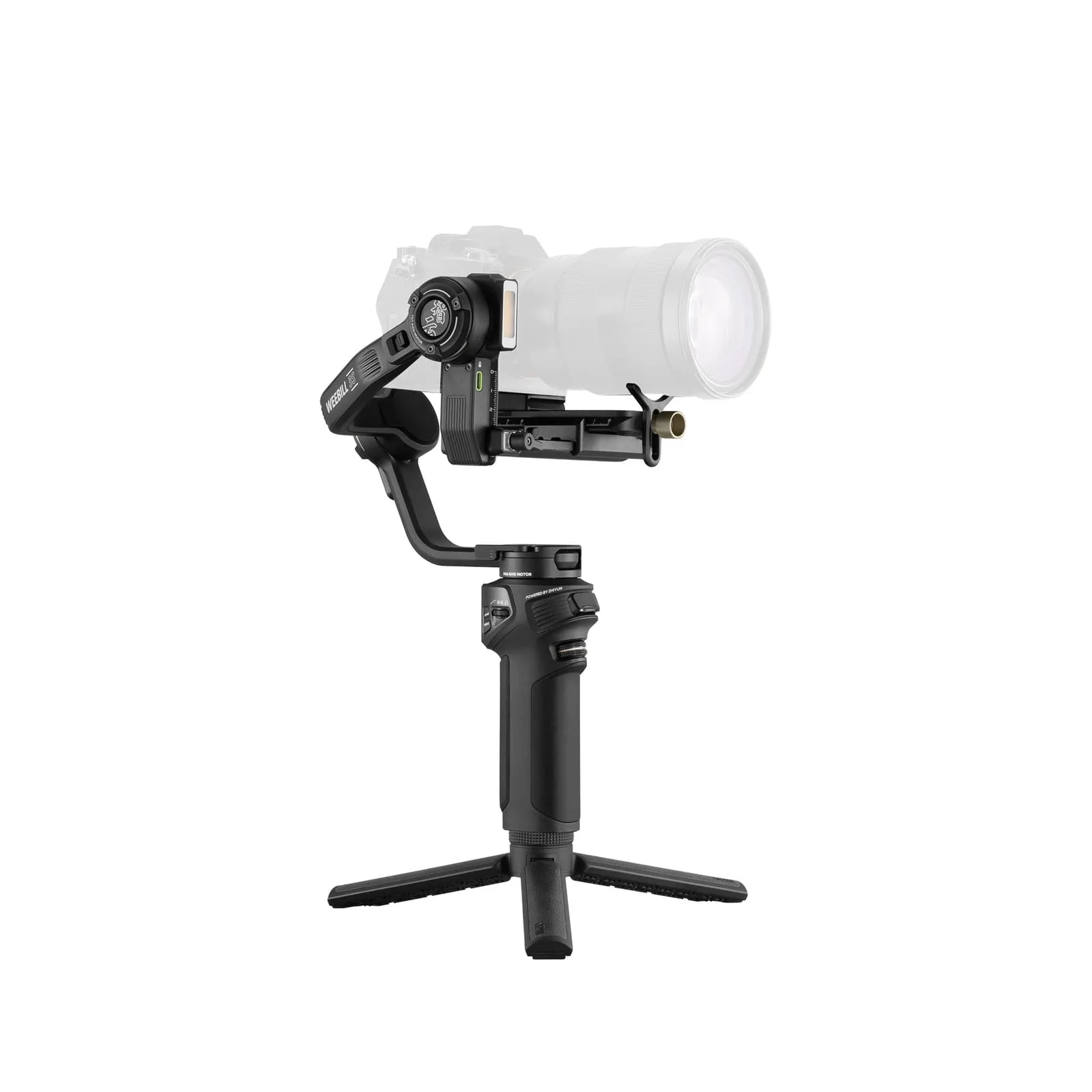
Weebill 3S specs
| Zhiyun Weebill 3S | |
|---|---|
| Weight | About 1055 g with battery (without tripod and plate) |
| Payload | 3 kg (Zhiyun store) |
| Battery | 2600 mAh, built in, up to 11.5 h |
| Charging | About 2 h with a 9 V PD charger |
| Camera control | Cable (4 cables in the box) or built-in Bluetooth shutter |
| Power to camera | 5 V / 1 A |
| Extras | Built-in fill light, sling grip and wrist rest (Combo), vertical shooting without rebalancing |
| Status | Current model |
How camera control works on the Weebill 3S
- Cable: the box includes Type-C to Mini USB, Type-C to Micro USB, Type-C to Type-C and Type-C to Multi cables. The cable gives the most functions. Depending on the camera, that’s photo, video, zoom, half-press AF, the focus wheel and exposure settings.
- Bluetooth shutter: wireless photo and video on supported Sony, Canon and Nikon cameras.
- With both connected, the cable takes priority. You don’t need to disconnect Bluetooth.
Cable control list
Sony
| Camera | Cable | Photo | Video | Zoom | Half-press AF | Focus wheel | Shutter / aperture / ISO |
|---|---|---|---|---|---|---|---|
| Sony α1 | Type-C to Type-C LN-UCUC-A02 | ✓ | ✓ | ✗ | ✓ | ✓ | ✓ |
| Sony α1 Ⅱ | Type-C to Type-C LN-UCUC-A02 | ✓ | ✓ | ✗ | ✓ | ✓ | ✓ |
| Sony α9 Ⅱ | Type-C to Type-C LN-UCUC-A02 | ✓ | ✓ | ✗ | ✓ | ✓ | ✓ |
| Sony α9 | Type-C to Multi LN-UCUS-A03 | ✓ | ✓ | ✗ | ✓ | ✓ | ✓ |
| Sony α1 Ⅱ | Type-C to Multi LN-UCUS-A03 (optional) | ✓ | ✓ | ✓ | ✓ | ✗ | ✗ |
| Sony α7R5 | Type-C to Multi LN-UCUS-A03 | ✓ | ✓ | ✗ | ✓ | ✓ | ✓ |
| Type-C to Type-C LN-UCUC-A02 | ✓ | ✓ | ✗ | ✓ | ✓ | ✓ | |
| Sony α7R4 | Type-C to Multi LN-UCUS-A03 | ✓ | ✓ | ✗ | ✗ | ✓ | ✓ |
| Type-C to Type-C LN-UCUC-A02 | ✓ | ✓ | ✗ | ✓ | ✓ | ✓ | |
| Sony α7M4 | Type-C to Multi LN-UCUS-A03 | ✓ | ✓ | ✓ | ✓ | ✗ | ✗ |
| Type-C to Type-C LN-UCUC-A02 | ✓ | ✓ | ✗ | ✓ | ✓ | ✓ | |
| Sony α7M5 | Type-C to Type-C LN-UCUC-A02 | ✓ | ✓ | ✗ | ✓ | ✓ | ✓ |
| Sony α7R3 | Type-C to Multi LN-UCUS-A03 | ✓ | ✓ | ✓ | ✓ | ✗ | ✗ |
| Type-C to Type-C LN-UCUC-A02 | ✗ | ✓ | ✗ | ✓ | ✓ | ✓ | |
| Sony α7M3 | Type-C to Multi LN-UCUS-A03 | ✓ | ✓ | ✓ | ✓ | ✗ | ✗ |
| Type-C to Type-C LN-UCUC-A02 | ✗ | ✓ | ✗ | ✓ | ✓ | ✓ | |
| Sony α7S3 | Type-C to Multi LN-UCUS-A03 | ✓ | ✓ | ✗ | ✓ | ✓ | ✓ |
| Type-C to Type-C LN-UCUC-A02 | ✓ | ✓ | ✗ | ✓ | ✓ | ✓ | |
| Sony α7R2 | Type-C to Multi LN-UCUS-A03 | ✓ | ✓ | ✓ | ✓ | ✗ | ✗ |
| Sony α7M2 | Type-C to Multi LN-UCUS-A03 | ✓ | ✓ | ✓ | ✓ | ✗ | ✗ |
| Sony α7S2 | Type-C to Multi LN-UCUS-A03 | ✓ | ✓ | ✓ | ✓ | ✗ | ✗ |
| Sony α7C | Type-C to Type-C LN-UCUC-A02 | ✓ | ✓ | ✗ | ✓ | ✓ | ✓ |
| Sony α7C R | Type-C to Type-C LN-UCUC-A02 | ✓ | ✓ | ✗ | ✓ | ✓ | ✓ |
| Sony α7CⅡ | Type-C to Type-C LN-UCUC-A02 | ✓ | ✓ | ✗ | ✓ | ✗ | ✓ |
| Sony α6700 | Type-C to Type-C LN-UCUC-A02 | ✓ | ✓ | ✗ | ✓ | ✗ | ✓ |
| Sony α6600 | Type-C to Multi LN-UCUS-A03 | ✓ | ✓ | ✓ | ✓ | ✗ | ✗ |
| Sony α6500 | Type-C to Multi LN-UCUS-A03 | ✓ | ✓ | ✓ | ✓ | ✗ | ✗ |
| Sony α6400 | Type-C to Multi LN-UCUS-A03 | ✓ | ✓ | ✓ | ✓ | ✗ | ✗ |
| Sony α6300 | Type-C to Multi LN-UCUS-A03 | ✓ | ✓ | ✓ | ✓ | ✗ | ✗ |
| Sony α6100 | Type-C to Multi LN-UCUS-A03 | ✓ | ✓ | ✓ | ✓ | ✗ | ✗ |
| Sony ZV-1 | Type-C to Multi LN-UCUS-A03 | ✓ | ✓ | ✗ | ✓ | ✓ | ✓ |
| Sony ZV-E10 | Type-C to Type-C LN-UCUC-A02 | ✓ | ✓ | ✗ | ✓ | ✓ | ✓ |
| Sony ZV-E10 Ⅱ | Type-C to Type-C LN-UCUC-A02 | ✓ | ✓ | ✗ | ✓ | ✓ | ✓ |
| Sony ZV-E1 | Type-C to Type-C LN-UCUC-A02 | ✓ | ✓ | ✗ | ✓ | ✓ | ✓ |
| Sony ZV-1 II | Type-C to Type-C LN-UCUC-A02 | ✓ | ✓ | ✗ | ✓ | ✗ | ✓ |
| Sony FX30 | Type-C to Type-C LN-UCUC-A02 | ✓ | ✓ | ✗ | ✓ | ✗ | ✓ |
| Type-C to Multi LN-UCUS-A03 | ✓ | ✓ | ✗ | ✓ | ✗ | ✓ | |
| Sony ILME-FX3 | Type-C to Multi LN-UCUS-A03 | ✓ | ✓ | ✗ | ✓ | ✓ | ✓ |
| Type-C to Type-C LN-UCUC-A02 | ✓ | ✓ | ✗ | ✓ | ✓ | ✓ | |
| Sony α9 Ⅲ | Type-C to Multi LN-UCUS-A03 (optional) | ✓ | ✓ | ✓ | ✓ | ✗ | ✗ |
| Type-C to Type-C LN-UCUC-A02 | ✓ | ✓ | ✗ | ✓ | ✓ | ✓ | |
| Sony Rx100 VI | Type-C to Multi LN-UCUS-A03 | ✓ | ✓ | ✗ | ✓ | ✓ | ✓ |
Panasonic
| Camera | Cable | Photo | Video | Zoom | Half-press AF | Focus wheel | Shutter / aperture / ISO |
|---|---|---|---|---|---|---|---|
| Panasonic G9 | Type-C to Micro LN-MBUC-A02 | ✓ | ✓ | ✗ | ✓ | ✓ | ✓ |
| Panasonic GH5 | Type-C to Type-C LN-UCUC-A02 | ✓ | ✓ | ✗ | ✓ | ✓ | ✓ |
| Panasonic GH5S | Type-C to Type-C LN-UCUC-A02 | ✓ | ✓ | ✗ | ✓ | ✓ | ✓ |
| Panasonic GH6 | Type-C to Type-C LN-UCUC-A02 | ✓ | ✓ | ✗ | ✓ | ✓ | ✓ |
| Panasonic GH7 | Type-C to Type-C LN-UCUC-A02 | ✓ | ✓ | ✗ | ✓ | ✓ | ✓ |
| Panasonic S5 | Type-C to Type-C LN-UCUC-A02 | ✓ | ✓ | ✗ | ✓ | ✓ | ✓ |
| Panasonic S5 II | Type-C to Type-C LN-UCUC-A02 | ✓ | ✓ | ✗ | ✓ | ✓ | ✓ |
| Panasonic S9 | Type-C to Type-C LN-UCUC-A02 | ✓ | ✓ | ✗ | ✓ | ✓ | ✓ |
| Panasonic S1RM2 | Type-C to Type-C LN-UCUC-A02 | ✓ | ✓ | ✗ | ✓ | ✓ | ✓ |
| Panasonic DC-BGH1 | Type-C to Type-C LN-UCUC-A02 | ✗ | ✓ | ✗ | ✗ | ✓ | Shutter + ISO (video mode) |
Canon
| Camera | Cable | Photo | Video | Zoom | Half-press AF | Focus wheel | Shutter / aperture / ISO |
|---|---|---|---|---|---|---|---|
| Canon 5D Mark Ⅲ | Type-C to Mini LN-NBUC-A01 | ✓ | ✓ | ✗ | ✓ | ✓ | ✓ |
| Canon 5D Mark Ⅳ | Type-C to Micro LN-MBUC-A02 | ✓ | ✓ | ✗ | ✓ | ✓ | ✓ |
| Canon 5DS | Type-C to Micro LN-MBUC-A02 | ✓ | ✓ | ✗ | ✓ | ✓ | ✓ |
| Canon 5DS R | Type-C to Micro LN-MBUC-A02 | ✓ | ✓ | ✗ | ✓ | ✓ | ✓ |
| Canon 6D Mark Ⅱ | Type-C to Mini LN-NBUC-A01 | ✓ | ✓ | ✗ | ✓ | ✓ | ✓ |
| Canon 80D | Type-C to Mini LN-NBUC-A01 | ✓ | ✓ | ✗ | ✓ | ✓ | ✓ |
| Canon 90D | Type-C to Micro LN-MBUC-A02 | ✓ | ✓ | ✗ | ✓ | ✓ | ✓ |
| Canon EOS 800D | Type-C to Mini LN-NBUC-A01 | ✓ | ✓ | ✗ | ✓ | ✓ | ✓ |
| Canon EOS 850D | Type-C to Micro LN-MBUC-A02 | ✓ | ✓ | ✗ | ✓ | ✓ | ✓ |
| Canon EOS 200DⅡ | Type-C to Micro LN-MBUC-A02 | ✓ | ✓ | ✗ | ✓ | ✓ | ✓ |
| Canon EOS C50 | Type-C to Type-C LN-UCUC-A02 | ✓ | ✗ | ✗ | ✓ | ✓ | ✓ (photo mode) |
| Canon M50 | Type-C to Micro LN-MBUC-A02 | ✓ | ✓ | ✗ | ✗ | ✗ | ✓ |
| Canon EOS M6 Mark Ⅱ | Type-C to Type-C LN-UCUC-A02 | ✓ | ✓ | ✗ | ✗ | ✓ | ✓ |
| Canon EOS R50 | Type-C to Type-C LN-UCUC-A02 | ✓ | ✓ | ✗ | ✓ | ✓ | ✓ |
| Canon EOS R5 | Type-C to Type-C LN-UCUC-A02 | ✓ | ✓ | ✗ | ✓ | ✓ | ✓ |
| Canon EOS R5 Ⅱ | Type-C to Type-C LN-UCUC-A02 | ✓ | ✓ | ✗ | ✓ | ✓ | ✓ |
| Canon EOS R6 | Type-C to Type-C LN-UCUC-A02 | ✓ | ✓ | ✗ | ✓ | ✓ | ✓ |
| Canon EOS R50 ⅴ | Type-C to Type-C LN-UCUC-A02 | ✓ | ✓ | ✗ | ✓ | ✓ | ✓ |
| Canon EOS R6 Mark Ⅲ | Type-C to Type-C LN-UCUC-A02 | ✓ | ✓ | ✗ | ✓ | ✓ | ✓ |
| Canon EOS R6 Mark Ⅱ | Type-C to Type-C LN-UCUC-A02 | ✓ | ✓ | ✗ | ✓ | ✓ | ✓ |
| Canon EOS R6 Ⅴ | Type-C to Type-C LN-UCUC-A02 | ✓ | ✓ | ✗ | ✓ | ✓ | ✓ |
| Canon EOS R7 | Type-C to Type-C LN-UCUC-A02 | ✓ | ✓ | ✗ | ✓ | ✓ | ✓ |
| Canon EOS R8 | Type-C to Type-C LN-UCUC-A02 | ✓ | ✓ | ✗ | ✓ | ✓ | ✓ |
| Canon EOS R10 | Type-C to Type-C LN-UCUC-A02 | ✓ | ✓ | ✗ | ✓ | ✓ | ✓ |
| Canon EOS R | Type-C to Type-C LN-UCUC-A02 | ✓ | ✓ | ✗ | ✓ | ✓ | ✓ |
| Canon EOS RP | Type-C to Type-C LN-UCUC-A02 | ✓ | ✓ | ✗ | ✓ | ✓ | ✓ |
| Canon PowerShot G7 X Mark Ⅲ | Type-C to Type-C LN-UCUC-A02 | ✓ | ✓ | ✗ | ✓ | ✗ | ✓ |
| Canon EOS M50 | Type-C to Micro LN-MBUC-A02 | ✓ | ✓ | ✗ | ✓ | ✓ | ✓ |
| Canon EOS M50 Ⅱ | Type-C to Micro LN-MBUC-A02 | ✓ | ✓ | ✗ | ✓ | ✓ | ✓ |
Nikon
| Camera | Cable | Photo | Video | Zoom | Half-press AF | Focus wheel | Shutter / aperture / ISO |
|---|---|---|---|---|---|---|---|
| Nikon D850 | Type-C to Micro LN-MBUC-A02 | ✓ | ✓ | ✗ | ✓ | ✓ | ✓ |
| Nikon D780 | Type-C to Type-C LN-UCUC-A02 | ✓ | ✓ | ✗ | ✓ | ✓ | ✓ |
| Nikon ZR | Type-C to Type-C LN-UCUC-A02 | ✓ | ✓ | ✗ | ✓ | ✓ | ✓ |
| Nikon Z5 | Type-C to Type-C LN-UCUC-A02 | ✓ | ✓ | ✗ | ✓ | ✓ | ✓ |
| Nikon Z6 | Type-C to Type-C LN-UCUC-A02 | ✓ | ✓ | ✗ | ✓ | ✓ | ✓ |
| Nikon Z6 Ⅱ | Type-C to Type-C LN-UCUC-A02 | ✓ | ✓ | ✗ | ✓ | ✓ | ✓ |
| Nikon Z7 | Type-C to Type-C LN-UCUC-A02 | ✓ | ✓ | ✗ | ✓ | ✓ | ✓ |
| Nikon Z7 Ⅱ | Type-C to Type-C LN-UCUC-A02 | ✓ | ✓ | ✗ | ✓ | ✓ | ✓ |
| Nikon Z30 | Type-C to Type-C LN-UCUC-A02 | ✓ | ✓ | ✗ | ✓ | ✓ | ✓ |
| Nikon Z50 | Type-C to Micro LN-MBUC-A02 | ✓ | ✓ | ✗ | ✓ | ✓ | ✓ |
| Nikon Z fc | Type-C to Type-C LN-UCUC-A02 | ✓ | ✓ | ✗ | ✓ | ✗ | Aperture |
| Nikon Z8 | Type-C to Type-C LN-UCUC-A02 | ✓ | ✓ | ✗ | ✓ | ✓ | ✓ |
| Nikon Zf | Type-C to Type-C LN-UCUC-A02 | ✓ | ✓ | ✗ | ✓ | ✗ | Aperture |
| Nikon Z6 Ⅲ | Type-C to Type-C LN-UCUC-A02 | ✓ | ✓ | ✗ | ✓ | ✓ | ✓ |
| Nikon Z50Ⅱ | Type-C to Type-C LN-UCUC-A02 | ✓ | ✓ | ✗ | ✓ | ✓ | ✓ |
Olympus
| Camera | Cable | Photo | Video | Zoom | Half-press AF | Focus wheel | Shutter / aperture / ISO |
|---|---|---|---|---|---|---|---|
| Olympus OM-D E-M1 Mark II | Type-C to Type-C LN-UCUC-A02 | ✓ | ✓ | ✗ | ✓ | ✓ | ✓ |
Fujifilm
| Camera | Cable | Photo | Video | Zoom | Half-press AF | Focus wheel | Shutter / aperture / ISO |
|---|---|---|---|---|---|---|---|
| Fujifilm X-T3 | Type-C to Type-C LN-UCUC-A02 | ✓ | ✓ | ✗ | ✓ | ✗ | Shutter + ISO |
| Fujifilm X-T4 | Type-C to Type-C LN-UCUC-A02 | ✓ | ✓ | ✗ | ✓ | ✗ | Shutter + ISO |
| Fujifilm X-T5 | Type-C to Type-C LN-UCUC-A02 | ✓ | ✓ | ✗ | ✓ | ✗ | Shutter + ISO |
| Fujifilm X-S20 | Type-C to Type-C LN-UCUC-A02 | ✓ | ✓ | ✗ | ✓ | ✗ | Shutter + ISO |
| Fujifilm X-H2 | Type-C to Type-C LN-UCUC-A02 | ✓ | ✓ | ✗ | ✓ | ✗ | Shutter + ISO |
| Fujifilm X-H2s | Type-C to Type-C LN-UCUC-A02 | ✓ | ✓ | ✗ | ✓ | ✗ | Shutter + ISO |
Z CAM
| Camera | Cable | Photo | Video | Zoom | Half-press AF | Focus wheel | Shutter / aperture / ISO |
|---|---|---|---|---|---|---|---|
| ZCAM E2 | Type-C to Type-C LN-UCUC-A02 | ✗ | ✓ | ✗ | ✗ | ✗ | ISO |
Sigma
| Camera | Cable | Photo | Video | Zoom | Half-press AF | Focus wheel | Shutter / aperture / ISO |
|---|---|---|---|---|---|---|---|
| SIGMA fp | Type-C to Type-C LN-UCUC-A02 | ✓ | ✓ | ✗ | ✓ | ✗ | ✗ |
Listed but greyed out, with no control functions: Panasonic GH4 and Fujifilm X-S10, X100V, X100VI, X-T30 II, X-T30 III, X-T50, X-E3 and X-E5.
Bluetooth shutter list
Sony
| Camera | Connection | Photo | Video | Zoom | Half-press AF | Focus wheel | Shutter / aperture / ISO |
|---|---|---|---|---|---|---|---|
| Sony α1 | Bluetooth | ✓ | ✓ | ✗ | ✓ | ✗ | ✗ |
| Sony α9 Ⅱ | Bluetooth | ✓ | ✓ | ✓ | ✓ | ✓ | ✗ |
| Sony α9 | Bluetooth | ✓ | ✓ | ✗ | ✓ | ✗ | ✗ |
| Sony α7R5 | Bluetooth | ✓ | ✓ | ✗ | ✓ | ✗ | ✗ |
| Sony α7R4 | Bluetooth | ✓ | ✓ | ✓ | ✓ | ✓ | ✗ |
| Sony α7R3 | Bluetooth | ✓ | ✓ | ✓ | ✓ | ✓ | ✗ |
| Sony α7M4 | Bluetooth | ✓ | ✓ | ✓ | ✓ | ✓ | ✗ |
| Sony α7M5 | Bluetooth | ✓ | ✓ | ✓ | ✓ | ✓ | ✗ |
| Sony α7M3 | Bluetooth | ✓ | ✓ | ✓ | ✓ | ✓ | ✗ |
| Sony α7S3 | Bluetooth | ✓ | ✓ | ✓ | ✓ | ✓ | ✗ |
| Sony α7C | Bluetooth | ✓ | ✓ | ✓ | ✓ | ✓ | ✗ |
| Sony α7C R | Bluetooth | ✓ | ✓ | ✓ | ✓ | ✓ | ✗ |
| Sony α7CⅡ | Bluetooth | ✓ | ✓ | ✗ | ✗ | ✗ | ✗ |
| Sony FX3 | Bluetooth | ✓ | ✓ | ✓ | ✓ | ✓ | ✗ |
| Sony FX30 | Bluetooth | ✓ | ✓ | ✓ | ✓ | ✓ | ✗ |
| Sony α6700 | Bluetooth | ✓ | ✓ | ✗ | ✗ | ✗ | ✗ |
| Sony α6600 | Bluetooth | ✓ | ✓ | ✓ | ✓ | ✓ | ✗ |
| Sony α6400 | Bluetooth | ✓ | ✓ | ✓ | ✓ | ✓ | ✗ |
| Sony α6100 | Bluetooth | ✓ | ✓ | ✗ | ✓ | ✗ | ✗ |
| Sony ZV-1 | Bluetooth | ✓ | ✓ | ✓ | ✓ | ✓ | ✗ |
| Sony ZV-1 II | Bluetooth | ✓ | ✓ | ✗ | ✓ | ✗ | ✗ |
| Sony ZV-E 10 | Bluetooth | ✓ | ✓ | ✗ | ✓ | ✗ | ✗ |
| Sony ZV-E10 Ⅱ | Bluetooth | ✓ | ✓ | ✗ | ✓ | ✗ | ✗ |
| Sony ZV-E1 | Bluetooth | ✓ | ✓ | ✓ | ✓ | ✓ | ✗ |
| Sony Rx100 VII | Bluetooth | ✓ | ✓ | ✗ | ✓ | ✗ | ✗ |
| Sony α9 Ⅲ | Bluetooth | ✓ | ✓ | ✗ | ✓ | ✗ | ✗ |
Canon
| Camera | Connection | Photo | Video | Zoom | Half-press AF | Focus wheel | Shutter / aperture / ISO |
|---|---|---|---|---|---|---|---|
| Canon EOS R5 | Bluetooth | ✓ | ✓ | ✗ | ✓ | ✗ | ✗ |
| Canon EOS R5 Ⅱ | Bluetooth | ✓ | ✓ | ✗ | ✓ | ✗ | ✗ |
| Canon EOS R6 | Bluetooth | ✓ | ✓ | ✗ | ✓ | ✗ | ✗ |
| Canon EOS R6 MarkⅡ | Bluetooth | ✓ | ✓ | ✗ | ✓ | ✗ | ✗ |
| Canon EOS R6 Mark Ⅲ | Bluetooth | ✓ | ✓ | ✗ | ✓ | ✗ | ✗ |
| Canon EOS R6 Ⅴ | Bluetooth | ✓ | ✓ | ✗ | ✓ | ✗ | ✗ |
| Canon EOS R7 | Bluetooth | ✓ | ✓ | ✗ | ✓ | ✗ | ✗ |
| Canon EOS R8 | Bluetooth | ✓ | ✓ | ✗ | ✓ | ✗ | ✗ |
| Canon EOS R10 | Bluetooth | ✓ | ✓ | ✗ | ✓ | ✗ | ✗ |
| Canon EOS R | Bluetooth | ✓ | ✓ | ✗ | ✓ | ✗ | ✗ |
| Canon EOS RP | Bluetooth | ✓ | ✓ | ✗ | ✓ | ✗ | ✗ |
| Canon EOS R50 | Bluetooth | ✓ | ✓ | ✗ | ✓ | ✗ | ✗ |
| Canon EOS R50 ⅴ | Bluetooth | ✓ | ✓ | ✗ | ✓ | ✗ | ✗ |
| Canon EOS M50 | Bluetooth | ✓ | ✓ | ✗ | ✓ | ✗ | ✗ |
| Canon EOS M50Ⅱ | Bluetooth | ✓ | ✓ | ✗ | ✓ | ✗ | ✗ |
| Canon EOS M6 Ⅱ | Bluetooth | ✓ | ✓ | ✗ | ✓ | ✗ | ✗ |
| Canon EOS 90D | Bluetooth | ✓ | ✓ | ✗ | ✓ | ✗ | ✗ |
| Canon EOS 800D | Bluetooth | ✓ | ✓ | ✗ | ✓ | ✗ | ✗ |
| Canon EOS 850D | Bluetooth | ✓ | ✓ | ✗ | ✓ | ✗ | ✗ |
| Canon EOS 200DⅡ | Bluetooth | ✓ | ✓ | ✗ | ✓ | ✗ | ✗ |
| Canon PowerShot G7 X Mark Ⅲ | Bluetooth | ✓ | ✓ | ✗ | ✓ | ✗ | ✗ |
| Canon EOS C50 | Bluetooth | ✓ | ✗ | ✗ | ✓ | ✗ | ✗ |
Nikon
| Camera | Connection | Photo | Video | Zoom | Half-press AF | Focus wheel | Shutter / aperture / ISO |
|---|---|---|---|---|---|---|---|
| Nikon Z6 Ⅱ | Bluetooth | ✓ | ✓ | ✗ | ✗ | ✗ | ✗ |
| Nikon Z7 Ⅱ | Bluetooth | ✓ | ✓ | ✗ | ✗ | ✗ | ✗ |
| Nikon Z50 | Bluetooth | ✓ | ✓ | ✗ | ✗ | ✗ | ✗ |
| Nikon Z30 | Bluetooth | ✓ | ✓ | ✗ | ✗ | ✗ | ✗ |
| Nikon Z fc | Bluetooth | ✓ | ✓ | ✗ | ✓ | ✗ | ✗ |
| Nikon Zf | Bluetooth | ✓ | ✓ | ✗ | ✗ | ✗ | ✗ |
| Nikon Z6 Ⅲ | Bluetooth | ✓ | ✓ | ✗ | ✗ | ✗ | ✗ |
| Nikon Z50Ⅱ | Bluetooth | ✓ | ✓ | ✗ | ✗ | ✗ | ✗ |
| Nikon ZR | Bluetooth | ✓ | ✓ | ✗ | ✓ | ✗ | ✗ |
Setup notes from Zhiyun
Cable:
- Sony, Type-C cable: turn on PC Remote. For the focus wheel, set the lens to AF and the camera to MF. In video mode the gimbal turns off in-body stabilization. You can switch it back on in the menu; lens stabilization isn’t affected.
- Sony, Multi cable: select PC Remote, power on the gimbal before the camera and turn off auto review for panorama and timelapse.
- Canon: the focus wheel needs the lens in AF, and DSLRs also need live view. Turn off Movie Servo AF when you focus during recording. Canon DSLRs can’t half-press AF in live view.
- Nikon: set the lens to A (AF) with AF-S or AF-C and USB to MTP/PTP. Electronic focus doesn’t work while recording. On the Z6III and Z50II, half-press AF works in photo mode only.
- Panasonic: set USB mode to PC (Tether), put the lens in MF for the focus wheel and turn off USB power supply before you connect.
- Fujifilm: set the connection to USB Tether Shooting Auto. In photo mode, settings change only from the gimbal, and RAW isn’t supported.
Bluetooth:
- Sony: pair the camera in the Network menu, pick it in the gimbal’s Bluetooth shutter menu and turn on Bluetooth Remote Control.
- Canon: connect the gimbal as a wireless remote, set the drive mode to self-timer: remote, turn auto power-off off and enable remote control in movie mode.
- Nikon: save the gimbal as a wireless remote (ML-L7 option), then connect from the gimbal. Automatic reconnection isn’t supported yet.
Related lists
- Zhiyun Weebill 2: the older model with a flip-out screen and cable control only
- Zhiyun Weebill S
- Zhiyun Crane M3S: the smaller Zhiyun with a built-in Bluetooth shutter
- DJI RS 4: DJI’s 3 kg gimbal, 122 cameras
Frequently asked questions
Which cameras are compatible with the Zhiyun Weebill 3S?
Zhiyun's V3.00 list (September 2026) has 95 cameras with cable control: 32 Sony, 29 Canon, 15 Nikon, 10 Panasonic, 6 Fujifilm, plus Olympus E-M1 II, Sigma fp and Z CAM E2. 57 cameras are on the Bluetooth shutter list.
Does the Weebill 3S have Bluetooth camera control?
Yes, a Bluetooth shutter is built in, with no extra module. Zhiyun lists 26 Sony, 22 Canon and 9 Nikon cameras for it. If cable and Bluetooth are both connected, the cable takes priority.
What is the payload of the Weebill 3S?
3 kg, according to Zhiyun's store. The gimbal weighs about 1055 g with the battery, without the tripod and quick release plate.
Which Fujifilm cameras work with the Weebill 3S?
Six Fujifilm bodies have control functions on the cable list. The X-S10, X-T30 II, X-T30 III, X-T50, X100V, X100VI, X-E3 and X-E5 are listed but greyed out, with no control functions.
How long does the Weebill 3S battery last?
Up to 11.5 hours in Zhiyun's test. Charging takes about 2 hours with a 9 V PD charger.