Zhiyun Crane M2 & Crane M2S Compatibility List
The Crane M2 and the Crane M2S sound like the same gimbal, but their camera lists are completely different. The original Crane M2 controls cameras over Wi-Fi. The Crane M2S uses a USB cable. Both official Zhiyun lists are on this page. Use the one for your gimbal.
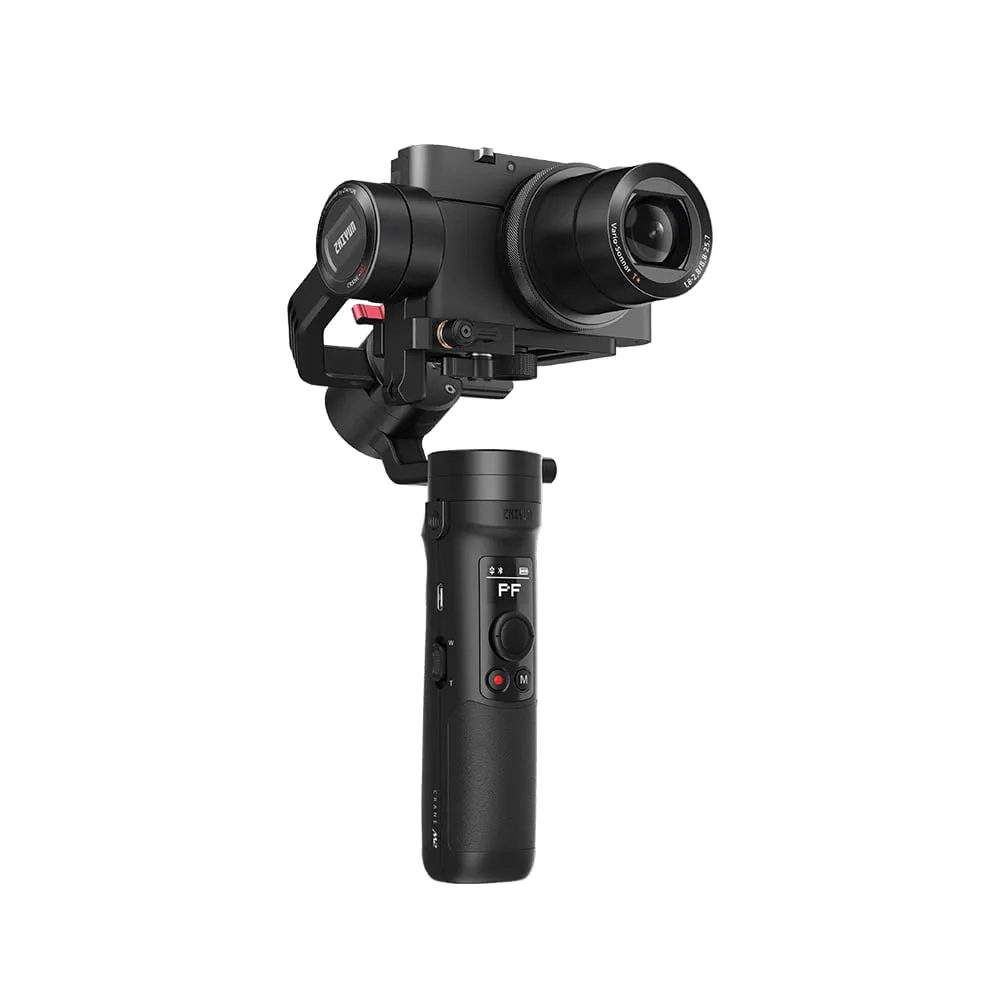
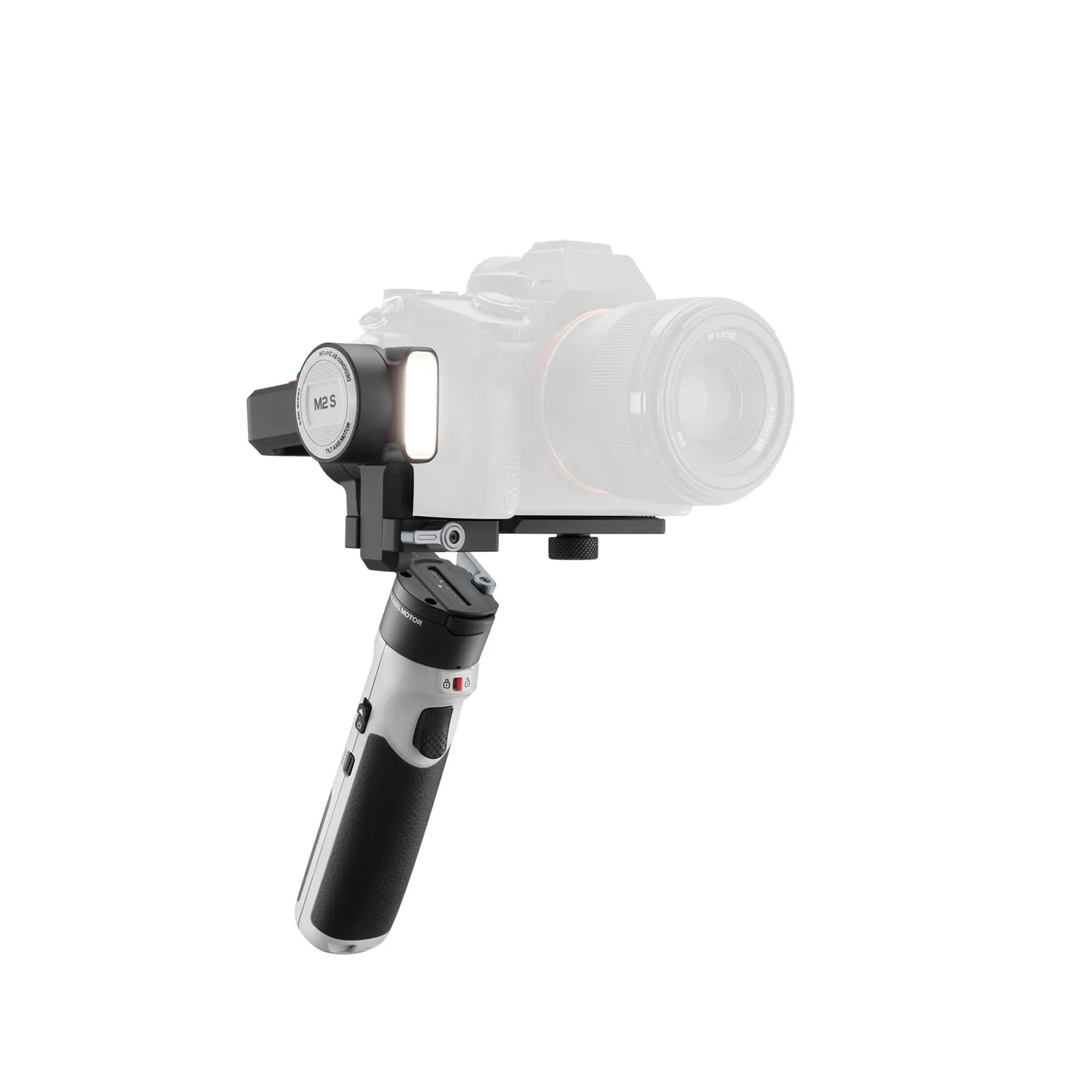
Crane M2 vs Crane M2S specs
| Crane M2 | Crane M2S | |
|---|---|---|
| Weight | 500 g | 549 g |
| Payload | 130–720 g | Not published by Zhiyun |
| Battery | 1100 mAh, up to 7 h | 1150 mAh, about 10.5 h |
| Charging | 2 h (5 V/1.5 A) | About 1 h 40 min (12 W PD) |
| Camera control | Camera’s Wi-Fi: photo, video, zoom | USB cable: start/stop recording, playback |
| Phones | Holder included (59–90 mm), controlled via ZY Play | Stabilization only, no button control |
| Action cams | GoPro HERO5/6/7, SJCAM SJ8 AIR controlled | Stabilization only |
| Extras | – | Built-in fill light with 4 color filters, 0.66” display, axis locks |
| List version | v2.02 (15 July 2020), final | V1.90 (1 July 2025) |
Crane M2 compatibility list (Wi-Fi control)
The Crane M2 pairs with your phone over Bluetooth, then connects to the camera’s Wi-Fi to control it from the grip. There’s no USB control cable.
Sony
| Camera | Photo | Start/stop video | Zoom |
|---|---|---|---|
| ILCE-6100 | ✓ | ✓ | ✗ |
| ILCE-6600 | ✓ | ✓ | ✗ |
| ILCE-6000 | ✓ | ✗ | ✓ |
| ILCE-5100 | ✓ | ✓ | ✓ |
| ILCE-6300 | ✓ | ✓ | ✓ |
| ILCE-6400 ¹ | ✓ | ✓ | ✓ |
| ILCE-6500 | ✓ | ✓ | ✓ |
| DSC-RX0 ² | ✓ | ✓ | ✓ |
| DSC-RX100M4 | ✓ | ✓ | ✓ |
| DSC-RX100M5 | ✓ | ✓ | ✓ |
| DSC-RX100M5A | ✓ | ✓ | ✓ |
| DSC-RX100M6 | ✓ | ✓ | ✓ |
| DSC-HX90 | ✓ | ✓ | ✓ |
| DSC-HX99 | ✓ | ✓ | ✓ |
| DSC-RX0M2 | – | ✓ | ✓ |
| DSC-RX100M7 | – | ✓ | ✓ |
| ZV-1 | – | ✓ | ✓ |
Panasonic
| Camera | Photo | Start/stop video | Zoom |
|---|---|---|---|
| DMC-GX85 | ✓ | ✓ | ✗ |
| GF10KGK | ✓ | ✓ | ✗ |
| DC-GX9KGK | ✓ | ✓ | ✗ |
| DC-GX9GK | ✓ | ✓ | ✗ |
| DC-GF9KGK | ✓ | ✓ | ✗ |
| DC-GF9XGK | ✓ | ✓ | ✗ |
| DC-ZS70GK | ✓ | ✓ | ✓ |
| DC-ZS220GK | ✓ | ✓ | ✓ |
| DMC-ZS110GK | ✓ | ✓ | ✓ |
| DC-LX100M2GK | ✓ | ✓ | ✓ |
| DMC-LX10GK | ✓ | ✓ | ✓ |
Canon
| Camera | Photo | Start/stop video | Zoom |
|---|---|---|---|
| M50 | ✓ | ✓ | ✗ |
| M6 Mark II | ✓ | ✓ | ✗ |
| PowerShot G7 X Mark III | ✓ | ✓ | ✓ |
GoPro
| Camera | Photo | Start/stop video | Zoom |
|---|---|---|---|
| HERO5 | ✓ | ✓ | ✗ |
| HERO6 | ✓ | ✓ | ✓ |
| HERO7 | ✓ | ✓ | ✓ |
SJCAM
| Camera | Photo | Start/stop video | Zoom |
|---|---|---|---|
| SJ8 AIR | ✓ | ✓ | ✗ |
¹ Zoom control needs a power-zoom lens (for example E PZ 16-50mm). ² Needs a camera cage for extra weight to balance. – = not stated in Zhiyun’s list.
The Canon M5, M6, M100, PowerShot G3 X and PowerShot G9 X Mark II are on the list for balance only, with no grip control.
Notes from Zhiyun’s list:
- GoPro: set the camera’s Wi-Fi band to 2.4 GHz.
- Canon M50 and M5: the viewfinder may touch the roll motor, so Vortex mode may not work.
- Panasonic: the camera screen goes black after 30 seconds of recording, but control still works.
- Lenses: Zhiyun lists tested light lenses such as the Sony E PZ 16-50mm, E 10-18mm F4, FE 28mm F2, Sigma 30mm F1.4 DC DN, Canon EF-M 15-45mm and 22mm, and Panasonic 12-60mm, 15mm and 25mm.
Crane M2S compatibility list (cable control)
The Crane M2S controls cameras by USB cable (Type-C to Micro-USB or Type-C to Type-C, both in the box). The official list (V1.90, July 2025) covers start/stop recording and video playback only.
| Camera | Cable | Start/stop recording | Video playback |
|---|---|---|---|
| Sony FX3 | Type-C to Micro or Type-C to Type-C | ✓ | ✓ |
| Sony FX30 | Type-C to Type-C | ✓ | ✓ |
| Sony α7R4 | Type-C to Micro or Type-C to Type-C | ✓ | ✓ |
| Sony α7R3 | Type-C to Micro or Type-C to Type-C | ✓ | ✗ |
| Sony α7R2 | Type-C to Micro | ✓ | ✗ |
| Sony α7M3 | Type-C to Micro | ✓ | ✗ |
| Sony α7M2 | Type-C to Micro | ✓ | ✗ |
| Sony α7S2 | Type-C to Micro | ✓ | ✗ |
| Sony α7S3 | Type-C to Micro or Type-C to Type-C | ✓ | ✓ |
| Sony α7C | Type-C to Type-C | ✓ | ✓ |
| Sony α6600 | Type-C to Micro | ✓ | ✗ |
| Sony α6500 | Type-C to Micro | ✓ | ✗ |
| Sony α6400 | Type-C to Micro | ✓ | ✗ |
| Sony α6300 | Type-C to Micro | ✓ | ✗ |
| Sony α6100 | Type-C to Micro | ✓ | ✗ |
| Sony ZV-1 | Type-C to Micro | ✓ | ✗ |
| Sony ZV-E10 | Type-C to Type-C | ✓ | ✓ |
| Sony DSC-RX100M7 | Type-C to Micro | ✓ | ✓ |
| Sony DSC-RX100M6 | Type-C to Micro | ✓ | ✗ |
| Sony DSC-RX100M5A | Type-C to Micro | ✓ | ✗ |
| Sony DSC-RX100M5 | Type-C to Micro | ✓ | ✗ |
| Panasonic GH5 | Type-C to Type-C | ✓ | ✓ |
| Panasonic GH5S | Type-C to Type-C | ✓ | ✓ |
| Canon M50 | Type-C to Micro | ✓ | ✓ |
| Canon M50 Mark Ⅱ | Type-C to Micro | ✓ | ✓ |
| Canon EOS M6 Mark Ⅱ | Type-C to Type-C | ✓ | ✓ |
| Canon EOS R | Type-C to Type-C | ✓ | ✓ |
| Canon EOS R10 | Type-C to Type-C | ✓ | ✓ |
| Canon EOS RP | Type-C to Type-C | ✓ | ✓ |
| Canon EOS 200D II | Type-C to Micro | ✓ | ✓ |
| Canon G7 X Mark III | Type-C to Type-C | ✓ | ✓ |
| Canon EOS R8 | Type-C to Type-C | ✓ | ✓ |
| Canon EOS R50 | Type-C to Type-C | ✓ | ✓ |
| Nikon Zfc | Type-C to Type-C | ✓ | ✓ |
| Nikon Z5 | Type-C to Type-C | ✓ | ✓ |
| Nikon Z6 | Type-C to Type-C | ✓ | ✓ |
| Nikon Z6 Ⅱ | Type-C to Type-C | ✓ | ✓ |
| Nikon Z7 | Type-C to Type-C | ✓ | ✓ |
| Nikon Z7 Ⅱ | Type-C to Type-C | ✓ | ✓ |
| Nikon Z30 | Type-C to Type-C | ✓ | ✓ |
| Nikon Z50 | Type-C to Micro | ✓ | ✓ |
| Fujifilm X-T3 | Type-C to Type-C | ✓ | ✓ |
| Fujifilm X-T4 | Type-C to Type-C | ✓ | ✓ |
| Fujifilm X-S20 | Type-C to Type-C | ✓ | ✓ |
| SIGMA fp | Type-C to Type-C | ✓ | ✓ |
Listed but without control functions: Sony ZV-1 II and DSC-HX90, Panasonic G100, ZS110, LX10 and LX100 II (these go into charging mode on the cable), and Fujifilm X-A7, X100V, X-T30 II, X-E3 and X-T50.
Setup notes:
- Sony: set USB Connection to PC Remote and power on the gimbal before the camera. On many Sony bodies, app photo, panorama and timelapse are disabled. On the α7R III, set auto power-off to 30 minutes.
- Canon mirrorless: choose photo or movie mode with the camera switched off. On the G7 X Mark III, power on the gimbal and connect the cable before you turn on the camera.
- Panasonic GH5/GH5S: set USB to PC (Tether) and turn off USB power supply before you connect.
- Fujifilm: set connection mode to USB Tether Shooting Auto. RAW isn’t supported.
Exposure and focus control
The M2S can’t change exposure or pull focus. For that, see the Crane M3S compatibility list (cable and built-in Bluetooth control) or the DJI RS 3 Mini list.
Frequently asked questions
What is the difference between the Crane M2 and Crane M2S compatibility lists?
They're two different lists. The Crane M2 controls compact and mirrorless cameras and GoPros over the camera's own Wi-Fi (photo, video, zoom). The Crane M2S uses a USB cable and only starts/stops recording and plays back video, but it supports newer full-frame bodies such as the Sony FX3, α7S III, Canon EOS R and Nikon Z6.
What is the payload of the Crane M2?
130 g to 720 g, according to Zhiyun. Zhiyun doesn't publish a camera payload for the Crane M2S. The 1000 g figure in its guide refers to the 1/4-inch accessory mount.
Can the Crane M2S control a smartphone or GoPro?
It can hold and stabilize them with a phone clamp or a base, but Zhiyun says button control isn't supported for phones and action cameras on the M2S. The original Crane M2 controls GoPro HERO5/6/7 over Wi-Fi.
Does the Crane M2S have Bluetooth shutter control?
Zhiyun's official M2S control list covers cable control only. A Zhiyun store comparison table mentions a Bluetooth shutter, but the camera list doesn't confirm any Bluetooth models, so don't count on it.