DJI RS 3 Mini Compatibility List: All 65 Cameras
The DJI RS 3 Mini is DJI’s lightweight gimbal for mirrorless cameras, with a 2 kg tested payload. DJI officially lists 65 cameras it can control. The tables list every camera by brand, with what it can do over Bluetooth and over a camera control cable.
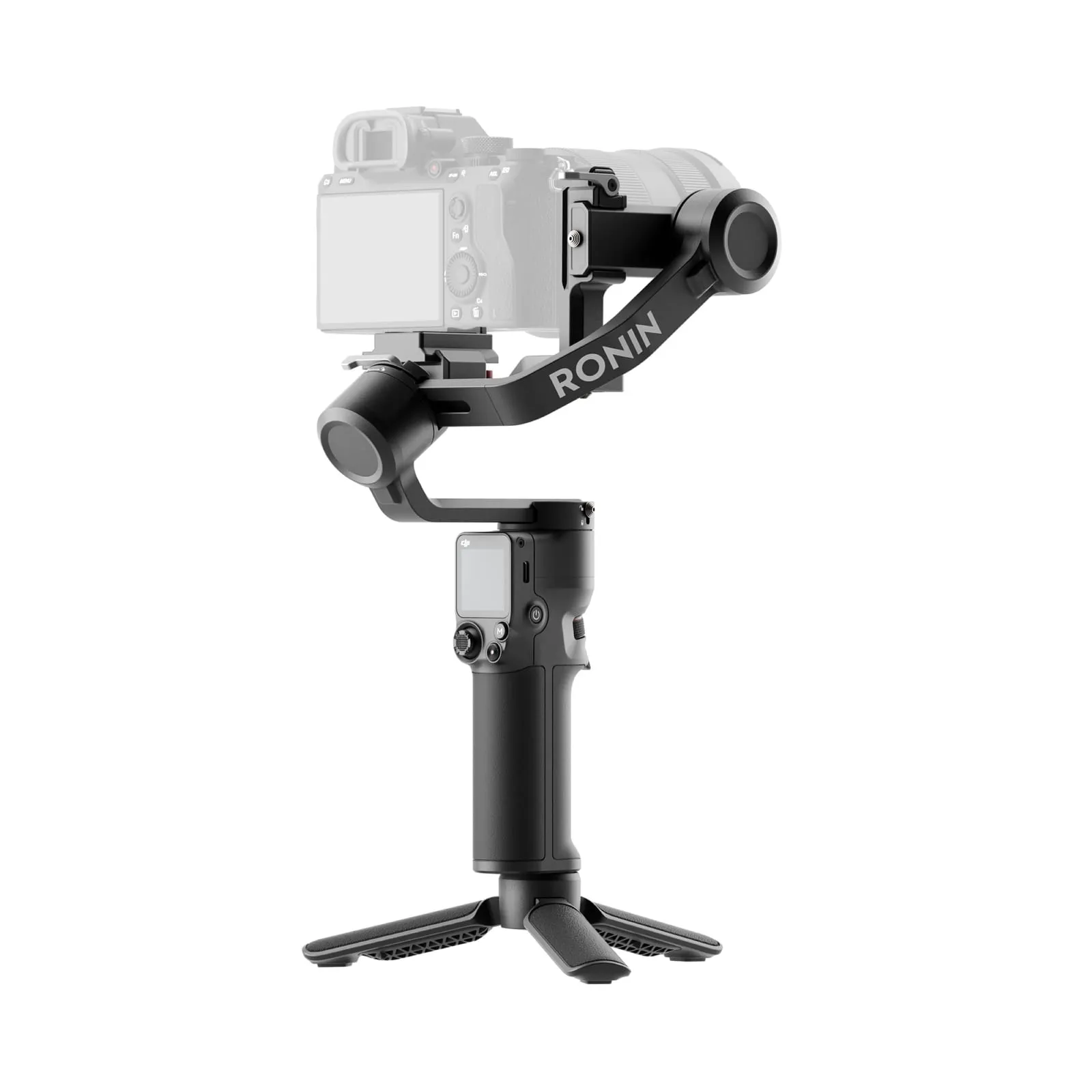
If your camera isn’t on the list, the gimbal will still stabilize it as long as it’s within the payload and balances properly. You just won’t be able to trigger it from the gimbal.
DJI RS 3 Mini specs
| DJI RS 3 Mini | |
|---|---|
| Weight | 795 g (portrait mode) / 850 g (horizontal mode), with quick-release plate |
| Tested payload | 0.4–2 kg (0.8–4.4 lbs) |
| Battery life | Up to 10 hours |
| Charging | About 2.5 h (10 W charger), usable while charging |
| Screen | 1.4-inch full-color touchscreen |
| Camera control | Bluetooth shutter or cable via the RSS camera control port (USB-C) |
| Vertical shooting | Native, no extra accessories |
| Tracking module | Not supported |
| Software updates | Guaranteed by DJI until 31 Dec 2026 |
How camera control works on the RS 3 Mini
There are two ways to connect a camera:
- Bluetooth is wireless and easy. On most cameras it gives you photo, start/stop recording and autofocus. It does not support focus pulling or exposure settings.
- Camera control cable plugs into the gimbal’s RSS camera control port. On most cameras it also adds electronic focus pulling and aperture, shutter and ISO control in the Ronin app. The box includes an L-shaped USB-C to USB-C cable. Other cables (Micro-USB, Sony Multi, Panasonic or Fujifilm RSS) are sold separately.
The camera control button works the same with both: half-press for autofocus, a single press to start/stop recording, press and hold to take a photo.
Bluetooth takes priority. To change exposure settings over the cable, disconnect Bluetooth in the gimbal’s settings first.
Full DJI RS 3 Mini camera compatibility list
Canon
| Camera | Connection | Photo | Record | AF | Focus pull | Zoom | Aperture / shutter / ISO |
|---|---|---|---|---|---|---|---|
| EOS M50 | Bluetooth | ✓* | ✓* | ✓ | ✗ | ✗ | ✗ |
| EOS M50 II | Bluetooth | ✓* | ✓* | ✓ | ✗ | ✗ | ✗ |
| EOS M6 II | USB-C cable | ✓* | ✓* | ✓ | ✓ | ✗ | ✓ |
| Bluetooth | ✓* | ✓* | ✓ | ✗ | ✗ | ✗ | |
| EOS R | USB-C cable | ✓* | ✓* | ✓ | ✓ | ✗ | ✓ |
| Bluetooth | ✓* | ✓* | ✓ | ✗ | ✗ | ✗ | |
| EOS R5 | USB-C cable | ✓* | ✓* | ✓ | ✓ | ✗ | ✓ |
| Bluetooth | ✓* | ✓* | ✓ | ✗ | ✗ | ✗ | |
| EOS R6 | USB-C cable | ✓* | ✓* | ✓ | ✓ | ✗ | ✓ |
| Bluetooth | ✓* | ✓* | ✓ | ✗ | ✗ | ✗ | |
| EOS R6 Mark II | USB-C cable | ✓ | ✓ | ✓ | ✓ | ✗ | ✓ |
| Bluetooth | ✓ | ✓ | ✓ | ✗ | ✗ | ✗ | |
| EOS R7 | USB-C cable | ✓* | ✓* | ✓ | ✓ | ✗ | ✗ |
| Bluetooth | ✓* | ✓* | ✓ | ✗ | ✗ | ✗ | |
| EOS R8 | USB-C cable | ✓ | ✓ | ✓ | ✓ | ✗ | ✗ |
| EOS RP | USB-C cable | ✓* | ✓* | ✓ | ✓ | ✗ | ✓ |
| Bluetooth | ✓* | ✓* | ✓ | ✗ | ✗ | ✗ | |
| PowerShot G7 X Mark III | USB-C cable | ✓* | ✓* | ✓ | ✗ | ✗ | ✓ |
| Bluetooth | ✓* | ✓* | ✓ | ✗ | ✗ | ✗ |
Sony
| Camera | Connection | Photo | Record | AF | Focus pull | Zoom | Aperture / shutter / ISO |
|---|---|---|---|---|---|---|---|
| A1 | USB-C cable | ✗ | ✓ | ✓ | ✓ | ✗ | ✓ |
| Sony Multi cable | ✓ | ✓ | ✓ | ✗ | ✓ | ✗ | |
| Bluetooth | ✓ | ✓ | ✓ | ✗ | ✓ | ✗ | |
| A6000 | Sony Multi cable | ✓ | ✓ | ✓ | ✗ | ✓ | ✗ |
| Micro-USB cable | ✗ | ✓ | ✓ | ✗ | ✗ | ✓ | |
| A6100 | Sony Multi cable | ✓ | ✓ | ✓ | ✗ | ✓ | ✗ |
| Micro-USB cable | ✗ | ✓ | ✓ | ✓ | ✗ | ✓ | |
| Bluetooth | ✓ | ✓ | ✓ | ✗ | ✓ | ✗ | |
| A6300 | Sony Multi cable | ✓ | ✓ | ✓ | ✗ | ✓ | ✗ |
| Micro-USB cable | ✗ | ✓ | ✓ | ✗ | ✗ | ✓ | |
| A6400 | Sony Multi cable | ✓ | ✓ | ✓ | ✗ | ✓ | ✗ |
| Micro-USB cable | ✗ | ✓ | ✓ | ✓ | ✗ | ✓ | |
| Bluetooth | ✓ | ✓ | ✓ | ✗ | ✓ | ✗ | |
| A6500 | Sony Multi cable | ✓ | ✓ | ✓ | ✗ | ✓ | ✗ |
| Micro-USB cable | ✗ | ✓ | ✓ | ✗ | ✗ | ✓ | |
| A6600 | Sony Multi cable | ✓ | ✓ | ✓ | ✗ | ✓ | ✗ |
| Micro-USB cable | ✗ | ✓ | ✓ | ✓ | ✗ | ✓ | |
| Bluetooth | ✓ | ✓ | ✓ | ✗ | ✓ | ✗ | |
| A7C | USB-C cable | ✓ | ✓ | ✓ | ✓ | ✗ | ✓ |
| Bluetooth | ✓ | ✓ | ✓ | ✗ | ✓ | ✗ | |
| A7C II | USB-C cable | ✓ | ✓ | ✓ | ✓ | ✗ | ✓ |
| Bluetooth | ✓ | ✓ | ✓ | ✗ | ✓ | ✗ | |
| A7M2 | Sony Multi cable | ✓ | ✓ | ✓ | ✗ | ✓ | ✗ |
| Micro-USB cable | ✗ | ✓ | ✓ | ✗ | ✗ | ✓ | |
| A7M3 | USB-C cable | ✗ | ✓ | ✓ | ✓ | ✗ | ✓ |
| Sony Multi cable | ✓ | ✓ | ✓ | ✗ | ✓ | ✗ | |
| Bluetooth | ✓ | ✓ | ✓ | ✗ | ✓ | ✗ | |
| A7M4 | USB-C cable | ✗ | ✓ | ✓ | ✓ | ✗ | ✓ |
| Sony Multi cable | ✓ | ✓ | ✓ | ✗ | ✓ | ✗ | |
| Bluetooth | ✓ | ✓ | ✓ | ✗ | ✓ | ✗ | |
| A7R2 | Sony Multi cable | ✓ | ✓ | ✓ | ✗ | ✓ | ✗ |
| Micro-USB cable | ✗ | ✓ | ✓ | ✗ | ✗ | ✓ | |
| A7R3 | USB-C cable | ✗ | ✓ | ✓ | ✓ | ✗ | ✓ |
| Sony Multi cable | ✓ | ✓ | ✓ | ✗ | ✓ | ✗ | |
| Bluetooth | ✓ | ✓ | ✓ | ✗ | ✓ | ✗ | |
| A7R4 | USB-C cable | ✗ | ✓ | ✓ | ✓ | ✗ | ✓ |
| Sony Multi cable | ✓ | ✓ | ✓ | ✗ | ✓ | ✗ | |
| Bluetooth | ✓ | ✓ | ✓ | ✗ | ✓ | ✗ | |
| A7R5 | USB-C cable | ✗ | ✓ | ✓ | ✓ | ✗ | ✓ |
| Sony Multi cable | ✓ | ✓ | ✓ | ✗ | ✓ | ✗ | |
| Bluetooth | ✓ | ✓ | ✓ | ✗ | ✓ | ✗ | |
| A7S2 | Sony Multi cable | ✓ | ✓ | ✓ | ✗ | ✓ | ✗ |
| A7S3 | USB-C cable | ✓ | ✓ | ✓ | ✓ | ✗ | ✓ |
| Sony Multi cable | ✓ | ✓ | ✓ | ✗ | ✓ | ✗ | |
| Bluetooth | ✓ | ✓ | ✓ | ✗ | ✓ | ✗ | |
| A9 | Sony Multi cable | ✓ | ✓ | ✓ | ✗ | ✓ | ✗ |
| Micro-USB cable | ✗ | ✓ | ✓ | ✓ | ✗ | ✓ | |
| Bluetooth | ✓ | ✓ | ✓ | ✗ | ✓ | ✗ | |
| A9 II | USB-C cable | ✗ | ✓ | ✓ | ✓ | ✗ | ✓ |
| Sony Multi cable | ✓ | ✓ | ✓ | ✗ | ✓ | ✗ | |
| Bluetooth | ✓ | ✓ | ✓ | ✗ | ✓ | ✗ | |
| FX3 | USB-C cable | ✓ | ✓ | ✓ | ✓ | ✗ | ✓ |
| Sony Multi cable | ✓ | ✓ | ✓ | ✗ | ✓ | ✗ | |
| Bluetooth | ✓ | ✓ | ✓ | ✗ | ✓ | ✗ | |
| Rx100 VII | Sony Multi cable | ✓ | ✓ | ✓ | ✗ | ✓ | ✗ |
| Micro-USB cable | ✗ | ✓ | ✓ | ✓ | ✗ | ✓ | |
| Bluetooth | ✓ | ✓ | ✓ | ✗ | ✓ | ✗ | |
| ZV-E1 | USB-C cable | ✓ | ✓ | ✓ | ✓ | ✗ | ✓ |
| Bluetooth | ✓ | ✓ | ✓ | ✗ | ✓ | ✗ | |
| ZV-E10 | USB-C cable | ✓ | ✓ | ✓ | ✓ | ✗ | ✓ |
| Bluetooth | ✓ | ✓ | ✓ | ✗ | ✓ | ✗ |
Panasonic
| Camera | Connection | Photo | Record | AF | Focus pull | Zoom | Aperture / shutter / ISO |
|---|---|---|---|---|---|---|---|
| G9 | Micro-USB cable | ✓* | ✓ | ✓ | ✓ | ✗ | ISO |
| GH3 | Panasonic RSS cable | ✓* | ✓* | ✓ | ✗ | ✗ | ✗ |
| GH4 | Panasonic RSS cable | ✓* | ✓* | ✓ | ✗ | ✗ | ✗ |
| GH5 | USB-C cable | ✓* | ✓ | ✓ | ✓ | ✗ | ✓ |
| GH5S | USB-C cable | ✓* | ✓ | ✓ | ✓ | ✗ | ✓ |
| GH6 | USB-C cable | ✓* | ✓* | ✓ | ✓ | ✗ | ✓ |
| Panasonic RSS cable | ✓* | ✓* | ✓ | ✗ | ✗ | ✗ | |
| S5 | USB-C cable | ✓* | ✓ | ✓ | ✓ | ✗ | ✓ |
| S5 II | USB-C cable | ✓* | ✓ | ✓ | ✓ | ✗ | ✓ |
| Panasonic RSS cable | ✓* | ✓* | ✓ | ✗ | ✗ | ✗ |
Nikon
| Camera | Connection | Photo | Record | AF | Focus pull | Zoom | Aperture / shutter / ISO |
|---|---|---|---|---|---|---|---|
| Z fc | USB-C cable | ✓ | ✓* | ✓ | ✓ | ✗ | Aperture |
| Bluetooth | ✓ | ✓* | ✗ | ✗ | ✗ | ✗ | |
| Z30 | USB-C cable | ✓ | ✓* | ✓ | ✓ | ✗ | ✓ |
| Bluetooth | ✓ | ✓* | ✗ | ✗ | ✗ | ✗ | |
| Z5 | USB-C cable | ✓ | ✓* | ✓ | ✓ | ✗ | ✓ |
| Z50 | Micro-USB cable | ✓ | ✓* | ✓ | ✓ | ✗ | ✓ |
| Bluetooth | ✓ | ✓ | ✗ | ✗ | ✗ | ✗ | |
| Z6 | USB-C cable | ✓ | ✓* | ✓ | ✓ | ✗ | ✓ |
| Z6 II | USB-C cable | ✓ | ✓* | ✓ | ✓ | ✗ | ✓ |
| Bluetooth | ✓ | ✓* | ✗ | ✗ | ✗ | ✗ | |
| Z7 | USB-C cable | ✓ | ✓* | ✓ | ✓ | ✗ | ✓ |
| Z7 II | USB-C cable | ✓ | ✓* | ✓ | ✓ | ✗ | ✓ |
| Bluetooth | ✓ | ✓* | ✗ | ✗ | ✗ | ✗ |
Fujifilm
| Camera | Connection | Photo | Record | AF | Focus pull | Zoom | Aperture / shutter / ISO |
|---|---|---|---|---|---|---|---|
| X-E3 | Fujifilm RSS cable | ✓ | ✓ | ✓ | ✗ | ✗ | ✗ |
| X-H1 | Micro-USB cable | ✓ | ✗ | ✓ | ✓ | ✗ | ✗ |
| Fujifilm RSS cable | ✓ | ✓ | ✓ | ✗ | ✗ | ✗ | |
| X-H2S | USB-C cable | ✓ | ✓ | ✓ | ✓ | ✗ | ✓ |
| X-S10 | USB-C cable | ✓ | ✓ | ✓ | ✓ | ✗ | ✓ |
| Fujifilm RSS cable | ✓ | ✓ | ✓ | ✗ | ✗ | ✗ | |
| X-S20 | USB-C cable | ✓ | ✓ | ✓ | ✓ | ✗ | ✓ |
| Fujifilm RSS cable | ✓ | ✓ | ✓ | ✗ | ✗ | ✗ | |
| X-T2 | Micro-USB cable | ✓ | ✗ | ✓ | ✓ | ✗ | ✓ |
| Fujifilm RSS cable | ✓ | ✓ | ✓ | ✗ | ✗ | ✗ | |
| X-T3 | USB-C cable | ✓ | ✓ | ✓ | ✓ | ✗ | ✓ |
| Fujifilm RSS cable | ✓ | ✓ | ✓ | ✗ | ✗ | ✗ | |
| X-T30 | Fujifilm RSS cable | ✓ | ✓ | ✓ | ✗ | ✗ | ✗ |
| X-T30 II | USB-C cable | ✗ | ✓ | ✓ | ✓ | ✗ | Aperture + ISO |
| Fujifilm RSS cable | ✓ | ✓ | ✓ | ✗ | ✗ | ✗ | |
| X-T4 | USB-C cable | ✓ | ✓ | ✓ | ✓ | ✗ | ✓ |
| Fujifilm RSS cable | ✓ | ✓ | ✓ | ✗ | ✗ | ✗ | |
| X-T5 | USB-C cable | ✓ | ✓ | ✓ | ✗ | ✗ | ✗ |
| X100V | Fujifilm RSS cable | ✓ | ✓ | ✓ | ✗ | ✗ | ✗ |
Sigma
| Camera | Connection | Photo | Record | AF | Focus pull | Zoom | Aperture / shutter / ISO |
|---|---|---|---|---|---|---|---|
| FP | USB-C cable | ✓ | ✓ | ✓ | ✓ | ✗ | Aperture + ISO |
Olympus
| Camera | Connection | Photo | Record | AF | Focus pull | Zoom | Aperture / shutter / ISO |
|---|---|---|---|---|---|---|---|
| E-M1 II | USB-C cable | ✓ | ✓ | ✓ | ✓ | ✗ | ✓ |
✓* = switch the camera to photo mode to take photos and to video mode to record.
Setup tips by brand
These are the settings DJI’s compatibility notes come back to most often:
- All cameras: update the camera to the latest firmware. Turn off the camera’s auto power-off when you use Bluetooth. If the camera falls asleep, a short press of the gimbal’s camera control button reconnects it.
- Sony: for cable control, turn off Use Smartphone Control and set the USB connection to PC Remote / Computer Remote Control. For focus pulling, set the lens to AF and the camera to MF. In-body stabilization switches off while the gimbal controls the camera; lens stabilization still works. With the Sony Multi cable, power on the gimbal before the camera, and restart the gimbal before you switch to a different cable. Zoom works optically with Power Zoom lenses. Otherwise, enable digital zoom in the camera.
- Canon: switch to photo mode to take photos and to video mode to record. For focus pulling, set the lens to AF and turn off the camera’s AF servo. EF lenses on an adapter focus more slowly. For Bluetooth, enable Bluetooth in the camera’s wireless settings, then connect the gimbal as a wireless remote control. In the drive mode, choose the self-timer/remote option for photos, and enable remote control in video mode.
- Nikon: for Bluetooth, enable Wireless remote (ML-L7) → Connect to wireless remote in the camera menu. For focus pulling over the cable, set the lens to AF and the camera to AF-S.
- Fujifilm: with the cable, set Mic/Remote release to Remote in the movie settings. Without that setting, the camera won’t respond.
- Panasonic: set the camera’s USB mode to PC (Tether). Focus pulling works after you switch the camera to MF. To trigger autofocus from the gimbal, use AFS, AFF or AFC.
- Sony with Bluetooth: enable Bluetooth, pair the camera, select it on the gimbal’s touchscreen, then turn on Bluetooth Remote Control. The camera can’t be controlled if it’s only paired.
Cameras not on the list
- Stabilization only: any camera and lens combination of 2 kg or less that you can balance will be stabilized. You start and stop recording on the camera itself.
- Heavier setups: the RS 3 Mini is meant for mirrorless bodies with small to mid-size lenses. For heavier full-frame rigs, look at a gimbal with a larger payload, such as the Zhiyun Weebill 3E. See our Weebill 3E vs RS 3 Mini comparison.
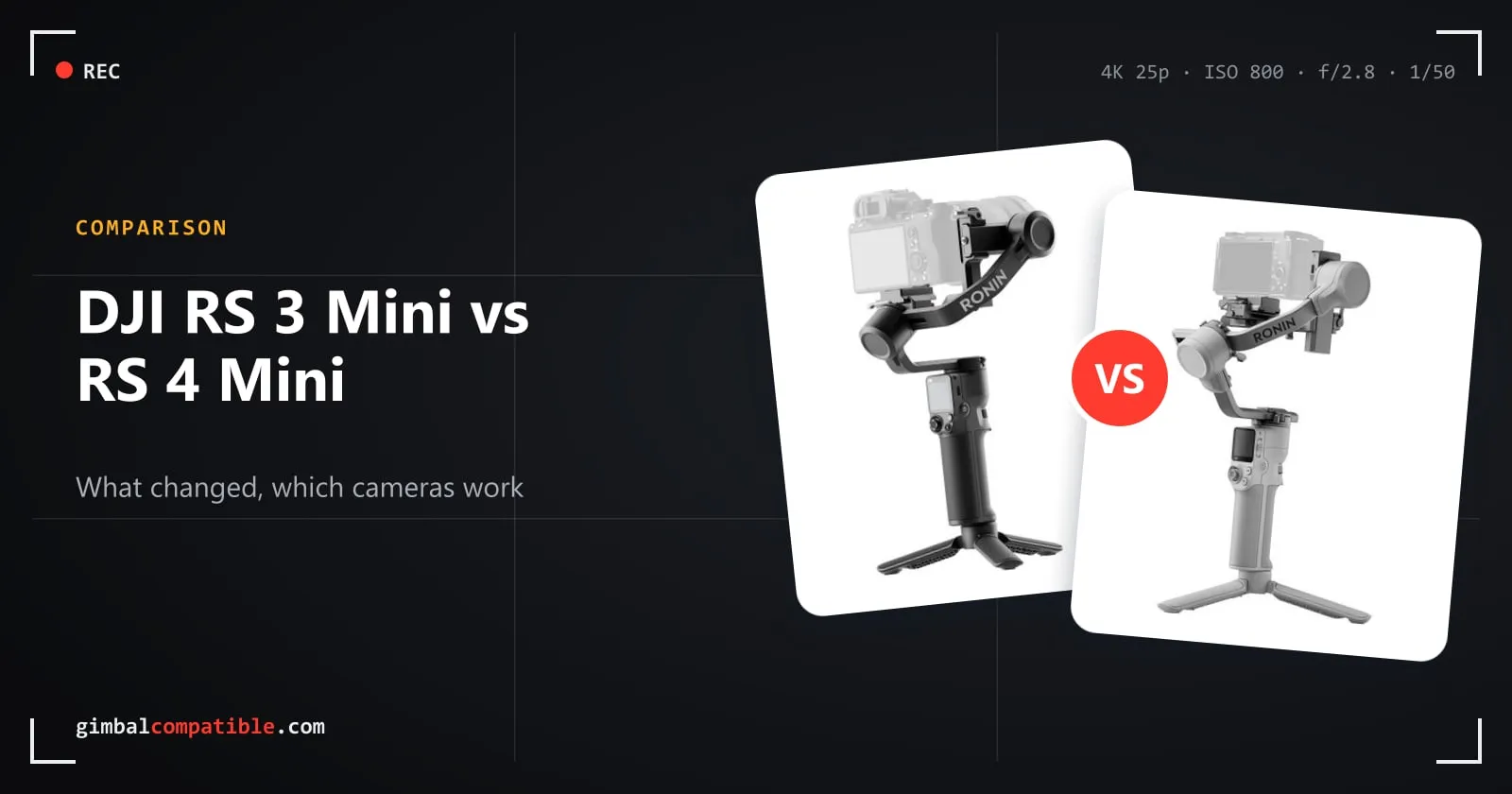
- Newer cameras: DJI adds models over time. The successor, the DJI RS 4 Mini, supports more recent cameras such as the Sony A7 V, Canon EOS R6 Mark III and Nikon Z6III.
Frequently asked questions
Which cameras are compatible with the DJI RS 3 Mini?
DJI lists 65 camera models: 24 Sony, 11 Canon, 12 Fujifilm, 8 Nikon, 8 Panasonic, plus the Sigma fp and Olympus E-M1 II. Any camera that fits the 2 kg payload and can be balanced will be stabilized, but only listed models can be controlled from the gimbal.
Can the DJI RS 3 Mini control my camera over Bluetooth?
Yes, for cameras that support Bluetooth remote shutter (many Canon, Sony, Nikon and Fujifilm models). Bluetooth gives you photo, record and usually autofocus. Focus pulling and aperture, shutter and ISO need the camera control cable.
What is the maximum payload of the DJI RS 3 Mini?
DJI tested the RS 3 Mini with payloads from 0.4 to 2 kg (0.8–4.4 lbs). DJI's own example is a Sony A7S III with a 24-70mm F2.8 GM lens.
Does the RS 3 Mini support vertical shooting?
Yes. Vertical shooting is native: you move the quick-release plate to the vertical arm, no extra accessory is needed.
Does the DJI RS 3 Mini work with the RS tracking module?
No. The RS 3 Mini has no tracking module support. Tracking is only available through the Ronin app. If you need the magnetic Intelligent Tracking Module, look at the RS 4 Mini.