DJI Ronin-SC Compatibility List: Cameras & Cables
The DJI Ronin-SC is an older single-handed gimbal (2 kg payload), but many are still in use and sold second-hand. DJI’s last official compatibility list is dated 28 January 2021 (gimbal firmware v1.6.0.50) and covers 58 cameras. This page lists each camera with the cable it needs and the functions you can control.
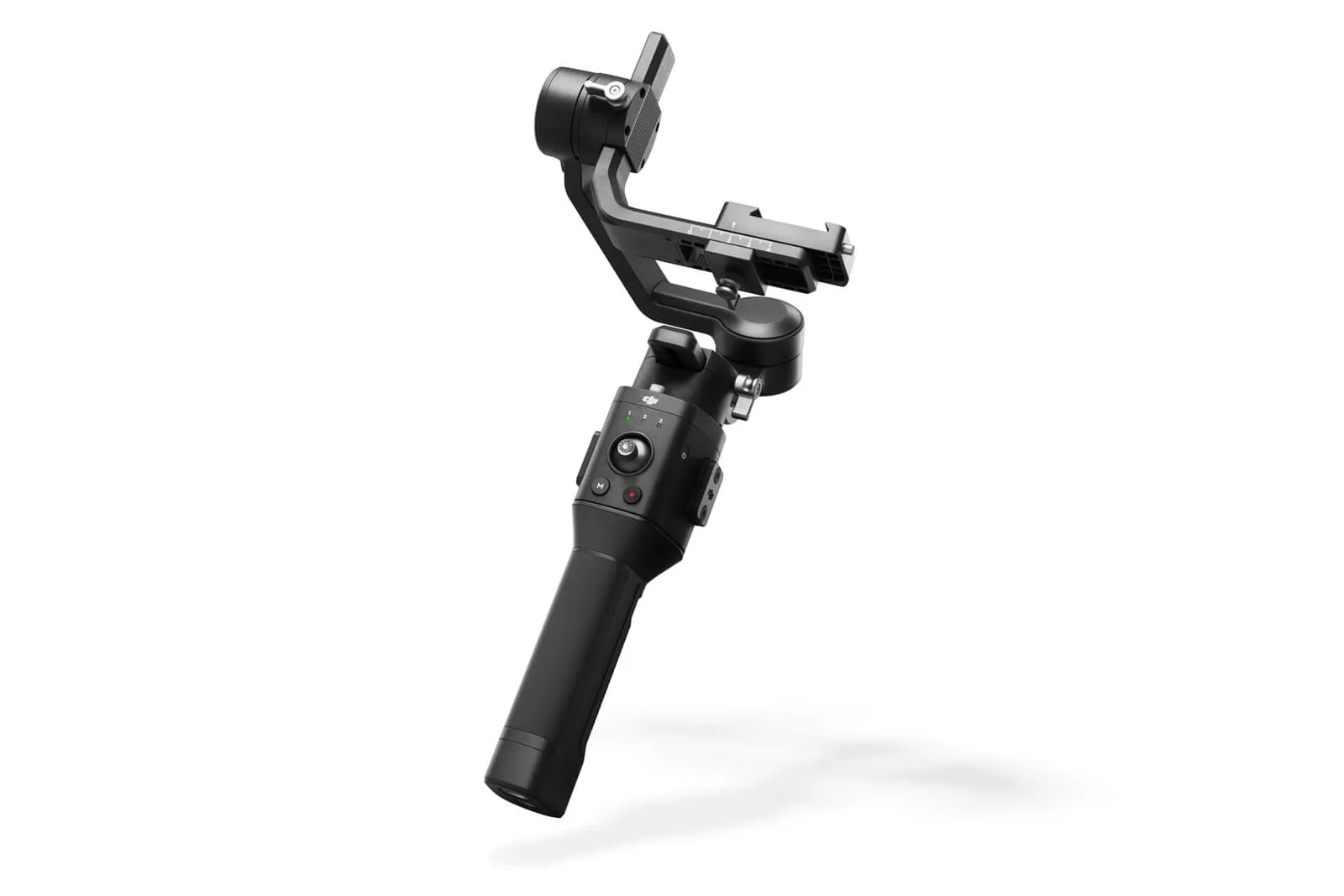
Ronin-SC specs
| DJI Ronin-SC | |
|---|---|
| Payload | Best at 2.0 kg or less |
| Weight | Gimbal about 830 g, grip about 258 g |
| Battery life | Up to 11 h |
| Charging | About 2.5 h (5 V/2 A) |
| Screen | None. Controls are the M button, joystick, trigger and the Ronin app |
| Camera control | Cable only (Multi, Type-C, Type-C + Micro-USB adapter, optional RSS cables) |
| Bluetooth | For the Ronin app only, not for the camera shutter |
| Last firmware | v1.6.0.50 (January 2021) |
How camera control works on the Ronin-SC
The Ronin-SC has no Bluetooth shutter. Every camera is controlled by cable from the gimbal’s camera control port:
- Ronin-SC Multi-Camera Control Cable (Multi): for Sony cameras with the Multi/Micro-USB terminal. In the box.
- Ronin-SC Multi-Camera Control Cable (Type-C): for cameras with USB-C. In the box.
- Type-C cable + Type-C to Micro-USB adapter: for Micro-USB cameras such as several Canon and Nikon models. In the box.
- RSS Control Cable for Panasonic or Fujifilm: optional. Needed for some Panasonic and Fujifilm bodies.
Camera control button: half-press for autofocus, a single press to start/stop recording, press and hold for a photo. Electronic focus pulling needs the Ronin-S/SC Focus Wheel (sold separately).
Full DJI Ronin-SC camera compatibility list
Canon
| Camera | Connection | Photo | Record | AF | Focus pull | Zoom | Aperture / shutter / ISO |
|---|---|---|---|---|---|---|---|
| EOS 200D II | USB-C cable + Micro-USB adapter | ✓ | ✓ | ✓ | ✓ | ✗ | ✗ |
| EOS 5DS R | USB-C cable + Micro-USB adapter | ✓ | ✓ | ✓ | ✓ | ✗ | ✗ |
| EOS 90D | USB-C cable + Micro-USB adapter | ✓ | ✓ | ✓ | ✓ | ✗ | ✗ |
| EOS M50 | USB-C cable + Micro-USB adapter | ✓ | ✓ | ✓ | ✓ | ✗ | ✗ |
| EOS M50 II | USB-C cable + Micro-USB adapter | ✓ | ✓ | ✓ | ✓ | ✗ | ✓ |
| EOS M6 II | USB-C cable | ✓ | ✓ | ✓ | ✓ | ✗ | ✗ |
| EOS R | USB-C cable | ✓ | ✓ | ✓ | ✓ | ✗ | ✗ |
| EOS R5 | USB-C cable | ✓ | ✓ | ✓ | ✓ | ✗ | ✗ |
| EOS R6 | USB-C cable | ✓ | ✓ | ✓ | ✓ | ✗ | ✗ |
| EOS RP | USB-C cable | ✓ | ✓ | ✓ | ✓ | ✗ | ✗ |
| PowerShot G7 X Mark III | USB-C cable | ✓ | ✓ | ✓ | ✗ | ✗ | ✗ |
Sony
| Camera | Connection | Photo | Record | AF | Focus pull | Zoom | Aperture / shutter / ISO |
|---|---|---|---|---|---|---|---|
| A6000 | Sony Multi cable | ✓ | ✓ | ✓ | ✗ | ✓ | ✗ |
| A6100 | Sony Multi cable | ✓ | ✓ | ✓ | ✗ | ✓ | ✗ |
| A6300 | Sony Multi cable | ✓ | ✓ | ✓ | ✗ | ✓ | ✗ |
| A6400 | Sony Multi cable | ✓ | ✓ | ✓ | ✗ | ✓ | ✗ |
| USB-C cable + Micro-USB adapter | ✗ | ✓ | ✓ | ✓ | ✗ | ✗ | |
| A6500 | Sony Multi cable | ✓ | ✓ | ✓ | ✗ | ✓ | ✗ |
| A6600 | Sony Multi cable | ✓ | ✓ | ✓ | ✗ | ✓ | ✗ |
| A7 | Sony Multi cable | ✓ | ✓ | ✓ | ✗ | ✓ | ✗ |
| A7C | USB-C cable | ✗ | ✓ | ✓ | ✓ | ✗ | ✗ |
| A7M2 | Sony Multi cable | ✓ | ✓ | ✓ | ✗ | ✓ | ✗ |
| A7M3 | Sony Multi cable | ✓ | ✓ | ✓ | ✗ | ✓ | ✗ |
| USB-C cable | ✗ | ✓ | ✓ | ✓ | ✗ | ✗ | |
| A7R2 | Sony Multi cable | ✓ | ✓ | ✓ | ✗ | ✓ | ✗ |
| A7R3 | Sony Multi cable | ✓ | ✓ | ✓ | ✗ | ✓ | ✗ |
| USB-C cable | ✗ | ✓ | ✓ | ✓ | ✗ | ✗ | |
| A7R4 | Sony Multi cable | ✓ | ✓ | ✓ | ✗ | ✓ | ✗ |
| USB-C cable | ✗ | ✓ | ✓ | ✓ | ✗ | ✗ | |
| A7S | Sony Multi cable | ✓ | ✓ | ✓ | ✗ | ✓ | ✗ |
| A7S2 | Sony Multi cable | ✓ | ✓ | ✓ | ✗ | ✓ | ✗ |
| A7S3 | Sony Multi cable | ✓ | ✓ | ✓ | ✗ | ✓ | ✗ |
| USB-C cable | ✗ | ✓ | ✓ | ✓ | ✗ | ✗ | |
| A9 | Sony Multi cable | ✓ | ✓ | ✓ | ✗ | ✓ | ✗ |
| USB-C cable + Micro-USB adapter | ✗ | ✓ | ✓ | ✓ | ✗ | ✗ | |
| Rx10 III | Sony Multi cable | ✓ | ✓ | ✓ | ✗ | ✓ | ✗ |
| Rx10 IV | Sony Multi cable | ✓ | ✓ | ✓ | ✗ | ✓ | ✗ |
| RX100 V | Sony Multi cable | ✓ | ✓ | ✓ | ✗ | ✓ | ✗ |
| Rx100 VI | Sony Multi cable | ✓ | ✓ | ✓ | ✗ | ✓ | ✗ |
| Rx100 VII | Sony Multi cable | ✓ | ✓ | ✓ | ✗ | ✓ | ✗ |
Panasonic
| Camera | Connection | Photo | Record | AF | Focus pull | Zoom | Aperture / shutter / ISO |
|---|---|---|---|---|---|---|---|
| G9 | USB-C cable + Micro-USB adapter | ✓ | ✓ | ✓ | ✓ | ✗ | ✗ |
| G95 | Panasonic RSS cable | ✓ | ✓ | ✓ | ✗ | ✗ | ✗ |
| GH3 | Panasonic RSS cable | ✓ | ✓ | ✓ | ✗ | ✗ | ✗ |
| GH4 | Panasonic RSS cable | ✓ | ✓ | ✓ | ✗ | ✗ | ✗ |
| GH5 | USB-C cable | ✓ | ✓ | ✓ | ✓ | ✗ | ✗ |
| GH5S | USB-C cable | ✓ | ✓ | ✓ | ✓ | ✗ | ✗ |
| S5 | USB-C cable | ✓ | ✓ | ✓ | ✓ | ✗ | ✗ |
Nikon
| Camera | Connection | Photo | Record | AF | Focus pull | Zoom | Aperture / shutter / ISO |
|---|---|---|---|---|---|---|---|
| D500 | USB-C cable + Micro-USB adapter | ✓ | ✓ | ✓ | ✓ | ✗ | ✗ |
| D780 | USB-C cable | ✓ | ✓ | ✓ | ✓ | ✗ | ✗ |
| D810 | USB-C cable + Micro-USB adapter | ✓ | ✓ | ✗ | ✗ | ✗ | ✗ |
| Z5 | USB-C cable | ✓ | ✓ | ✓ | ✓ | ✗ | ✗ |
| Z50 | USB-C cable + Micro-USB adapter | ✓ | ✓ | ✓ | ✓ | ✗ | ✗ |
| Z6 | USB-C cable | ✓ | ✓ | ✓ | ✓ | ✗ | ✗ |
| Z6 II | USB-C cable | ✓ | ✓ | ✓ | ✓ | ✗ | ✗ |
| Z7 | USB-C cable | ✓ | ✓ | ✓ | ✓ | ✗ | ✗ |
| Z7 II | USB-C cable | ✓ | ✓ | ✓ | ✓ | ✗ | ✗ |
Fujifilm
| Camera | Connection | Photo | Record | AF | Focus pull | Zoom | Aperture / shutter / ISO |
|---|---|---|---|---|---|---|---|
| X-E3 | Fujifilm RSS cable | ✓ | ✓ | ✓ | ✗ | ✗ | ✗ |
| X-H1 | USB-C cable + Micro-USB adapter | ✓ | ✗ | ✓ | ✗ | ✗ | ✗ |
| Fujifilm RSS cable | ✓ | ✓ | ✓ | ✗ | ✗ | ✗ | |
| X-T2 | USB-C cable + Micro-USB adapter | ✓ | ✗ | ✓ | ✗ | ✗ | ✗ |
| Fujifilm RSS cable | ✓ | ✓ | ✓ | ✗ | ✗ | ✗ | |
| X-T20 | Fujifilm RSS cable | ✓ | ✓ | ✓ | ✗ | ✗ | ✗ |
| X-T3 | USB-C cable | ✓ | ✓ | ✓ | ✓ | ✗ | ✗ |
| Fujifilm RSS cable | ✓ | ✓ | ✓ | ✗ | ✗ | ✗ | |
| X-T30 | Fujifilm RSS cable | ✓ | ✓ | ✓ | ✗ | ✗ | ✗ |
| X-T4 | USB-C cable | ✓ | ✓ | ✓ | ✓ | ✗ | ✗ |
| Fujifilm RSS cable | ✓ | ✓ | ✓ | ✗ | ✗ | ✗ | |
| X100V | Fujifilm RSS cable | ✓ | ✓ | ✓ | ✗ | ✗ | ✗ |
Sigma
| Camera | Connection | Photo | Record | AF | Focus pull | Zoom | Aperture / shutter / ISO |
|---|---|---|---|---|---|---|---|
| FP | USB-C cable | ✓ | ✓ | ✓ | ✓ | ✗ | ✗ |
Buying a Ronin-SC today
DJI stopped updating the Ronin-SC compatibility list in 2021, so newer bodies (Sony A7 IV, Canon R6 Mark II, Nikon Z f and others) aren’t covered. It also lacks Bluetooth shutter, a touchscreen and native vertical shooting. If you’re buying now, the DJI RS 3 Mini and RS 4 Mini offer the same 2 kg class with much longer camera lists. Its direct successor is the DJI RSC 2 (83 cameras, cable control).
Frequently asked questions
Which cameras are compatible with the DJI Ronin-SC?
DJI lists 58 cameras: 22 Sony, 11 Canon, 9 Nikon, 8 Fujifilm, 7 Panasonic and the Sigma fp. The last official PDF is dated 28 January 2021 (gimbal firmware v1.6.0.50); DJI's online tool adds the Canon EOS M50 II.
Does the Ronin-SC have Bluetooth camera control?
No. The Ronin-SC controls cameras only by cable. Its Bluetooth connects the Ronin app (ActiveTrack, Force Mobile, timelapse), not the camera shutter.
What is the payload of the DJI Ronin-SC?
DJI says the Ronin-SC performs best with 2.0 kg or less. The gimbal weighs about 830 g, and the grip about 258 g.
Can the Ronin-SC pull focus?
Yes, electronically on most listed cameras. You need the Ronin-S/SC Focus Wheel, which is sold separately.