DJI RSC 2 Compatibility List: All 83 Cameras
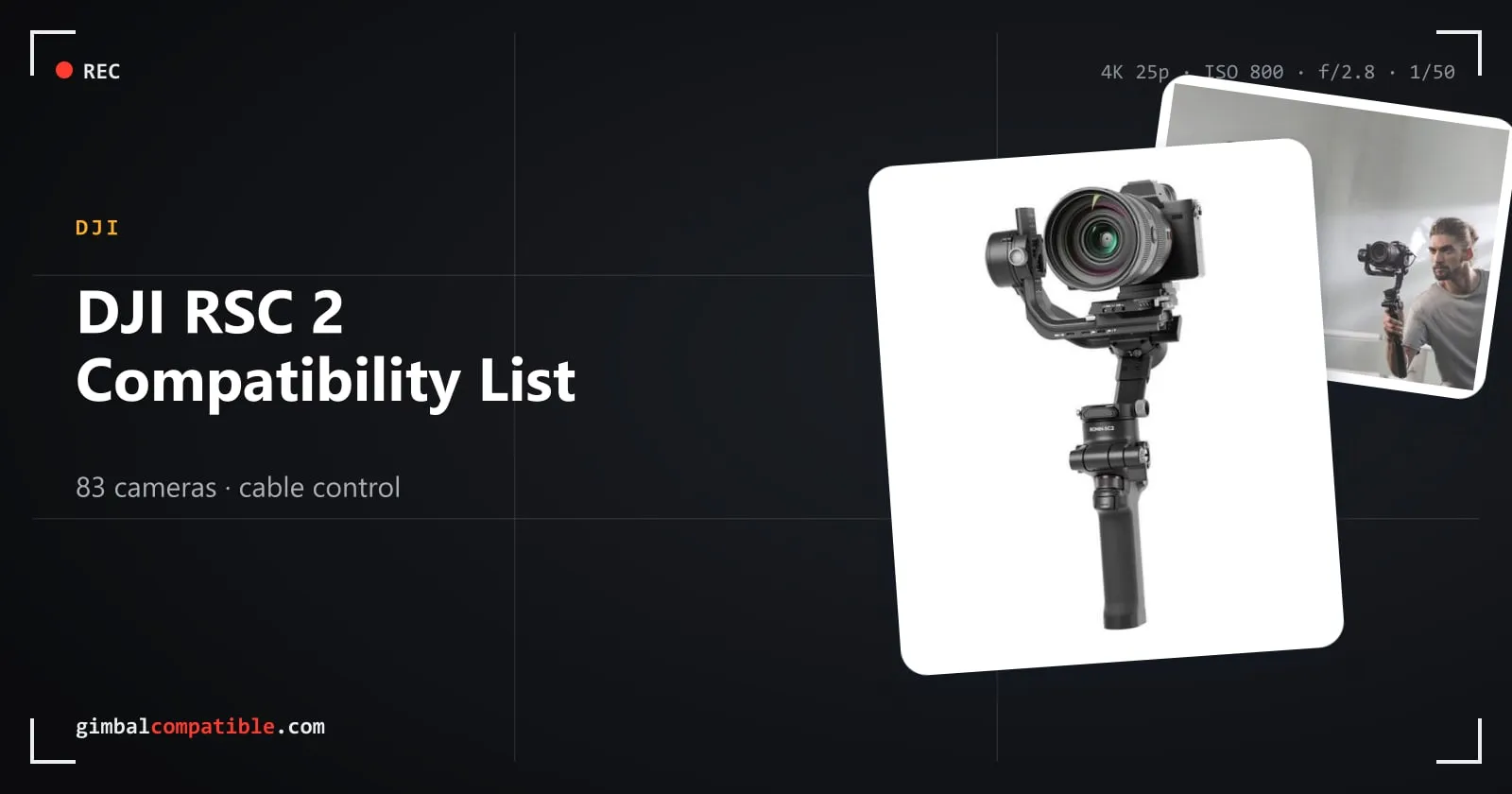
The DJI RSC 2 is DJI’s foldable 3 kg gimbal from 2020, the successor of the Ronin-SC. It’s no longer sold in the DJI Store, but it’s popular second-hand. DJI’s compatibility search lists 83 cameras, all controlled by cable.
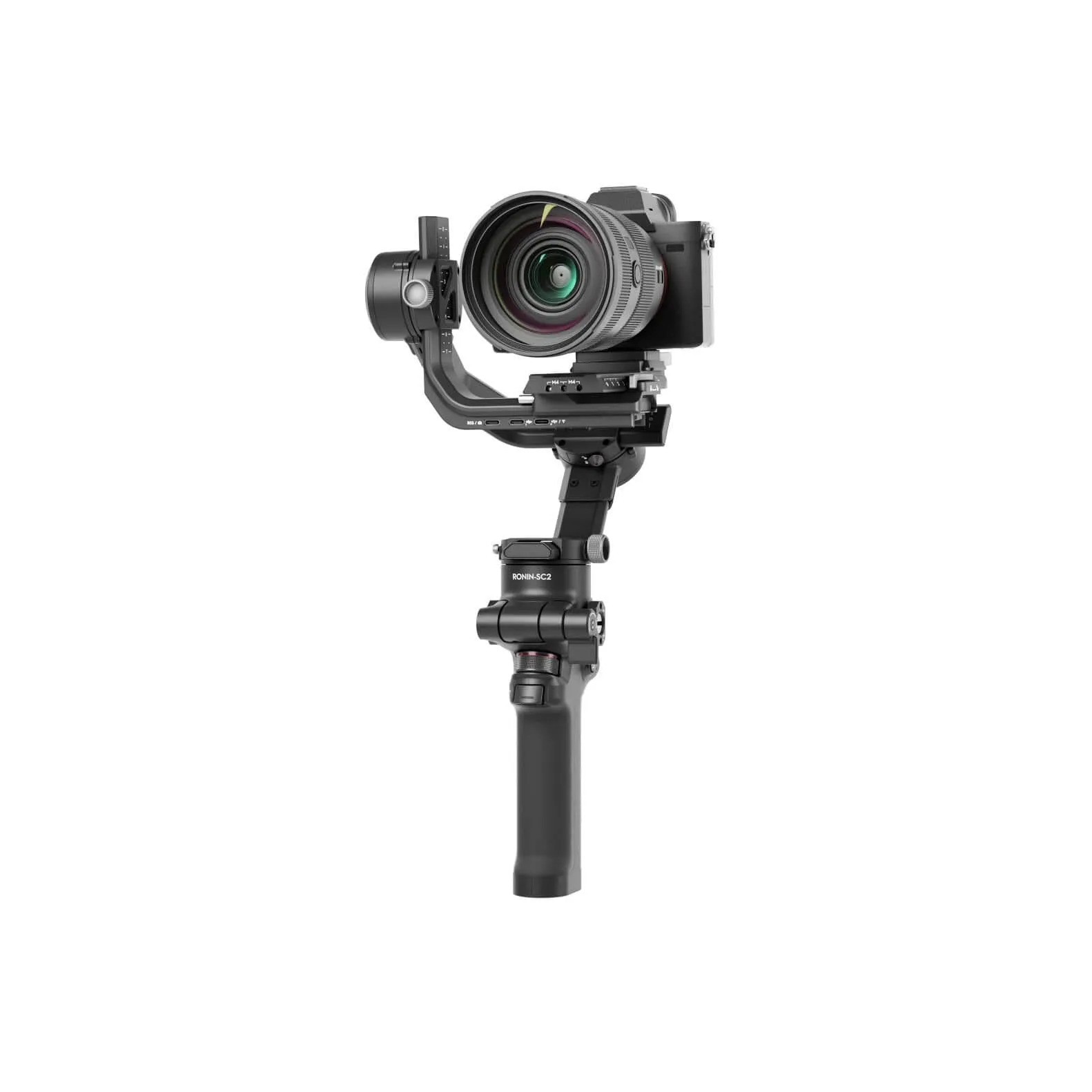
DJI RSC 2 specs
| DJI RSC 2 | |
|---|---|
| Payload | 3 kg (handheld, DJI reference value) |
| Weight | About 1,216 g with battery, without quick-release plate |
| Battery life | Built in, up to 14 h |
| Charging | About 2 h with an 18 W charger (PD or QC 2.0) |
| Screen | 1-inch OLED |
| Camera control | Cable only, via the RSS camera control port (USB-C) |
| Design | Foldable, with Briefcase mode and one-tap Portrait mode |
| Status | Discontinued, latest firmware v01.04.00.20 (January 2022). Updates guaranteed until 31 Dec 2026 |
How camera control works on the RSC 2
The RSC 2 has no Bluetooth shutter. Cameras connect to the RSS camera control port with the included USB-C, Micro-USB, Mini-USB or Sony Multi control cable. The Fujifilm and Panasonic RSS cables are optional, and Z CAM needs a third-party cable. On most cameras, the cable gives you photo, recording, autofocus, focus pulling and exposure settings.
Full DJI RSC 2 camera compatibility list
Canon
| Camera | Connection | Photo | Record | AF | Focus pull | Zoom | Aperture / shutter / ISO |
|---|---|---|---|---|---|---|---|
| EOS 200D II | Micro-USB cable | ✓ | ✓ | ✓ | ✓ | ✗ | ✓ |
| EOS 5D Mark III | Mini-USB cable | ✓ | ✓ | ✓ | ✓ | ✗ | ✓ |
| EOS 5D Mark IV | Micro-USB cable | ✓ | ✓ | ✓ | ✓ | ✗ | ✓ |
| EOS 5DS R | Micro-USB cable | ✓ | ✓ | ✓ | ✓ | ✗ | ✓ |
| EOS 6D | Mini-USB cable | ✓ | ✓ | ✓ | ✓ | ✗ | ✓ |
| EOS 6D Mark II | Mini-USB cable | ✓ | ✓ | ✓ | ✓ | ✗ | ✓ |
| EOS 70D | Mini-USB cable | ✓ | ✓ | ✓ | ✓ | ✗ | ✓ |
| EOS 750D | Mini-USB cable | ✓ | ✓ | ✓ | ✓ | ✗ | ✓ |
| EOS 77D | Mini-USB cable | ✓ | ✓ | ✓ | ✓ | ✗ | ✗ |
| EOS 7D MK II | Micro-USB cable | ✓ | ✓ | ✓ | ✓ | ✗ | ✓ |
| EOS 800D | Mini-USB cable | ✓ | ✓ | ✓ | ✓ | ✗ | ✓ |
| EOS 80D | Mini-USB cable | ✓ | ✓ | ✓ | ✓ | ✗ | ✓ |
| EOS 850D | Micro-USB cable | ✓ | ✓ | ✓ | ✓ | ✗ | ✓ |
| EOS 90D | Micro-USB cable | ✓ | ✓ | ✓ | ✓ | ✗ | ✓ |
| EOS M50 | Micro-USB cable | ✓ | ✓ | ✓ | ✓ | ✗ | ✓ |
| EOS M50 II | Micro-USB cable | ✓ | ✓ | ✓ | ✓ | ✗ | ✓ |
| EOS M6 II | USB-C cable | ✓ | ✓ | ✓ | ✓ | ✗ | ✓ |
| EOS R | USB-C cable | ✓ | ✓ | ✓ | ✓ | ✗ | ✓ |
| EOS R5 | USB-C cable | ✓ | ✓ | ✓ | ✓ | ✗ | ✓ |
| EOS R6 | USB-C cable | ✓ | ✓ | ✓ | ✓ | ✗ | ✓ |
| EOS RP | USB-C cable | ✓ | ✓ | ✓ | ✓ | ✗ | Aperture + ISO |
| PowerShot G7 X Mark III | USB-C cable | ✓ | ✓ | ✓ | ✗ | ✗ | ✓ |
Sony
| Camera | Connection | Photo | Record | AF | Focus pull | Zoom | Aperture / shutter / ISO |
|---|---|---|---|---|---|---|---|
| A1 | Sony Multi cable | ✓ | ✓ | ✓ | ✗ | ✓ | ✗ |
| USB-C cable | ✓ | ✓ | ✓ | ✓ | ✗ | ✓ | |
| A6100 | Sony Multi cable | ✓ | ✓ | ✓ | ✗ | ✓ | ✗ |
| A6300 | Sony Multi cable | ✓ | ✓ | ✓ | ✗ | ✓ | ✗ |
| A6400 | Sony Multi cable | ✓ | ✓ | ✓ | ✗ | ✓ | ✗ |
| Micro-USB cable | ✗ | ✓ | ✓ | ✓ | ✗ | ✓ | |
| A6500 | Sony Multi cable | ✓ | ✓ | ✓ | ✗ | ✓ | ✗ |
| A6600 | Sony Multi cable | ✓ | ✓ | ✓ | ✗ | ✓ | ✗ |
| Micro-USB cable | ✗ | ✓ | ✓ | ✓ | ✗ | ✓ | |
| A7C | USB-C cable | ✗ | ✓ | ✓ | ✓ | ✗ | ✓ |
| A7M2 | Sony Multi cable | ✓ | ✓ | ✓ | ✗ | ✓ | ✗ |
| A7M3 | Sony Multi cable | ✓ | ✓ | ✓ | ✗ | ✓ | ✗ |
| USB-C cable | ✗ | ✓ | ✓ | ✓ | ✗ | ✓ | |
| A7M4 | Sony Multi cable | ✓ | ✓ | ✓ | ✗ | ✓ | ✗ |
| USB-C cable | ✓ | ✓ | ✓ | ✓ | ✗ | ✓ | |
| A7R2 | Sony Multi cable | ✓ | ✓ | ✓ | ✗ | ✓ | ✗ |
| A7R3 | Sony Multi cable | ✓ | ✓ | ✓ | ✗ | ✓ | ✗ |
| USB-C cable | ✗ | ✓ | ✓ | ✓ | ✗ | ✓ | |
| A7R4 | Sony Multi cable | ✓ | ✓ | ✓ | ✗ | ✓ | ✗ |
| USB-C cable | ✗ | ✓ | ✓ | ✓ | ✗ | ✓ | |
| A7S | Sony Multi cable | ✓ | ✓ | ✓ | ✗ | ✓ | ✗ |
| A7S2 | Sony Multi cable | ✓ | ✓ | ✓ | ✗ | ✓ | ✗ |
| A7S3 | Sony Multi cable | ✓ | ✓ | ✓ | ✗ | ✓ | ✗ |
| USB-C cable | ✓ | ✓ | ✓ | ✓ | ✗ | ✓ | |
| A9 | Sony Multi cable | ✓ | ✓ | ✓ | ✗ | ✓ | ✗ |
| Micro-USB cable | ✗ | ✓ | ✓ | ✓ | ✗ | ✓ | |
| A9 II | Sony Multi cable | ✓ | ✓ | ✓ | ✗ | ✓ | ✗ |
| USB-C cable | ✗ | ✓ | ✓ | ✓ | ✗ | ✓ | |
| FX3 | Sony Multi cable | ✓ | ✓ | ✓ | ✗ | ✓ | ✗ |
| USB-C cable | ✓ | ✓ | ✓ | ✓ | ✗ | ✓ | |
| ZV-1 | Sony Multi cable | ✓ | ✓ | ✓ | ✗ | ✓ | ✗ |
| Micro-USB cable | ✗ | ✓ | ✓ | ✓ | ✗ | ✓ | |
| ZV-E10 | USB-C cable | ✓ | ✓ | ✓ | ✓ | ✗ | ✓ |
Panasonic
| Camera | Connection | Photo | Record | AF | Focus pull | Zoom | Aperture / shutter / ISO |
|---|---|---|---|---|---|---|---|
| BGH1 | USB-C cable | ✓ | ✓ | ✓ | ✓ | ✗ | ✓ |
| G9 | Micro-USB cable | ✓ | ✓ | ✓ | ✓ | ✗ | ISO |
| G95 | Panasonic RSS cable | ✓ | ✓ | ✓ | ✗ | ✗ | ✗ |
| GH3 | Panasonic RSS cable | ✓ | ✓ | ✓ | ✗ | ✗ | ✗ |
| GH4 | Panasonic RSS cable | ✓ | ✓ | ✓ | ✗ | ✗ | ✗ |
| GH5 | USB-C cable | ✓ | ✓ | ✓ | ✓ | ✗ | ✓ |
| GH5M2 | USB-C cable | ✓ | ✓ | ✓ | ✓ | ✗ | ✓ |
| GH5S | USB-C cable | ✓ | ✓ | ✓ | ✓ | ✗ | ✓ |
| GH6 | USB-C cable | ✓ | ✓ | ✓ | ✓ | ✗ | ✓ |
| S1 | USB-C cable | ✓ | ✓ | ✓ | ✓ | ✗ | ISO |
| S1H | USB-C cable | ✓ | ✓ | ✓ | ✓ | ✗ | ✓ |
| S1R | USB-C cable | ✓ | ✓ | ✓ | ✓ | ✗ | ✓ |
| S5 | USB-C cable | ✓ | ✓ | ✓ | ✓ | ✗ | ✓ |
Nikon
| Camera | Connection | Photo | Record | AF | Focus pull | Zoom | Aperture / shutter / ISO |
|---|---|---|---|---|---|---|---|
| D500 | Micro-USB cable | ✓ | ✓ | ✓ | ✓ | ✗ | ✓ |
| D780 | USB-C cable | ✓ | ✓ | ✓ | ✓ | ✗ | ✓ |
| D850 | Micro-USB cable | ✓ | ✓ | ✓ | ✓ | ✗ | ✓ |
| Z5 | USB-C cable | ✓ | ✓ | ✓ | ✓ | ✗ | ✓ |
| Z50 | Micro-USB cable | ✓ | ✓ | ✓ | ✓ | ✗ | ✓ |
| Z6 | USB-C cable | ✓ | ✓ | ✓ | ✓ | ✗ | ✓ |
| Z6 II | USB-C cable | ✓ | ✓ | ✓ | ✓ | ✗ | ✓ |
| Z7 | USB-C cable | ✓ | ✓ | ✓ | ✓ | ✗ | ✓ |
| Z7 II | USB-C cable | ✓ | ✓ | ✓ | ✓ | ✗ | ✓ |
Fujifilm
| Camera | Connection | Photo | Record | AF | Focus pull | Zoom | Aperture / shutter / ISO |
|---|---|---|---|---|---|---|---|
| X-E3 | Fujifilm RSS cable | ✓ | ✓ | ✓ | ✗ | ✗ | ✗ |
| X-H1 | Micro-USB cable | ✓ | ✗ | ✓ | ✓ | ✗ | ✗ |
| Fujifilm RSS cable | ✓ | ✓ | ✓ | ✗ | ✗ | ✗ | |
| X-S10 | USB-C cable | ✓ | ✓ | ✓ | ✓ | ✗ | ✓ |
| Fujifilm RSS cable | ✓ | ✓ | ✓ | ✗ | ✗ | ✗ | |
| X-T2 | Micro-USB cable | ✓ | ✗ | ✓ | ✓ | ✗ | ✗ |
| Fujifilm RSS cable | ✓ | ✓ | ✓ | ✗ | ✗ | ✗ | |
| X-T20 | Fujifilm RSS cable | ✓ | ✓ | ✓ | ✗ | ✗ | ✗ |
| X-T3 | USB-C cable | ✓ | ✓ | ✓ | ✓ | ✗ | ✓ |
| Fujifilm RSS cable | ✓ | ✓ | ✓ | ✗ | ✗ | ✗ | |
| X-T30 | Fujifilm RSS cable | ✓ | ✓ | ✓ | ✗ | ✗ | ✗ |
| X-T4 | USB-C cable | ✓ | ✓ | ✓ | ✓ | ✗ | ✓ (photo mode only) |
| Fujifilm RSS cable | ✓ | ✓ | ✓ | ✗ | ✗ | ✗ | |
| X100V | Fujifilm RSS cable | ✓ | ✓ | ✓ | ✗ | ✗ | ✗ |
Sigma
| Camera | Connection | Photo | Record | AF | Focus pull | Zoom | Aperture / shutter / ISO |
|---|---|---|---|---|---|---|---|
| FP | USB-C cable | ✓ | ✓ | ✓ | ✓ | ✗ | Aperture + ISO |
Olympus
| Camera | Connection | Photo | Record | AF | Focus pull | Zoom | Aperture / shutter / ISO |
|---|---|---|---|---|---|---|---|
| E-M1 II | USB-C cable | ✓ | ✓ | ✓ | ✓ | ✗ | ✓ |
Z CAM
| Camera | Connection | Photo | Record | AF | Focus pull | Zoom | Aperture / shutter / ISO |
|---|---|---|---|---|---|---|---|
| Z CAM E2 | Third-party DB-9 to USB-C cable | ✓ | ✓ | ✓ | ✗ | ✗ | Aperture + ISO |
| Z CAM E2-F6 | Third-party 4-pin to USB-C cable | ✓ | ✓ | ✓ | ✗ | ✗ | Aperture + ISO |
| Z CAM E2-F8 | Third-party 4-pin to USB-C cable | ✓ | ✓ | ✓ | ✗ | ✗ | Aperture + ISO |
| Z CAM E2-M4 | Third-party 4-pin to USB-C cable | ✓ | ✓ | ✓ | ✗ | ✗ | Aperture + ISO |
| Z CAM E2-S6 | Third-party 4-pin to USB-C cable | ✓ | ✓ | ✓ | ✗ | ✗ | Aperture + ISO |
Leica
| Camera | Connection | Photo | Record | AF | Focus pull | Zoom | Aperture / shutter / ISO |
|---|---|---|---|---|---|---|---|
| SL2 | USB-C cable | ✓ | ✓ | ✓ | ✗ | ✗ | ✗ |
| SL2-S | USB-C cable | ✓ | ✓ | ✓ | ✓ | ✗ | ✗ |
Setup tips by brand
- Sony: set USB connection to PC Remote, turn off Ctrl w/ Smartphone and turn on the gimbal before the camera. For focus pulling, set the lens to AF and the camera to MF.
- Canon: use photo mode for photos and video mode for recording. For focus pulling, keep the lens on AF and turn the AF servo off.
- Nikon: keep live view on. For focus pulling, set the lens to AF and the camera to AF-S.
- Panasonic: set USB mode to PC (Tether) and the focus switch to MF for focus pulling.
- Fujifilm: set Mic/Remote Release to Remote and PC connection mode to USB Tether Shooting Auto.
Related lists
- DJI RS 4 Mini: a current compact gimbal with a Bluetooth shutter
- DJI RS 2: the 4.5 kg sibling from the same year
Frequently asked questions
How many cameras are compatible with the DJI RSC 2?
DJI's compatibility search lists 83 cameras for the RSC 2: 22 Canon, 21 Sony, 13 Panasonic, 9 Nikon, 9 Fujifilm, 5 Z CAM, 2 Leica, plus the Sigma fp and Olympus E-M1 II.
Does the DJI RSC 2 have Bluetooth shutter control?
No. The RSC 2 controls cameras by cable only. Its Bluetooth connects the Ronin app.
What is the payload of the DJI RSC 2?
3 kg (handheld, DJI reference value). The gimbal weighs about 1,216 g with its built-in battery.
Does the RSC 2 work with Blackmagic Pocket cameras?
DJI's current compatibility search lists no Blackmagic camera for the RSC 2. A launch-era list from 2020 included the BMPCC 4K, but it isn't on DJI's current list.