FeiyuTech SCORP 2 Compatibility List: 119 Cameras
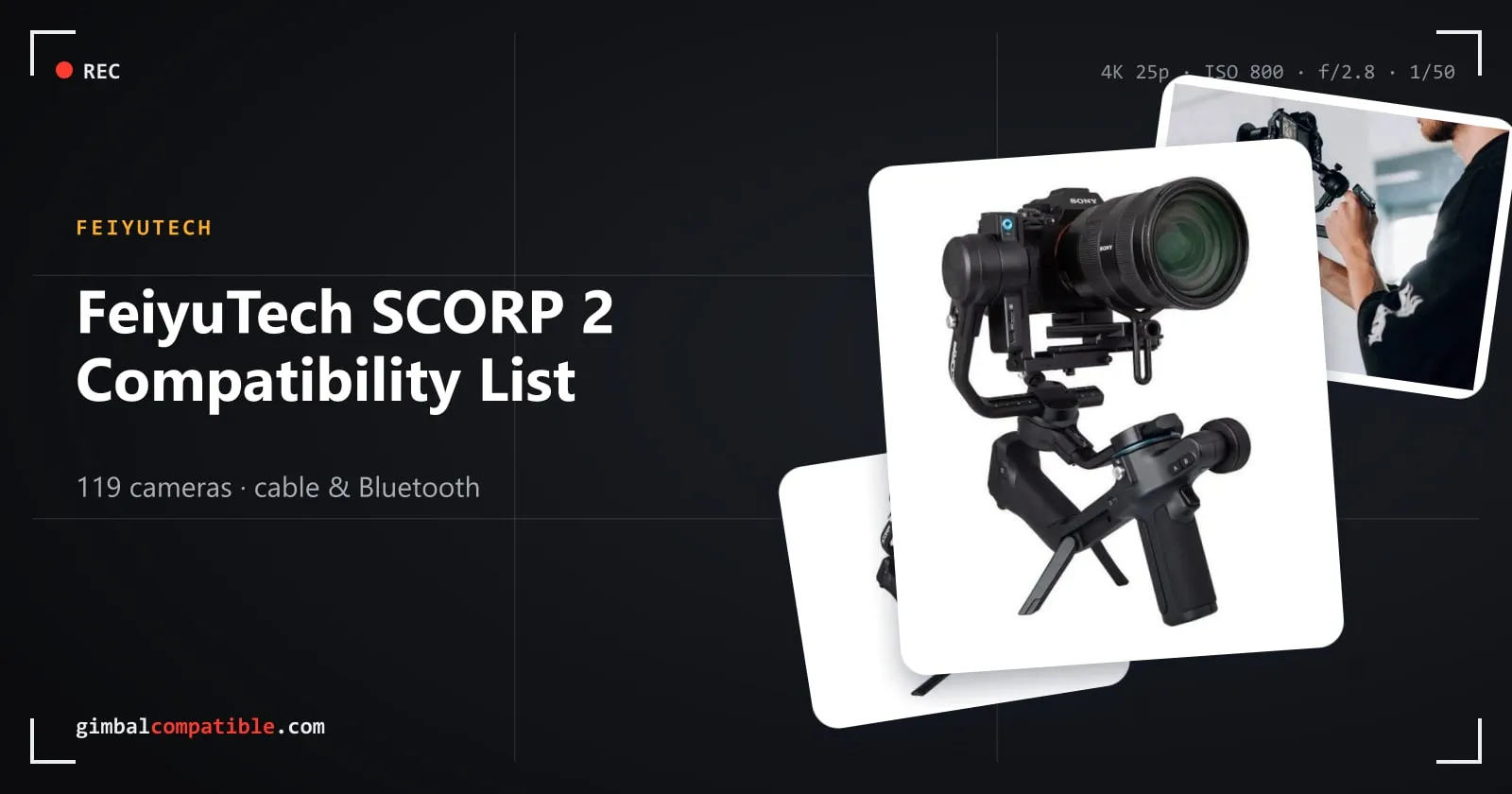
The FeiyuTech SCORP 2 is a 2.5 kg gimbal for mirrorless and DSLR cameras with a touchscreen and a built-in AI tracking module. FeiyuTech’s official lists (v1.0.3, updated 9 March 2026) cover 119 cameras. You can control all of them by cable, and 47 also over Bluetooth.
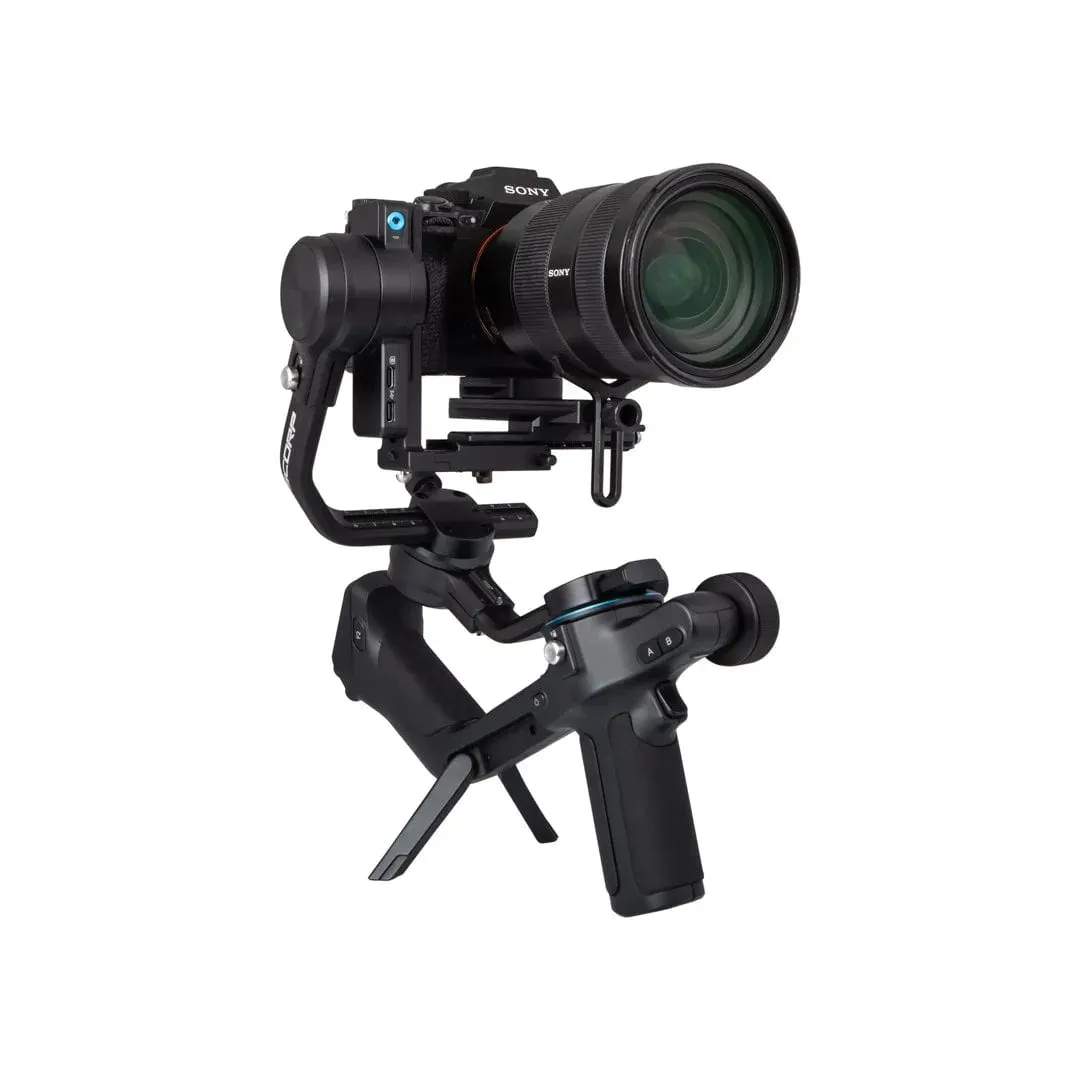
SCORP 2 specs
| FeiyuTech SCORP 2 | |
|---|---|
| Weight | About 1070 g |
| Payload | About 2.5 kg (5.51 lb) |
| Battery | 2500 mAh, built in, up to 13 h |
| Charging | About 1.6 h with an 18 W charger (USB-C) |
| Screen | 1.3” touchscreen |
| Camera control | Cable (Sony, Canon, Nikon, Panasonic cables included) or Bluetooth |
| Tracking | Built-in AI tracking module with gesture control, no app needed |
| Vertical shooting | Native, with the L-shaped quick release |
Cable vs Bluetooth on the SCORP 2
- Cable gives the most control. Depending on the camera, that’s photo, record, playback, shutter/aperture/ISO, half-press AF, pull focus and zoom.
- Bluetooth works on 20 Sony, 19 Canon and 8 Nikon models. It always covers photo, record, playback and half-press AF (no half-press on Nikon). It has no exposure settings, pull focus or zoom.
- If both are connected, Bluetooth takes priority. Disconnect it before you change shutter, aperture or ISO over the cable.
- Fujifilm, Panasonic and Sigma cameras are cable only. So are the Sony FX3, a1, a9 and a9 II, and the Canon EOS R6 Mark II and R8.
Full SCORP 2 camera compatibility list
In the firmware column, the first value is the camera firmware FeiyuTech tested and the second is the gimbal firmware.
Sony
| Camera | Connection | Photo | Record | Playback | Shutter / aperture / ISO | Half-press AF | Pull focus | Zoom | Firmware (camera / gimbal) |
|---|---|---|---|---|---|---|---|---|---|
| RX100 III (RX100M3) | Type-C to Multi | ✓ | ✓ | ✓ | ✗ / ✗ / ✗ | ✓ | ✗ | ✓ | 2.00 / V106 |
| RX100 IV (RX100M4) | Type-C to Multi | ✓ | ✓ | ✓ | ✗ / ✗ / ✗ | ✓ | ✗ | ✓ | 1.30 / V106 |
| RX100M5A | Type-C to Multi | ✓ | ✓ | ✓ | ✗ / ✗ / ✗ | ✓ | ✗ | ✓ | 2.00 / V106 |
| RX100 VI (RX100M6) | Type-C to Multi | ✓ | ✓ | ✓ | ✗ / ✗ / ✗ | ✓ | ✗ | ✓ | 1.00 / V106 |
| RX100 VII (RX100M7) | Type-C to Multi | ✓ | ✓ | ✓ | ✗ / ✗ / ✗ | ✓ | ✗ | ✓ | 1.00 / V106 |
| Bluetooth | ✓ | ✓ | ✓ | ✗ / ✗ / ✗ | ✓ | ✗ | ✗ | 1.00 / BT V103 | |
| ZV-1 | Type-C to Multi | ✓ | ✓ | ✓ | ✗ / ✗ / ✗ | ✓ | ✗ | ✓ | 1.0 / V106 |
| Bluetooth | ✓ | ✓ | ✓ | ✗ / ✗ / ✗ | ✓ | ✗ | ✗ | 2.01 / BT V105 | |
| DSC-WX500 | Type-C to Multi | ✓ | ✓ | ✓ | ✗ / ✗ / ✗ | ✓ | ✗ | ✓ | 1.0 / V106 |
| DSC-HX90 | Type-C to Multi | ✓ | ✓ | ✓ | ✗ / ✗ / ✗ | ✓ | ✗ | ✓ | 1.0 / V106 |
| DSC-RX10 III | Type-C to Multi | ✓ | ✓ | ✓ | ✗ / ✗ / ✗ | ✓ | ✗ | ✓ | 1.0 / V106 |
| DSC-RX10 IV | Type-C to Multi | ✓ | ✓ | ✓ | ✗ / ✗ / ✗ | ✓ | ✗ | ✓ | 2.00 / V106 |
| ZV-E10 | Type-C to Type-C | ✓ | ✓ | ✓ | ✓ / ✓ / ✓ | ✓ | ✗ | ✗ | 1.00 / V106 |
| Bluetooth | ✓ | ✓ | ✓ | ✗ / ✗ / ✗ | ✓ | ✗ | ✗ | 2.00 / BT V105 | |
| α6100 | Type-C to Multi | ✓ | ✓ | ✓ | ✗ / ✗ / ✗ | ✓ | ✗ | ✓ | 1.00 / V106 |
| Bluetooth | ✓ | ✓ | ✓ | ✗ / ✗ / ✗ | ✓ | ✗ | ✗ | 1.00 / BT V104 | |
| α6300 | Type-C to Multi | ✓ | ✓ | ✓ | ✗ / ✗ / ✗ | ✓ | ✗ | ✓ | 2.00 / V106 |
| α6400 | Type-C to Multi | ✓ | ✓ | ✓ | ✗ / ✗ / ✗ | ✓ | ✗ | ✓ | 1.00 / V106 |
| Bluetooth | ✓ | ✓ | ✓ | ✗ / ✗ / ✗ | ✓ | ✗ | ✗ | 2.00 / BT V104 | |
| α6500 | Type-C to Multi | ✓ | ✓ | ✓ | ✗ / ✗ / ✗ | ✓ | ✗ | ✓ | 1.06 / V106 |
| α6600 | Type-C to Multi | ✓ | ✓ | ✓ | ✗ / ✗ / ✗ | ✓ | ✗ | ✓ | 1.10 / V106 |
| α7S | Type-C to Multi | ✓ | ✓ | ✓ | ✗ / ✗ / ✗ | ✓ | ✗ | ✓ | 3.20 / V106 |
| A7S II (A7 S2) | Type-C to Multi | ✓ | ✓ | ✓ | ✗ / ✗ / ✗ | ✓ | ✗ | ✓ | 2.00 / V106 |
| α7R | Type-C to Multi | ✓ | ✓ | ✓ | ✗ / ✗ / ✗ | ✓ | ✗ | ✓ | 2.00 / V106 |
| A7R II (A7 R2) | Type-C to Multi | ✓ | ✓ | ✓ | ✗ / ✗ / ✗ | ✓ | ✗ | ✓ | 4.00 / V106 |
| A7R III (A7 R3) | Type-C to Multi | ✓ | ✓ | ✓ | ✗ / ✗ / ✗ | ✓ | ✗ | ✓ | 3.01 / V106 |
| Bluetooth | ✓ | ✓ | ✓ | ✗ / ✗ / ✗ | ✓ | ✗ | ✗ | 3.10 / BT V107 | |
| A7R IV (A7 R4) | Type-C to Multi | ✓ | ✓ | ✓ | ✗ / ✗ / ✗ | ✓ | ✗ | ✓ | 1.00 / V106 |
| Type-C to Type-C | ✓ | ✓ | ✓ | ✓ / ✓ / ✓ | ✓ | ✗ | ✗ | 1.00 / V106 | |
| Type-C to Multi | ✓ | ✓ | ✓ | ✗ / ✗ / ✗ | ✗ | ✗ | ✓ | 1.10 / V106 | |
| Bluetooth | ✓ | ✓ | ✓ | ✗ / ✗ / ✗ | ✓ | ✗ | ✗ | 1.20 / BT V105 | |
| A7R MIVA (A7R M4A) | Type-C to Multi | ✓ | ✓ | ✓ | ✗ / ✗ / ✗ | ✓ | ✗ | ✓ | 1.00 / V106 |
| A7 II (A7M2) | Type-C to Multi | ✓ | ✓ | ✓ | ✗ / ✗ / ✗ | ✓ | ✗ | ✓ | 4.00 / V106 |
| A7 III (A7M3) | Type-C to Multi | ✓ | ✓ | ✓ | ✗ / ✗ / ✗ | ✓ | ✗ | ✓ | 3.10 / V106 |
| Bluetooth | ✓ | ✓ | ✓ | ✗ / ✗ / ✗ | ✓ | ✗ | ✗ | 4.01 / BT V105 | |
| α9 | Type-C to Multi | ✓ | ✓ | ✓ | ✗ / ✗ / ✗ | ✓ | ✗ | ✓ | 6.00 / V106 |
| α9 II | Type-C to Multi | ✓ | ✓ | ✓ | ✗ / ✗ / ✗ | ✓ | ✗ | ✓ | 3.00 / V106 |
| α7C | Type-C to Type-C | ✓ | ✓ | ✓ | ✓ / ✓ / ✓ | ✓ | ✗ | ✗ | 1.0 / V106 |
| Bluetooth | ✓ | ✓ | ✓ | ✗ / ✗ / ✗ | ✓ | ✗ | ✗ | 2.00 / BT V105 | |
| α7CII (A7 CM2) | Type-C to Type-C | ✓ | ✓ | ✓ | ✓ / ✓ / ✓ | ✓ | ✗ | ✗ | 1.00 / V109 |
| Bluetooth | ✓ | ✓ | ✓ | ✗ / ✗ / ✗ | ✓ | ✗ | ✗ | 1.00 / BT V104 | |
| α1 | Type-C to Multi | ✓ | ✓ | ✓ | ✗ / ✗ / ✗ | ✓ | ✗ | ✓ | 1.01 / V106 |
| A7S III (A7 S3) | Type-C to Multi | ✓ | ✓ | ✓ | ✗ / ✗ / ✗ | ✓ | ✗ | ✓ | 1.01 / V106 |
| Type-C to Type-C | ✓ | ✓ | ✓ | ✓ / ✓ / ✓ | ✓ | ✗ | ✗ | 1.01 / V106 | |
| Bluetooth | ✓ | ✓ | ✓ | ✗ / ✗ / ✗ | ✓ | ✗ | ✗ | 2.10 / BT V103 | |
| FX3 | Type-C to Multi | ✓ | ✓ | ✓ | ✗ / ✗ / ✗ | ✓ | ✗ | ✗ | 1.00 / V106 |
| Type-C to Type-C | ✓ | ✓ | ✓ | ✓ / ✓ / ✓ | ✓ | ✗ | ✗ | 1.00 / V106 | |
| A7 IV (A7 M4) | Type-C to Multi | ✓ | ✓ | ✓ | ✗ / ✗ / ✗ | ✓ | ✗ | ✓ | 1.00 / V106 |
| Type-C to Type-C | ✓ | ✓ | ✓ | ✓ / ✓ / ✓ | ✓ | ✗ | ✗ | 1.00 / V106 | |
| Bluetooth | ✓ | ✓ | ✓ | ✗ / ✗ / ✗ | ✓ | ✗ | ✗ | 2.00 / BT V105 | |
| A7RV (A7 R5) | Type-C to Type-C | ✓ | ✓ | ✓ | ✓ / ✓ / ✓ | ✓ | ✗ | ✗ | 1.00 / V110 |
| Type-C to Multi | ✓ | ✓ | ✓ | ✗ / ✗ / ✗ | ✗ | ✗ | ✓ | 1.00 / V110 | |
| Bluetooth | ✓ | ✓ | ✓ | ✗ / ✗ / ✗ | ✓ | ✗ | ✗ | 1.00 / BT V104 | |
| FDR-AX60 | Type-C to Multi | ✗ | ✓ | ✓ | ✗ / ✗ / ✗ | ✓ | ✗ | ✓ | 1.00 / V106 |
| FDR-AX700 | Type-C to Multi | ✗ | ✓ | ✓ | ✗ / ✗ / ✗ | ✓ | ✗ | ✓ | 1.00 / V106 |
| A6700 | Type-C to Type-C | ✓ | ✓ | ✓ | ✓ / ✓ / ✓ | ✓ | ✗ | ✗ | 1.00 / V106 |
| Bluetooth | ✓ | ✓ | ✓ | ✗ / ✗ / ✗ | ✓ | ✗ | ✗ | 1.00 / BT V103 | |
| ZV-1M2 | Type-C to Type-C | ✓ | ✓ | ✓ | ✗ / ✓ / ✓ | ✓ | ✗ | ✗ | 1.00 / V106 |
| Bluetooth | ✓ | ✓ | ✓ | ✗ / ✗ / ✗ | ✓ | ✗ | ✗ | 1.00 / BT V103 | |
| A7CR | Type-C to Type-C | ✓ | ✓ | ✓ | ✓ / ✓ / ✓ | ✗ | ✗ | ✗ | 1.01 / V116 |
| Bluetooth | ✓ | ✓ | ✓ | ✗ / ✗ / ✗ | ✓ | ✗ | ✗ | 1.01 / BT V105 | |
| ZV-E1 | Type-C to Type-C | ✓ | ✓ | ✓ | ✓ / ✓ / ✓ | ✓ | ✗ | ✗ | 1.00 / V116 |
| Bluetooth | ✓ | ✓ | ✓ | ✗ / ✗ / ✗ | ✓ | ✗ | ✗ | 1.00 / BT V105 | |
| Alpha 9 III (ILCE-9M3/α9 III) | Type-C to Multi | ✓ | ✓ | ✓ | ✗ / ✗ / ✗ | ✓ | ✗ | ✓ | 2.00 / V236 |
| Bluetooth | ✓ | ✓ | ✓ | ✗ / ✗ / ✗ | ✓ | ✗ | ✗ | 2.00 / BT V107 | |
| ZV-E10II | Type-C to Type-C | ✓ | ✓ | ✓ | ✓ / ✓ / ✓ | ✓ | ✗ | ✗ | 1.00 / V236 |
| Bluetooth | ✓ | ✓ | ✓ | ✗ / ✗ / ✗ | ✓ | ✗ | ✗ | 1.00 / BT V107 | |
| α7 V | Bluetooth | ✓ | ✓ | ✓ | ✗ / ✗ / ✗ | ✓ | ✗ | ✗ | 1.00 / BT V107 |
Canon
| Camera | Connection | Photo | Record | Playback | Shutter / aperture / ISO | Half-press AF | Pull focus | Zoom | Firmware (camera / gimbal) |
|---|---|---|---|---|---|---|---|---|---|
| EOS M50 | Type-C to Micro-USB | ✓ | ✓ | ✓ | ✓ / ✓ / ✓ | ✗ | ✓ | ✗ | 1.1.0 / V106 |
| Bluetooth | ✓ | ✓ | ✓ | ✗ / ✗ / ✗ | ✓ | ✗ | ✗ | 1.1.0 / BT V103 | |
| EOS M50 Mark II | Type-C to Micro-USB | ✓ | ✓ | ✓ | ✓ / ✓ / ✓ | ✗ | ✓ | ✗ | 1.0.1 / V106 |
| Bluetooth | ✓ | ✓ | ✓ | ✗ / ✗ / ✗ | ✓ | ✗ | ✗ | 1.0.1 / BT V105 | |
| EOS M6 Mark II | Type-C to Type-C | ✓ | ✓ | ✓ | ✓ / ✓ / ✓ | ✗ | ✓ | ✗ | 1.1.1 / V106 |
| Bluetooth | ✓ | ✓ | ✓ | ✗ / ✗ / ✗ | ✓ | ✗ | ✗ | 1.1.1 / BT V105 | |
| PowerShot G7 X Mark III | Type-C to Type-C | ✓ | ✓ | ✓ | ✓ / ✓ / ✓ | ✗ | ✓ | ✗ | 1.3.0 / V106 |
| Bluetooth | ✓ | ✓ | ✓ | ✗ / ✗ / ✗ | ✓ | ✗ | ✗ | 1.3.0 / BT V105 | |
| EOS 200D II (250D) | Type-C to Micro-USB | ✓ | ✓ | ✓ | ✗ / ✗ / ✗ | ✗ | ✓ | ✗ | 1.0.3 / V106 |
| Bluetooth | ✓ | ✓ | ✓ | ✗ / ✗ / ✗ | ✓ | ✗ | ✗ | 1.0.3 / BT V104 | |
| EOS 850D | Type-C to Micro-USB | ✓ | ✓ | ✓ | ✓ / ✓ / ✓ | ✗ | ✓ | ✗ | 1.0.0 / V106 |
| EOS 80D | Type-C to Mini-USB | ✓ | ✓ | ✓ | ✗ / ✗ / ✗ | ✗ | ✓ | ✗ | 1.0.2 / V106 |
| EOS 90D | Type-C to Micro-USB | ✓ | ✓ | ✓ | ✗ / ✗ / ✗ | ✗ | ✓ | ✗ | 1.0.0 / V106 |
| EOS 6D | Type-C to Mini-USB | ✓ | ✓ | ✓ | ✓ / ✓ / ✓ | ✗ | ✓ | ✗ | 1.1.8 / V106 |
| EOS 6D Mark II | Type-C to Mini-USB | ✓ | ✓ | ✓ | ✓ / ✓ / ✓ | ✗ | ✓ | ✗ | 1.1.1 / V106 |
| EOS 5D Mark III | Type-C to Mini-USB | ✓ | ✓ | ✓ | ✗ / ✗ / ✗ | ✗ | ✓ | ✗ | 1.3.5 / V106 |
| EOS 5D Mark IV | Type-C to Micro-USB | ✓ | ✓ | ✓ | ✗ / ✗ / ✗ | ✗ | ✓ | ✗ | 1.1.2 / V106 |
| EOS 5DS R | Type-C to Micro-USB | ✓ | ✓ | ✓ | ✓ / ✓ / ✓ | ✗ | ✗ | ✗ | 1.1.1 / V106 |
| EOS RP | Type-C to Type-C | ✓ | ✓ | ✓ | ✓ / ✓ / ✓ | ✗ | ✓ | ✗ | 1.6.0 / V106 |
| Bluetooth | ✓ | ✓ | ✓ | ✗ / ✗ / ✗ | ✓ | ✗ | ✗ | 1.6.0 / BT V105 | |
| EOS R | Type-C to Type-C | ✓ | ✓ | ✓ | ✓ / ✓ / ✓ | ✗ | ✓ | ✗ | 1.0.0 / V106 |
| Bluetooth | ✓ | ✓ | ✓ | ✗ / ✗ / ✗ | ✓ | ✗ | ✗ | 1.8.0 / BT V103 | |
| EOS R5 | Type-C to Type-C | ✓ | ✓ | ✓ | ✗ / ✗ / ✗ | ✗ | ✓ | ✗ | 1.9.0 / V106 |
| Bluetooth | ✓ | ✓ | ✓ | ✗ / ✗ / ✗ | ✓ | ✗ | ✗ | 1.9.0 / BT V105 | |
| EOS R6 | Type-C to Type-C | ✓ | ✓ | ✓ | ✓ / ✓ / ✓ | ✗ | ✓ | ✗ | 1.8.2 / V106 |
| Bluetooth | ✓ | ✓ | ✓ | ✗ / ✗ / ✗ | ✓ | ✗ | ✗ | 1.8.2 / BT V104 | |
| EOS R5C | Type-C to Type-C | ✓ | ✓ | ✓ | ✓ / ✓ / ✓ | ✗ | ✓ | ✗ | 1.0.5.1 / V106 |
| Bluetooth | ✓ | ✗ | ✓ | ✗ / ✗ / ✗ | ✓ | ✗ | ✗ | 1.0.5.1 / BT V105 | |
| EOS R7 | Type-C to Type-C | ✓ | ✓ | ✓ | ✓ / ✓ / ✓ | ✗ | ✓ | ✗ | 1.3.1 / V110 |
| Bluetooth | ✓ | ✓ | ✓ | ✗ / ✗ / ✗ | ✓ | ✗ | ✗ | 1.3.1 / BT V104 | |
| EOS R10 | Type-C to Type-C | ✓ | ✓ | ✓ | ✓ / ✓ / ✓ | ✗ | ✓ | ✗ | 1.0.1 / V106 |
| Bluetooth | ✓ | ✓ | ✓ | ✗ / ✗ / ✗ | ✓ | ✗ | ✗ | 1.2.0 / BT V104 | |
| EOS R8 | Type-C to Type-C | ✓ | ✓ | ✓ | ✓ / ✓ / ✓ | ✗ | ✓ | ✗ | 1.0.0 / V106 |
| EOS R50 | Type-C to Type-C | ✓ | ✓ | ✓ | ✓ / ✓ / ✓ | ✗ | ✓ | ✗ | 1.0.0 / V106 |
| Bluetooth | ✓ | ✓ | ✓ | ✗ / ✗ / ✗ | ✓ | ✗ | ✗ | 1.00 / BT V104 | |
| EOS R6 Mark II | Type-C to Type-C | ✓ | ✓ | ✓ | ✓ / ✓ / ✓ | ✗ | ✓ | ✗ | 1.1.2 / V106 |
| EOS M200 | Type-C to Micro-USB | ✓ | ✓ | ✓ | ✓ / ✓ / ✓ | ✗ | ✓ | ✗ | 1.0.0 / V236 |
| Bluetooth | ✓ | ✓ | ✓ | ✗ / ✗ / ✗ | ✓ | ✗ | ✗ | 1.0.0 / BT V107 | |
| EOS R100 | Type-C to Type-C | ✓ | ✓ | ✓ | ✓ / ✓ / ✓ | ✗ | ✓ | ✗ | 1.0.0 / V236 |
| Bluetooth | ✓ | ✓ | ✓ | ✗ / ✗ / ✗ | ✓ | ✗ | ✗ | 1.0.0 / BT V107 | |
| EOS R5 Mark II | Type-C to Type-C | ✓ | ✓ | ✓ | ✓ / ✓ / ✓ | ✗ | ✓ | ✗ | 1.0.0 / V236 |
| Bluetooth | ✓ | ✓ | ✓ | ✗ / ✗ / ✗ | ✓ | ✗ | ✗ | 1.0.0 / BT V107 | |
| PowerShot V10 | Type-C to Type-C | ✗ | ✓ | ✓ | ✓ / ✓ / ✓ | ✗ | ✗ | ✗ | 1.0.0 / V236 |
| Bluetooth | ✗ | ✓ | ✓ | ✗ / ✗ / ✗ | ✗ | ✗ | ✗ | 1.0.0 / BT V107 | |
| EOS R50 V | Type-C to Type-C | ✓ | ✓ | ✓ | ✓ / ✓ / ✓ | ✗ | ✓ | ✗ | 1.0.0 / V236 |
| Bluetooth | ✓ | ✓ | ✓ | ✗ / ✗ / ✗ | ✓ | ✗ | ✗ | 1.0.0 / BT V107 | |
| EOS R6 Mark III | Type-C to Type-C | ✓ | ✓ | ✓ | ✓ / ✓ / ✓ | ✗ | ✓ | ✗ | 1.0.2 / V236 |
| Bluetooth | ✓ | ✓ | ✓ | ✗ / ✗ / ✗ | ✓ | ✗ | ✗ | 1.0.2 / BT V107 |
Panasonic
| Camera | Connection | Photo | Record | Playback | Shutter / aperture / ISO | Half-press AF | Pull focus | Zoom | Firmware (camera / gimbal) |
|---|---|---|---|---|---|---|---|---|---|
| GH5S | Type-C to Type-C | ✓ | ✓ | ✓ | ✗ / ✗ / ✗ | ✗ | ✓ | ✗ | 2.50 / V236 |
| GH5 | Type-C to DC 2.5 mm | ✓ | ✓ | ✓ | ✗ / ✗ / ✗ | ✓ | ✗ | ✗ | 2.60 / V106 |
| Type-C to Type-C | ✓ | ✓ | ✓ | ✗ / ✗ / ✗ | ✗ | ✓ | ✗ | 2.60 / V106 | |
| GH4 | Type-C to DC 2.5 mm | ✓ | ✓ | ✓ | ✗ / ✗ / ✗ | ✓ | ✗ | ✗ | 2.7 / V106 |
| G9 | Type-C to DC 2.5 mm | ✓ | ✓ | ✓ | ✗ / ✗ / ✗ | ✓ | ✗ | ✗ | 2.00 / V106 |
| S5 | Type-C to DC 2.5 mm | ✓ | ✓ | ✓ | ✗ / ✗ / ✗ | ✓ | ✗ | ✗ | 2.00 / V106 |
| Type-C to Type-C | ✓ | ✓ | ✓ | ✗ / ✗ / ✗ | ✗ | ✓ | ✗ | 2.00 / V106 | |
| GH6 | Type-C to DC 2.5 mm | ✓ | ✓ | ✓ | ✗ / ✗ / ✗ | ✓ | ✗ | ✗ | 1.20 / V106 |
| Type-C to Type-C | ✓ | ✓ | ✓ | ✗ / ✗ / ✗ | ✗ | ✓ | ✗ | 1.20 / V106 | |
| S5II | Type-C to DC 2.5 mm | ✓ | ✓ | ✓ | ✗ / ✗ / ✗ | ✓ | ✗ | ✗ | 1.00 / V106 |
| Type-C to Type-C | ✓ | ✓ | ✓ | ✗ / ✗ / ✗ | ✗ | ✓ | ✗ | 1.00 / V106 | |
| S9 | Type-C to Type-C | ✓ | ✓ | ✓ | ✗ / ✗ / ✗ | ✗ | ✓ | ✗ | 1.00 / V236 |
| G9II | Type-C to Type-C | ✓ | ✓ | ✓ | ✗ / ✗ / ✗ | ✗ | ✓ | ✗ | 2.10 / V236 |
Nikon
| Camera | Connection | Photo | Record | Playback | Shutter / aperture / ISO | Half-press AF | Pull focus | Zoom | Firmware (camera / gimbal) |
|---|---|---|---|---|---|---|---|---|---|
| Z8 | Type-C to Type-C | ✓ | ✓ | ✗ | ✗ / ✗ / ✗ | ✗ | ✗ | ✗ | 1.01 / V106 |
| Z7 | Type-C to Type-C | ✓ | ✓ | ✗ | ✗ / ✗ / ✗ | ✗ | ✗ | ✗ | 1.00 / V106 |
| Z7 II | Type-C to Type-C | ✓ | ✓ | ✓ | ✗ / ✗ / ✗ | ✗ | ✗ | ✗ | 1.00 / V106 |
| Z5 | Type-C to Type-C | ✓ | ✓ | ✓ | ✗ / ✗ / ✗ | ✗ | ✗ | ✗ | 1.11 / V106 |
| Z6 | Type-C to Type-C | ✓ | ✓ | ✓ | ✗ / ✗ / ✗ | ✗ | ✗ | ✗ | 2.00 / V106 |
| Z6 II | Type-C to Type-C | ✓ | ✓ | ✓ | ✗ / ✗ / ✗ | ✗ | ✗ | ✗ | 1.00 / V106 |
| Z50 | Type-C to Micro-USB | ✓ | ✓ | ✓ | ✗ / ✗ / ✗ | ✗ | ✓ | ✗ | 2.50 / V116 |
| Bluetooth | ✓ | ✓ | ✓ | ✗ / ✗ / ✗ | ✗ | ✗ | ✗ | 2.50 / BT V105 | |
| Z fc | Type-C to Type-C | ✓ | ✓ | ✓ | ✗ / ✗ / ✗ | ✗ | ✓ | ✗ | 1.10 / V106 |
| Bluetooth | ✓ | ✓ | ✓ | ✗ / ✗ / ✗ | ✗ | ✗ | ✗ | 1.50 / BT V105 | |
| D7500 | Type-C to Micro-USB | ✓ | ✓ | ✗ | ✗ / ✗ / ✗ | ✗ | ✓ | ✗ | 1.10 / V106 |
| D850 | Type-C to Micro-USB | ✓ | ✓ | ✓ | ✗ / ✗ / ✗ | ✗ | ✓ | ✗ | 1.2 / V106 |
| Z30 | Type-C to Type-C | ✓ | ✓ | ✓ | ✗ / ✗ / ✗ | ✗ | ✓ | ✗ | 1.00 / V106 |
| Bluetooth | ✓ | ✓ | ✓ | ✗ / ✗ / ✗ | ✗ | ✗ | ✗ | 1.10 / BT V104 | |
| Z f | Type-C to Type-C | ✓ | ✓ | ✓ | ✗ / ✗ / ✗ | ✗ | ✓ | ✗ | 1.10 / V116 |
| Bluetooth | ✓ | ✓ | ✓ | ✗ / ✗ / ✗ | ✗ | ✗ | ✗ | 1.10 / BT V105 | |
| Z6III | Type-C to Type-C | ✓ | ✓ | ✓ | ✗ / ✗ / ✗ | ✗ | ✓ | ✗ | 1.02 / V236 |
| Bluetooth | ✓ | ✓ | ✓ | ✗ / ✗ / ✗ | ✗ | ✗ | ✗ | 1.02 / BT V107 | |
| Z50II | Type-C to Type-C | ✓ | ✓ | ✓ | ✗ / ✗ / ✗ | ✗ | ✓ | ✗ | 1.00 / V236 |
| Bluetooth | ✓ | ✓ | ✓ | ✗ / ✗ / ✗ | ✗ | ✗ | ✗ | 1.00 / BT V107 | |
| Z5II | Type-C to Type-C | ✓ | ✓ | ✓ | ✗ / ✗ / ✗ | ✗ | ✓ | ✗ | 1.00 / V236 |
| Bluetooth | ✓ | ✓ | ✓ | ✗ / ✗ / ✗ | ✗ | ✗ | ✗ | 1.00 / BT V107 | |
| ZR | Type-C to Type-C | ✓ | ✓ | ✓ | ✗ / ✗ / ✗ | ✗ | ✓ | ✗ | 1.01 / V236 |
| Bluetooth | ✓ | ✓ | ✓ | ✗ / ✗ / ✗ | ✗ | ✗ | ✗ | 1.01 / BT V107 |
Fujifilm
| Camera | Connection | Photo | Record | Playback | Shutter / aperture / ISO | Half-press AF | Pull focus | Zoom | Firmware (camera / gimbal) |
|---|---|---|---|---|---|---|---|---|---|
| X-T20 | Type-C to TRS 2.5 mm | ✓ | ✓ | ✓ | ✗ / ✗ / ✗ | ✓ | ✗ | ✗ | 2.01 / V106 |
| X-T30 | Type-C to TRS 2.5 mm | ✓ | ✓ | ✓ | ✗ / ✗ / ✗ | ✓ | ✗ | ✗ | 1.00 / V106 |
| X-A5 | Type-C to TRS 2.5 mm | ✓ | ✗ | ✓ | ✗ / ✗ / ✗ | ✓ | ✗ | ✗ | 2.00 / V106 |
| X-A7 | Type-C to TRS 2.5 mm | ✓ | ✗ | ✓ | ✗ / ✗ / ✗ | ✓ | ✗ | ✗ | 1.00 / V106 |
| X-T100 | Type-C to TRS 2.5 mm | ✓ | ✗ | ✓ | ✗ / ✗ / ✗ | ✓ | ✗ | ✗ | 2.00 / V106 |
| X-H1 | Type-C to TRS 2.5 mm | ✓ | ✓ | ✓ | ✗ / ✗ / ✗ | ✓ | ✗ | ✗ | 2.01 / V106 |
| X-T3 | Type-C to TRS 2.5 mm | ✓ | ✓ | ✓ | ✗ / ✗ / ✗ | ✓ | ✗ | ✗ | 3.01 / V106 |
| X-T4 | Type-C to TRS 2.5 mm | ✓ | ✓ | ✓ | ✗ / ✗ / ✗ | ✓ | ✗ | ✗ | 1.00 / V106 |
| X-S10 | Type-C to TRS 3.5 mm | ✓ | ✓ | ✓ | ✗ / ✗ / ✗ | ✓ | ✗ | ✗ | 1.02 / V106 |
| X-S20 | Type-C to TRS 3.5 mm | ✓ | ✓ | ✓ | ✗ / ✗ / ✗ | ✓ | ✗ | ✗ | 1.11 / V106 |
| X-T200 | Type-C to TRS 3.5 mm | ✓ | ✓ | ✓ | ✗ / ✗ / ✗ | ✓ | ✗ | ✗ | 1.00 / V106 |
| X-E3 | Type-C to TRS 2.5 mm | ✓ | ✓ | ✓ | ✗ / ✗ / ✗ | ✓ | ✗ | ✗ | 1.22 / V106 |
| X-T30 II | Type-C to TRS 2.5 mm | ✓ | ✓ | ✓ | ✗ / ✗ / ✗ | ✓ | ✗ | ✗ | 1.00 / V106 |
| X100V | Type-C to TRS 2.5 mm | ✓ | ✓ | ✓ | ✗ / ✗ / ✗ | ✓ | ✗ | ✗ | 2.00 / V106 |
| GFX 100S | Type-C to TRS 2.5 mm | ✓ | ✓ | ✓ | ✗ / ✗ / ✗ | ✓ | ✗ | ✗ | 1.32 / V106 |
| X-H2S | Type-C to TRS 2.5 mm | ✓ | ✓ | ✓ | ✗ / ✗ / ✗ | ✓ | ✗ | ✗ | 1.00 / V106 |
| X-H2 | Type-C to TRS 2.5 mm | ✓ | ✓ | ✓ | ✗ / ✗ / ✗ | ✓ | ✗ | ✗ | 1.21 / V106 |
| X-T5 | Type-C to TRS 2.5 mm | ✓ | ✓ | ✓ | ✗ / ✗ / ✗ | ✓ | ✗ | ✗ | 1.02 / V106 |
| X-T50 | Type-C to TRS 3.5 mm | ✓ | ✓ | ✓ | ✗ / ✗ / ✗ | ✓ | ✗ | ✗ | 1.10 / V236 |
| X100VI | Type-C to TRS 2.5 mm | ✓ | ✓ | ✓ | ✗ / ✗ / ✗ | ✓ | ✗ | ✗ | 1.10 / V236 |
| X-M5 | Type-C to TRS 3.5 mm | ✓ | ✓ | ✓ | ✗ / ✗ / ✗ | ✓ | ✗ | ✗ | 1.00 / V236 |
Sigma
| Camera | Connection | Photo | Record | Playback | Shutter / aperture / ISO | Half-press AF | Pull focus | Zoom | Firmware (camera / gimbal) |
|---|---|---|---|---|---|---|---|---|---|
| FP | Type-C to Type-C | ✗ | ✓ | ✗ | ✗ / ✗ / ✗ | ✗ | ✗ | ✗ | 4.00 / V106 |
Setup notes from FeiyuTech
- ✓ means FeiyuTech lists the function as supported, and ✗ means it lists it as not supported. “Half-press AF” means the gimbal’s shutter button can half-press to autofocus. “Pull focus” means electronic focus from the gimbal’s wheel. “Zoom” is digital zoom control.
- The firmware column shows the camera firmware FeiyuTech tested, then the gimbal firmware. On Bluetooth rows the second value is the gimbal’s Bluetooth firmware.
- FeiyuTech lists the A7R IV twice on the Multi cable. With camera firmware 1.00, half-press focus works. With firmware 1.10 (listed as “A7RM IV”), it does not.
- Sony, Multi cable: switch on the gimbal before the camera. Set Zoom Setting to ClearImage Zoom or Digital Zoom to use zoom. Optical zoom needs a power-zoom lens. Turn Auto Review off for timelapse and panorama, and set the mode dial to M.
- Sony, Type-C cable: turn off Ctrl w/ Smartphone, switch PC Remote on, and set Still Img. Save Dest. to Camera Only. The camera shows “PC” once it is connected. If you swap between the Multi and Type-C cables, restart both the camera and the gimbal.
- Bluetooth takes priority over the cable. Disconnect Bluetooth before you change shutter, aperture or ISO over the cable.
- Canon: select photo or video mode on the camera itself. Set the lens or camera to MF for pull focus, and turn Image Review off for timelapse. On the RP, R5, R6 and R7, do not start video over the cable while the camera is in photo mode, because it can crash the camera. Adapted EF lenses make pull focus slower. With HDMI output, the camera must show its display on both screens. Turn off Wi-Fi on the G7 X Mark III before you connect the cable. Power on the 90D and 200D II in photo mode.
- EOS R5C, cable: a single tap of the shutter button takes a photo. Holding it for about 3 s starts or stops video.
- Panasonic, Type-C cable: set USB Mode to PC (Tether) and turn off Wi-Fi. The camera autofocuses when the gimbal takes a photo. Use MF for pull focus. If you open playback and leave it idle, the camera may freeze. On the DC 2.5 mm cable, the camera only accepts the command that matches its current photo or video mode.
- Nikon: switch on the gimbal first and allow about 6 s for the connection. Select photo or video mode on the camera. On the Zf, Z6III and ZR, hold the shutter button for about 3 s to take a photo, and tap it to start or stop recording. The focus-mode advice differs by model: AF for the Z fc, Z30, Zf, Z6III and ZR, and MF for the Z50, Z50II and Z5II. The Z50 must be switched on before the gimbal. The D7500 and D850 need Live View on, and they only record if switched on in video mode.
- Fujifilm: set MIC/REMOTE RELEASE to REMOTE in the movie settings, and select photo or video mode on the camera. On the X-T3, use the 2.5 mm port. On the X-M5, choose Remote in both vlog and video mode. With the TRS cables, the gimbal’s camera icon does not light up. Hold the shutter button to take a photo or record, with the camera already in the matching mode.
- Sigma FP: the camera’s own buttons do not work while the cable is connected. Set photo or video mode on the camera.
- Bluetooth pairing: on the gimbal, swipe left from the main screen, open Bluetooth settings, turn on camera control and tap the camera’s name. On the camera:
- Sony: turn on Bluetooth and Bluetooth Rmt Ctrl, then pair.
- Canon: pair it as a wireless remote. For photos, set the drive mode to self-timer/remote. For video, enable Remote control. Turn auto power off off.
- Nikon: turn on Wireless remote (ML-L7) control.
- Over Bluetooth, the EOS R5 C can take photos but cannot start or stop video, and the gimbal has to be switched on in photo mode. The PowerShot V10 can record but cannot take photos.
- FeiyuTech warns that camera firmware updates can disable some or all of these functions. It recommends checking with its support before you update camera firmware.
Cameras not on the list
The official lists don’t include, for example, the Sony FX30, Canon EOS R3, Nikon Z9 or D780, Panasonic S1H, or Blackmagic Pocket cameras. The SCORP 2 still stabilizes any setup up to 2.5 kg that balances, but you’ll start and stop recording on the camera. FeiyuTech also warns that camera firmware updates can break control, so check with Feiyu support before you update.
Related: SCORP-C compatibility list · SCORP Mini 2 compatibility list · Weebill 3 vs SCORP 2
Frequently asked questions
Which cameras are compatible with the FeiyuTech SCORP 2?
FeiyuTech's lists (v1.0.3, 9 March 2026) cover 119 cameras: 43 Sony, 29 Canon, 21 Fujifilm, 16 Nikon, 9 Panasonic and the Sigma fp.
Which cameras work with the SCORP 2 over Bluetooth?
47 cameras: 20 Sony, 19 Canon and 8 Nikon. Bluetooth gives photo, record, playback and (except on Nikon) half-press focus. Fujifilm, Panasonic and Sigma need the cable.
What is the payload of the SCORP 2?
About 2.5 kg (5.51 lb), well balanced. The gimbal weighs about 1070 g.
Does the SCORP 2 have Wi-Fi camera control?
No. The SCORP 2 controls cameras by cable or Bluetooth only.
Can the SCORP 2 control the Sony FX30, Canon R3 or Nikon Z9?
They're not on FeiyuTech's SCORP 2 lists. If they balance within 2.5 kg, the gimbal will stabilize them, but you'll start recording on the camera.