DJI RS 3 Compatibility List: All 93 Cameras
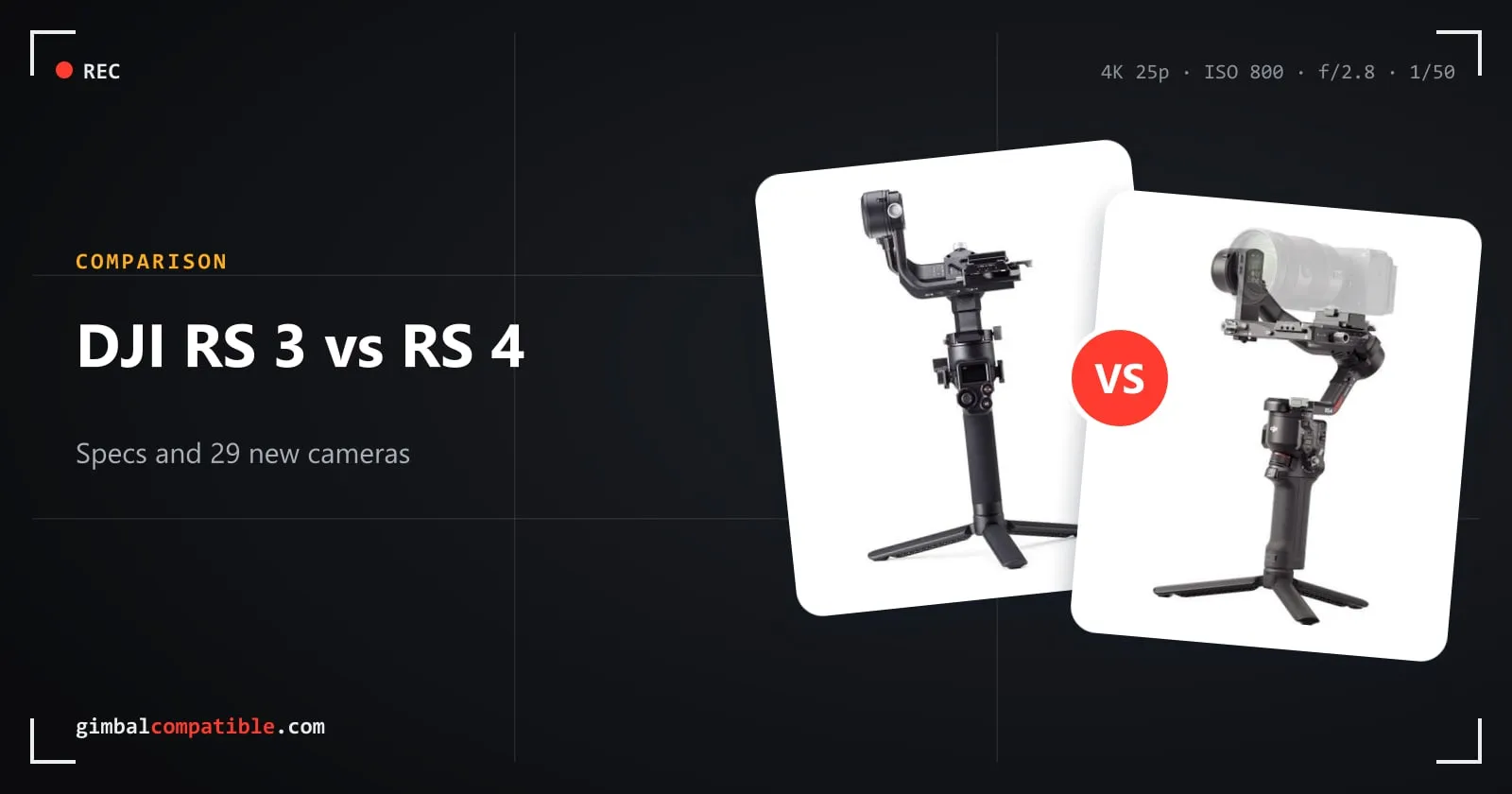
The DJI RS 3 is DJI’s 3 kg gimbal from 2022, the first RS with automatic axis locks and a Bluetooth shutter. DJI’s compatibility search lists 93 cameras for it. This page lists every model, how it connects and which functions you can control from the gimbal.
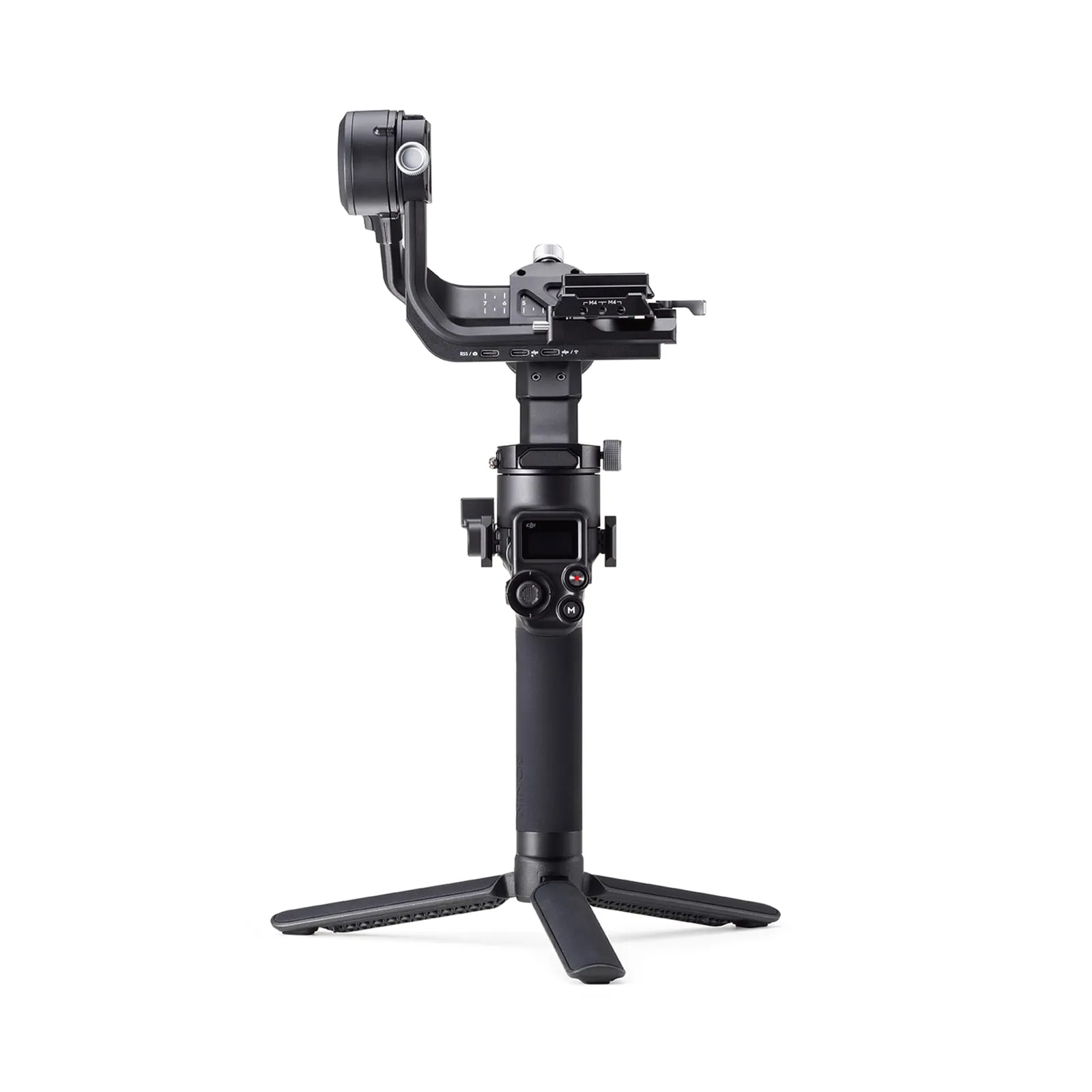
DJI RS 3 specs
| DJI RS 3 | |
|---|---|
| Tested payload | 3 kg (6.6 lb) |
| Weight | Gimbal about 990 g, grip about 200 g |
| Battery life | Up to 12 h |
| Charging | About 2.5 h with an 18 W PD charger, usable while charging |
| Screen | 1.8-inch OLED color touchscreen |
| Camera control | Bluetooth shutter, or cable via the RSS camera control port (USB-C) |
| Axis locks | Automatic |
| Accessories | DJI RS Focus Motor, Ronin 3D Focus System, Ronin Image Transmitter (ActiveTrack) |
| Updates | Guaranteed until 31 Dec 2026 (latest firmware v01.04.00.00, May 2023) |
How camera control works on the RS 3
- Bluetooth: photo, start/stop recording and autofocus. Half-press the camera button for AF, press once to record, hold for a photo.
- Cable: DJI’s Multi-Camera Control Cable (USB-C, Micro-USB, Mini-USB or Sony Multi), or the RSS cable for Fujifilm or Panasonic. On most cameras it adds focus pulling with the front dial and aperture, shutter and ISO control.
- Bluetooth takes priority. To change exposure settings over the cable, disconnect the camera’s Bluetooth in the gimbal menu first.
Full DJI RS 3 camera compatibility list
Canon
| Camera | Connection | Photo | Record | AF | Focus pull | Zoom | Aperture / shutter / ISO |
|---|---|---|---|---|---|---|---|
| EOS 200D II | Micro-USB cable | ✓ | ✓ | ✓ | ✓ | ✗ | ✓ |
| Bluetooth | ✓ | ✓ | ✓ | ✗ | ✗ | ✗ | |
| EOS 5D Mark III | Mini-USB cable | ✓ | ✓ | ✓ | ✓ | ✗ | ✓ |
| EOS 5D Mark IV | Micro-USB cable | ✓ | ✓ | ✓ | ✓ | ✗ | ✓ |
| EOS 6D | Mini-USB cable | ✓ | ✓ | ✓ | ✓ | ✗ | ✓ |
| EOS 6D Mark II | Mini-USB cable | ✓ | ✓ | ✓ | ✓ | ✗ | ✓ |
| Bluetooth | ✓ | ✓ | ✓ | ✗ | ✗ | ✗ | |
| EOS 70D | Mini-USB cable | ✓ | ✓ | ✓ | ✓ | ✗ | ✓ |
| EOS 77D | Mini-USB cable | ✓ | ✓ | ✓ | ✓ | ✗ | ✓ |
| Bluetooth | ✓ | ✓ | ✓ | ✗ | ✗ | ✗ | |
| EOS 800D | Mini-USB cable | ✓ | ✓ | ✓ | ✓ | ✗ | ✓ |
| Bluetooth | ✓ | ✓ | ✓ | ✗ | ✗ | ✗ | |
| EOS 80D | Mini-USB cable | ✓ | ✓ | ✓ | ✓ | ✗ | ✓ |
| EOS 850D | Micro-USB cable | ✓ | ✓ | ✓ | ✓ | ✗ | ✓ |
| Bluetooth | ✓ | ✓ | ✓ | ✗ | ✗ | ✗ | |
| EOS 90D | Micro-USB cable | ✓ | ✓ | ✓ | ✓ | ✗ | ✓ |
| Bluetooth | ✓ | ✓ | ✓ | ✗ | ✗ | ✗ | |
| EOS M50 | Micro-USB cable | ✓ | ✓ | ✓ | ✓ | ✗ | ✓ |
| Bluetooth | ✓ | ✓ | ✓ | ✗ | ✗ | ✗ | |
| EOS M50 II | Micro-USB cable | ✓ | ✓ | ✓ | ✓ | ✗ | ✓ |
| Bluetooth | ✓ | ✓ | ✓ | ✗ | ✗ | ✗ | |
| EOS M6 II | USB-C cable | ✓ | ✓ | ✓ | ✓ | ✗ | ✓ |
| Bluetooth | ✓ | ✓ | ✓ | ✗ | ✗ | ✗ | |
| EOS R | USB-C cable | ✓ | ✓ | ✓ | ✓ | ✗ | ✓ |
| Bluetooth | ✓ | ✓ | ✓ | ✗ | ✗ | ✗ | |
| EOS R10 | USB-C cable | ✓ | ✓ | ✓ | ✓ | ✗ | ✓ |
| Bluetooth | ✓ | ✓ | ✓ | ✗ | ✗ | ✗ | |
| EOS R5 | USB-C cable | ✓ | ✓ | ✓ | ✓ | ✗ | ✓ |
| Bluetooth | ✓ | ✓ | ✓ | ✗ | ✗ | ✗ | |
| EOS R50 | USB-C cable | ✓ | ✓ | ✓ | ✓ | ✗ | ✓ |
| Bluetooth | ✓ | ✓ | ✓ | ✗ | ✗ | ✗ | |
| EOS R6 | USB-C cable | ✓ | ✓ | ✓ | ✓ | ✗ | ✓ |
| Bluetooth | ✓ | ✓ | ✓ | ✗ | ✗ | ✗ | |
| EOS R6 Mark II | USB-C cable | ✓ | ✓ | ✓ | ✓ | ✗ | ✓ |
| Bluetooth | ✓ | ✓ | ✓ | ✗ | ✗ | ✗ | |
| EOS R7 | USB-C cable | ✓ | ✓ | ✓ | ✓ | ✗ | ✗ |
| Bluetooth | ✓ | ✓ | ✓ | ✗ | ✗ | ✗ | |
| EOS R8 | USB-C cable | ✓ | ✓ | ✓ | ✓ | ✗ | ✗ |
| EOS RP | USB-C cable | ✓ | ✓ | ✓ | ✓ | ✗ | Aperture + ISO |
| Bluetooth | ✓ | ✓ | ✓ | ✗ | ✗ | ✗ | |
| PowerShot G7 X Mark III | USB-C cable | ✓ | ✓ | ✓ | ✗ | ✗ | ✓ |
| Bluetooth | ✓ | ✓ | ✓ | ✗ | ✗ | ✗ |
Sony
| Camera | Connection | Photo | Record | AF | Focus pull | Zoom | Aperture / shutter / ISO |
|---|---|---|---|---|---|---|---|
| A1 | USB-C cable | ✓ | ✓ | ✓ | ✓ | ✗ | ✓ |
| Sony Multi cable | ✓ | ✓ | ✓ | ✗ | ✓ | ✗ | |
| Bluetooth | ✓ | ✓ | ✓ | ✗ | ✗ | ✗ | |
| A6000 | Sony Multi cable | ✓ | ✓ | ✓ | ✗ | ✗ | ✗ |
| Micro-USB cable | ✗ | ✓ | ✓ | ✗ | ✗ | ✓ | |
| A6100 | Sony Multi cable | ✓ | ✓ | ✓ | ✗ | ✓ | ✗ |
| Micro-USB cable | ✗ | ✓ | ✓ | ✓ | ✗ | ✓ | |
| Bluetooth | ✓ | ✓ | ✓ | ✗ | ✗ | ✗ | |
| A6300 | Sony Multi cable | ✓ | ✓ | ✓ | ✗ | ✓ | ✗ |
| Micro-USB cable | ✗ | ✓ | ✓ | ✗ | ✗ | ✓ | |
| A6400 | Sony Multi cable | ✓ | ✓ | ✓ | ✗ | ✓ | ✗ |
| Micro-USB cable | ✗ | ✓ | ✓ | ✓ | ✗ | ✓ | |
| Bluetooth | ✓ | ✓ | ✓ | ✗ | ✓ | ✗ | |
| A6500 | Sony Multi cable | ✓ | ✓ | ✓ | ✗ | ✓ | ✗ |
| Micro-USB cable | ✗ | ✓ | ✓ | ✗ | ✗ | ✓ | |
| A6600 | Sony Multi cable | ✓ | ✓ | ✓ | ✗ | ✓ | ✗ |
| Micro-USB cable | ✗ | ✓ | ✓ | ✓ | ✗ | ✓ | |
| Bluetooth | ✓ | ✓ | ✓ | ✗ | ✓ | ✗ | |
| A6700 | USB-C cable | ✓ | ✓ | ✓ | ✓ | ✗ | ✓ |
| Bluetooth | ✓ | ✓ | ✓ | ✗ | ✓ | ✗ | |
| A7C | USB-C cable | ✓ | ✓ | ✓ | ✓ | ✗ | ✓ |
| Bluetooth | ✓ | ✓ | ✓ | ✗ | ✓ | ✗ | |
| A7C II | USB-C cable | ✓ | ✓ | ✓ | ✓ | ✗ | ✓ |
| Bluetooth | ✓ | ✓ | ✓ | ✗ | ✓ | ✗ | |
| A7M2 | Sony Multi cable | ✓ | ✓ | ✓ | ✗ | ✓ | ✗ |
| Micro-USB cable | ✗ | ✓ | ✓ | ✗ | ✗ | ✓ | |
| A7M3 | USB-C cable | ✗ | ✓ | ✓ | ✓ | ✗ | ✓ |
| Sony Multi cable | ✓ | ✓ | ✓ | ✗ | ✓ | ✗ | |
| Bluetooth | ✓ | ✓ | ✓ | ✗ | ✓ | ✗ | |
| A7M4 | USB-C cable | ✓ | ✓ | ✓ | ✓ | ✗ | ✓ |
| Sony Multi cable | ✓ | ✓ | ✓ | ✗ | ✓ | ✗ | |
| Bluetooth | ✓ | ✓ | ✓ | ✗ | ✓ | ✗ | |
| A7M5 | USB-C cable | ✓ | ✓* | ✓ | ✓ | ✗ | Aperture + ISO |
| Bluetooth | ✓ | ✓* | ✓ | ✗ | ✓ | ✗ | |
| A7R2 | Sony Multi cable | ✓ | ✓ | ✓ | ✗ | ✓ | ✗ |
| Micro-USB cable | ✗ | ✓ | ✓ | ✗ | ✗ | ✓ | |
| A7R3 | USB-C cable | ✗ | ✓ | ✓ | ✓ | ✗ | ✓ |
| Sony Multi cable | ✓ | ✓ | ✓ | ✗ | ✓ | ✗ | |
| Bluetooth | ✓ | ✓ | ✓ | ✗ | ✓ | ✗ | |
| A7R4 | USB-C cable | ✗ | ✓ | ✓ | ✓ | ✗ | ✓ |
| Sony Multi cable | ✓ | ✓ | ✓ | ✗ | ✓ | ✗ | |
| Bluetooth | ✓ | ✓ | ✓ | ✗ | ✓ | ✗ | |
| A7R5 | USB-C cable | ✓ | ✓ | ✓ | ✓ | ✗ | ✓ |
| Sony Multi cable | ✓ | ✓ | ✓ | ✗ | ✓ | ✗ | |
| Bluetooth | ✓ | ✓ | ✓ | ✗ | ✓ | ✗ | |
| A7S | Sony Multi cable | ✓ | ✓ | ✓ | ✗ | ✓ | ✗ |
| A7S2 | Sony Multi cable | ✓ | ✓ | ✓ | ✗ | ✓ | ✗ |
| A7S3 | USB-C cable | ✓ | ✓ | ✓ | ✓ | ✗ | ✓ |
| Sony Multi cable | ✓ | ✓ | ✓ | ✗ | ✓ | ✗ | |
| Bluetooth | ✓ | ✓ | ✓ | ✗ | ✓ | ✗ | |
| A9 | Sony Multi cable | ✓ | ✓ | ✓ | ✗ | ✓ | ✗ |
| Micro-USB cable | ✗ | ✓ | ✓ | ✓ | ✗ | ✓ | |
| Bluetooth | ✓ | ✓ | ✓ | ✗ | ✗ | ✗ | |
| A9 II | USB-C cable | ✗ | ✓ | ✓ | ✓ | ✗ | ✓ |
| Sony Multi cable | ✓ | ✓ | ✓ | ✗ | ✓ | ✗ | |
| Bluetooth | ✓ | ✓ | ✓ | ✗ | ✓ | ✗ | |
| FX3 | USB-C cable | ✓ | ✓ | ✓ | ✓ | ✗ | ✓ |
| Sony Multi cable | ✓ | ✓ | ✓ | ✗ | ✓ | ✗ | |
| Bluetooth | ✓ | ✓ | ✓ | ✗ | ✓ | ✗ | |
| Rx100 VII | Sony Multi cable | ✓ | ✓ | ✓ | ✗ | ✓ | ✗ |
| Micro-USB cable | ✗ | ✓ | ✓ | ✓ | ✗ | ✓ | |
| Bluetooth | ✓ | ✓ | ✓ | ✗ | ✗ | ✗ | |
| ZV-E1 | USB-C cable | ✓ | ✓ | ✓ | ✓ | ✗ | ✓ |
| Bluetooth | ✓ | ✓ | ✓ | ✗ | ✓ | ✗ | |
| ZV-E10 | USB-C cable | ✓ | ✓ | ✓ | ✓ | ✗ | ✓ |
| Bluetooth | ✓ | ✓ | ✓ | ✗ | ✓ | ✗ |
Panasonic
| Camera | Connection | Photo | Record | AF | Focus pull | Zoom | Aperture / shutter / ISO |
|---|---|---|---|---|---|---|---|
| BGH1 | USB-C cable | ✗ | ✓ | ✓ | ✓ | ✗ | ✓ |
| G9 | Micro-USB cable | ✓ | ✓ | ✓ | ✓ | ✗ | ISO |
| G95 | Panasonic RSS cable | ✓ | ✓ | ✓ | ✗ | ✗ | ✗ |
| GH3 | Panasonic RSS cable | ✓ | ✓ | ✓ | ✗ | ✗ | ✗ |
| GH4 | Panasonic RSS cable | ✓ | ✓ | ✓ | ✗ | ✗ | ✗ |
| GH5 | USB-C cable | ✓ | ✓ | ✓ | ✓ | ✗ | ✓ |
| GH5S | USB-C cable | ✓ | ✓ | ✓ | ✓ | ✗ | ✓ |
| GH6 | USB-C cable | ✓ | ✓ | ✓ | ✓ | ✗ | ✓ |
| Panasonic RSS cable | ✓ | ✓ | ✓ | ✗ | ✗ | ✗ | |
| S1 | USB-C cable | ✓ | ✓ | ✓ | ✓ | ✗ | ✓ |
| S1H | USB-C cable | ✓ | ✓ | ✓ | ✓ | ✗ | ✓ |
| S5 | USB-C cable | ✓ | ✓ | ✓ | ✓ | ✗ | ✓ |
| S5 II | USB-C cable | ✓* | ✓ | ✓ | ✓ | ✗ | ✓ |
| Panasonic RSS cable | ✓* | ✓* | ✓ | ✗ | ✗ | ✗ |
Nikon
| Camera | Connection | Photo | Record | AF | Focus pull | Zoom | Aperture / shutter / ISO |
|---|---|---|---|---|---|---|---|
| D500 | Micro-USB cable | ✓ | ✓ | ✓ | ✓ | ✗ | ✓ |
| D850 | Micro-USB cable | ✓ | ✓ | ✓ | ✓ | ✗ | ✓ |
| Z fc | USB-C cable | ✓ | ✓ | ✓ | ✓ | ✗ | Aperture |
| Bluetooth | ✓ | ✓ | ✗ | ✗ | ✗ | ✗ | |
| Z30 | USB-C cable | ✓ | ✓* | ✓ | ✓ | ✗ | ✓ |
| Bluetooth | ✓ | ✓* | ✗ | ✗ | ✗ | ✗ | |
| Z5 | USB-C cable | ✓ | ✓ | ✓ | ✓ | ✗ | ✓ |
| Z50 | Micro-USB cable | ✓ | ✓ | ✓ | ✓ | ✗ | ✓ |
| Bluetooth | ✓ | ✓ | ✗ | ✗ | ✗ | ✗ | |
| Z6 | USB-C cable | ✓ | ✓ | ✓ | ✓ | ✗ | ✓ |
| Z6 II | USB-C cable | ✓ | ✓ | ✓ | ✓ | ✗ | ✓ |
| Bluetooth | ✓ | ✓* | ✗ | ✗ | ✗ | ✗ | |
| Z7 | USB-C cable | ✓ | ✓ | ✓ | ✓ | ✗ | ✓ |
| Z7 II | USB-C cable | ✓ | ✓ | ✓ | ✓ | ✗ | ✓ |
| Bluetooth | ✓ | ✓* | ✗ | ✗ | ✗ | ✗ | |
| Z8 | USB-C cable | ✓ | ✓ | ✓ | ✓ | ✗ | ✓ |
Fujifilm
| Camera | Connection | Photo | Record | AF | Focus pull | Zoom | Aperture / shutter / ISO |
|---|---|---|---|---|---|---|---|
| X-E3 | Fujifilm RSS cable | ✓ | ✓ | ✓ | ✗ | ✗ | ✗ |
| X-H1 | Fujifilm RSS cable | ✓ | ✓ | ✓ | ✗ | ✗ | ✗ |
| Micro-USB cable | ✓* | ✗ | ✗ | ✗ | ✗ | ✗ | |
| X-H2S | USB-C cable | ✓ | ✓ | ✓ | ✓ | ✗ | ✓ (photo mode only) |
| X-S10 | USB-C cable | ✓ | ✓ | ✓ | ✓ | ✗ | ✓ |
| Fujifilm RSS cable | ✓ | ✓ | ✓ | ✗ | ✗ | ✗ | |
| X-S20 | USB-C cable | ✓ | ✓ | ✓ | ✓ | ✗ | ✓ |
| Fujifilm RSS cable | ✓ | ✓ | ✓ | ✗ | ✗ | ✗ | |
| X-T2 | Micro-USB cable | ✓ | ✗ | ✓ | ✓ | ✗ | ✗ |
| Fujifilm RSS cable | ✓ | ✓ | ✓ | ✗ | ✗ | ✗ | |
| X-T20 | Fujifilm RSS cable | ✓ | ✓ | ✓ | ✗ | ✗ | ✗ |
| X-T3 | USB-C cable | ✓ | ✓ | ✓ | ✓ | ✗ | ✓ (photo mode only) |
| Fujifilm RSS cable | ✓ | ✓ | ✓ | ✗ | ✗ | ✗ | |
| X-T30 | Fujifilm RSS cable | ✓ | ✓ | ✓ | ✗ | ✗ | ✗ |
| X-T30 II | USB-C cable | ✗ | ✓ | ✓ | ✓ | ✗ | Aperture + ISO |
| Fujifilm RSS cable | ✓ | ✓ | ✓ | ✗ | ✗ | ✗ | |
| X-T4 | USB-C cable | ✓ | ✓ | ✓ | ✓ | ✗ | ✓ (photo mode only) |
| Fujifilm RSS cable | ✓ | ✓ | ✓ | ✗ | ✗ | ✗ | |
| X-T5 | USB-C cable | ✓ | ✓ | ✓ | ✗ | ✗ | ✗ |
| X100V | Fujifilm RSS cable | ✓ | ✓ | ✓ | ✗ | ✗ | ✗ |
Sigma
| Camera | Connection | Photo | Record | AF | Focus pull | Zoom | Aperture / shutter / ISO |
|---|---|---|---|---|---|---|---|
| FP | USB-C cable | ✓ | ✓ | ✓ | ✓ | ✗ | Aperture + ISO |
Olympus
| Camera | Connection | Photo | Record | AF | Focus pull | Zoom | Aperture / shutter / ISO |
|---|---|---|---|---|---|---|---|
| E-M1 II | USB-C cable | ✓ | ✓ | ✓ | ✓ | ✗ | ✓ |
Z CAM
| Camera | Connection | Photo | Record | AF | Focus pull | Zoom | Aperture / shutter / ISO |
|---|---|---|---|---|---|---|---|
| Z CAM E2 | Third-party DB-9 to USB-C cable | ✓ | ✓ | ✓ | ✗ | ✗ | Aperture + ISO |
| Z CAM E2-F6 | Third-party 4-pin to USB-C cable | ✓ | ✓ | ✓ | ✗ | ✗ | Aperture + ISO |
Leica
| Camera | Connection | Photo | Record | AF | Focus pull | Zoom | Aperture / shutter / ISO |
|---|---|---|---|---|---|---|---|
| SL2 | USB-C cable | ✗ | ✓* | ✓ | ✗ | ✗ | ✗ |
| SL2-S | USB-C cable | ✓* | ✓* | ✓ | ✗ | ✗ | ✗ |
✓* = switch the camera to photo mode to take photos and to video mode to record.
Setup tips by brand
- Sony: set USB connection to PC Remote and turn off Ctrl w/ Smartphone. For focus pulling, set the lens to AF and the camera to MF. Turn on the gimbal before the camera. After using the Sony Multi cable, restart the gimbal before you switch cables.
- Canon: use photo mode for photos and video mode for recording. For focus pulling, keep the lens on AF and turn the AF servo off. EF lenses on an adapter focus more slowly.
- Nikon: for Bluetooth, enable the wireless remote (ML-L7) connection. For focus pulling, use live view with the lens on AF and the camera on AF-S. Camera buttons are locked while the cable is connected.
- Panasonic: set USB mode to PC (Tether). Focus pulling works with the camera’s focus switch on MF.
- Fujifilm: set Mic/Remote Release to Remote and PC connection mode to USB Tether Shooting Auto. Don’t hot-swap the cable.
Related lists
- DJI RS 3 Pro: 4.5 kg, 105 cameras
- DJI RS 4: the successor, 122 cameras
- DJI RS 3 Mini: 2 kg, 65 cameras
Frequently asked questions
How many cameras are compatible with the DJI RS 3?
DJI's compatibility search lists 93 cameras for the RS 3: 27 Sony, 24 Canon, 13 Fujifilm, 12 Panasonic, 11 Nikon, 2 Leica, 2 Z CAM, plus the Sigma fp and Olympus E-M1 II.
What is the payload of the DJI RS 3?
3 kg (6.6 lb) tested payload. The gimbal weighs about 990 g, plus about 200 g for the grip.
Does the DJI RS 3 have Bluetooth shutter control?
Yes. The RS 3 supports a Bluetooth shutter on compatible cameras: photo, start/stop recording and autofocus. Focus pulling and exposure settings need a camera control cable on most cameras.
Is the RS 3 battery grip the same as on the RS 3 Pro?
No. According to DJI, the RS 3 grip isn't interchangeable with the RS 3 Pro and RS 2 grips (BG30). From firmware 2023.02.01 the RS 3 also supports the BG30 grip.
How long will DJI update the RS 3?
DJI's support page says software updates are guaranteed until 31 December 2026. The latest firmware is v01.04.00.00 (May 2023).